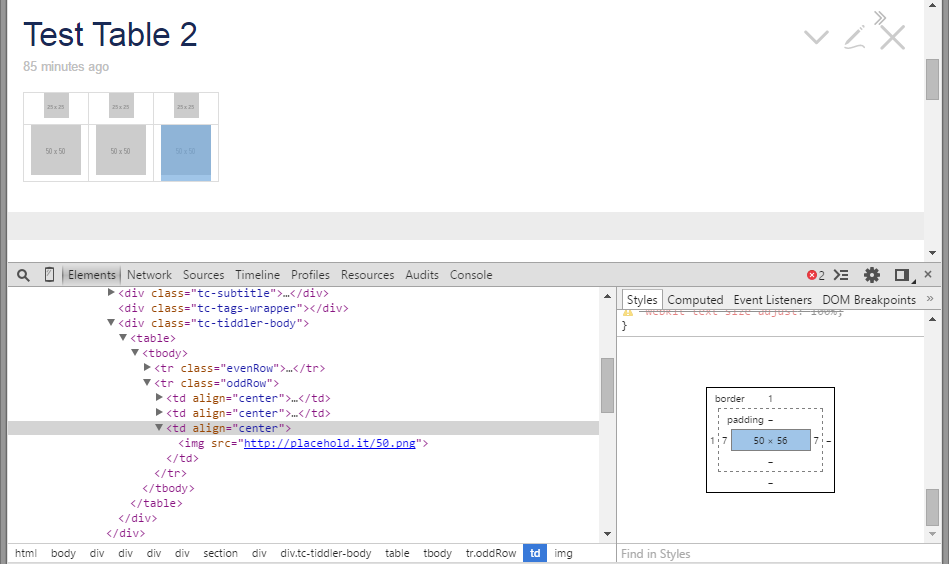
Hi Jon. Did not work for me. I am able to align the image left, right and
center no problem but vertical alignment is where I am having issues with.
It adds an addtional blank 6px below the image.
I took a screenshot to explain it better. My bad, I should have phrased the
topic correctly by writing middle instead of centering.

<https://lh3.googleusercontent.com/-RMox5sY8AvY/VSvZO1jK08I/AAAAAAAAAP4/JMkD5sjAQac/s1600/Test%2Bwith%2Bdev%2Btool.png>


On Monday, April 13, 2015 at 10:02:31 PM UTC+8, Jon wrote:
>
> Hi Christian,
>
> I'm at work so can't test this, but I think this has worked for me:
>
> <td align="center"><img src="foldername/imagename.jpg" width=120 ></td>
>
>
> Regards
> Jon
>
>
>
> On Monday, 13 April 2015 14:39:29 UTC+1, Christian de la Serna wrote:
>
>> Hello Everyone,
>>
>> I have been trying add images inside tables and the images keep aligning
>> top and not the middle.
>>
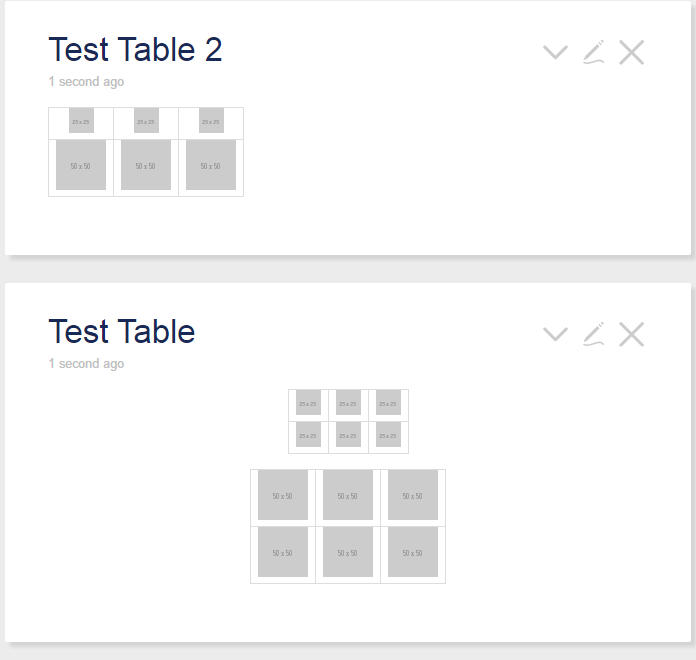
>> Here is the screenshot:
>>
>>
>> <https://lh3.googleusercontent.com/-yuwk6RJlFJo/VSvFW9K3ByI/AAAAAAAAAPo/bqA8b3HDoGs/s1600/Test%2BTable.png>
>>
>> Inside the tiddlers I tested:
>>
>>> | [img [http://placehold.it/25.png]] | [img [http://placehold.it/25.png]]
>>> | [img [http://placehold.it/25.png]] |
>>> | [img [http://placehold.it/50.png]] | [img [http://placehold.it/50.png]]
>>> | [img [http://placehold.it/50.png]] |
>>
>>
>> and html:
>>
>> <table class="tg">
>>>   <tr>
>>>     <td class="cg">[img [http://placehold.it/25.png]]</td>
>>>     <td class="cg">[img [http://placehold.it/25.png]]</td>
>>>     <td class="cg">[img [http://placehold.it/25.png]]</td>
>>>   </tr>
>>>   <tr>
>>>     <td class="cg">[img [http://placehold.it/50.png]]</td>
>>>     <td class="cg">[img [http://placehold.it/50.png]]</td>
>>>     <td class="cg">[img [http://placehold.it/50.png]]</td>
>>>   </tr>
>>> </table>
>>
>>
>>
>> I tried both using the tiddlywiki format and html tables. I was able to
>> do a quick fix by padding the top of each cell by 5px. I've been trying to
>> search for the css handling the table alignment using the chrome dev tool
>> but could not find it. Is there a better way to do it?
>> My quickfix css:
>>
>> .tg {border:0;}
>>> .tg .cg{border: 1px solid black;padding: 5px 5px 0px 5px;}
>>>
>>
>>
>> P.S. I have very basic html and css knowledge.
>>
>

--
You received this message because you are subscribed to the Google Groups
"TiddlyWiki" group.
To unsubscribe from this group and stop receiving emails from it, send an email
to [email protected].
To post to this group, send email to [email protected].
Visit this group at http://groups.google.com/group/tiddlywiki.
To view this discussion on the web visit
https://groups.google.com/d/msgid/tiddlywiki/52e42688-49b1-4741-8fb8-6378e78b8cf7%40googlegroups.com.
For more options, visit https://groups.google.com/d/optout.