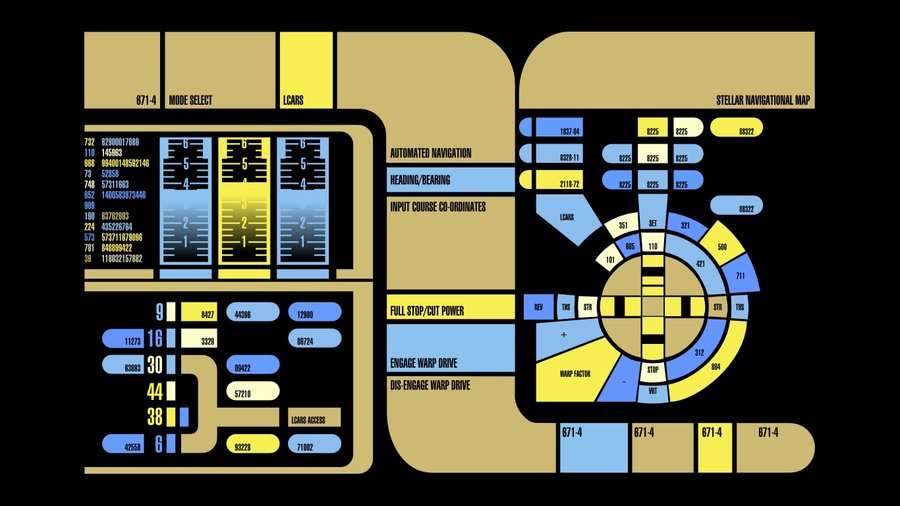
To do something as cool as your pic, I think you could assign links to part
of an svg image. By chance I found Tobias' guide
https://tobibeer.github.io/tb5/#Interactive%20SVG%20Image%20Map

<https://tobibeer.github.io/tb5/#Interactive%20SVG%20Image%20Map>
Den onsdag den 13. april 2016 kl. 23.18.35 UTC+2 skrev Dave:
>
> What would be the best way to change the river story paradigm to one that
> might look more like this:
>
> http://i.nextmedia.com.au/News/LCARS.jpg
>
> Okay, maybe not that extravagant, but I'm thinking of a project that I'd
> like to make that would have a wide panel of information showing multiple
> lists and various buttons to initiate actions etc.
>
> The only thing I can think of would be to make the story the width of the
> whole screen and then put a bunch of transclusions to various tiddlers in a
>
> | {{table}} | {{form}} | {{that}} |
> | {{goes}} | {{across}} | {{the screen}} |
>
> I could probably copy someone's work if there are examples out there in
> the wild, but I'm not sure how to google such a thing.
> Any suggestions?
>
> (I'm thinking I'll have to learn in more detail how <div>s work for this)
>
>
>

--
You received this message because you are subscribed to the Google Groups
"TiddlyWiki" group.
To unsubscribe from this group and stop receiving emails from it, send an email
to [email protected].
To post to this group, send email to [email protected].
Visit this group at https://groups.google.com/group/tiddlywiki.
To view this discussion on the web visit
https://groups.google.com/d/msgid/tiddlywiki/110d907e-df62-4630-a18a-79d821de2990%40googlegroups.com.
For more options, visit https://groups.google.com/d/optout.