I think you've come across the big issue here with buying random hardware I'm
always speaking about and why it's not really a great solution.
Understandably everybody's situation is different and I have no good solution
to offer other than pointers.
The problem is that model numbers don't equate to chipsets. Companies ship
with different components and chipsets and depending on which set of
components and chipsets you get will determine compatibility with free
software.
While I can't guarantee anything here I don't believe ASUS has implimented
digital restrictions on the mini pcie card slot. That means if it does end up
coming with a free software unfriendly wifi card you will probably be able to
replace it.
Now I don't know how easy that will be with this system although if you think
your comfortable opening the system it may be a solution to this problem. For
a decent percentage of systems this is easy. It's just a matter of unscrewing
a few screws on the bottom. There is a compartment that is held on by these
screws. It is fairly obvious. Less technical (although not non-technical)
users often find it reactively easy.
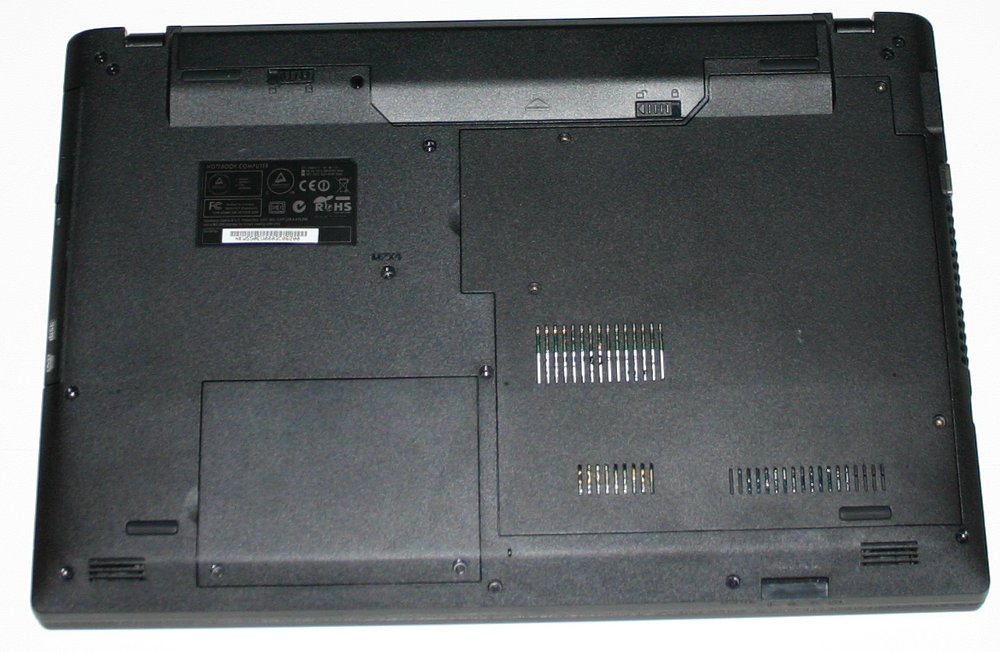
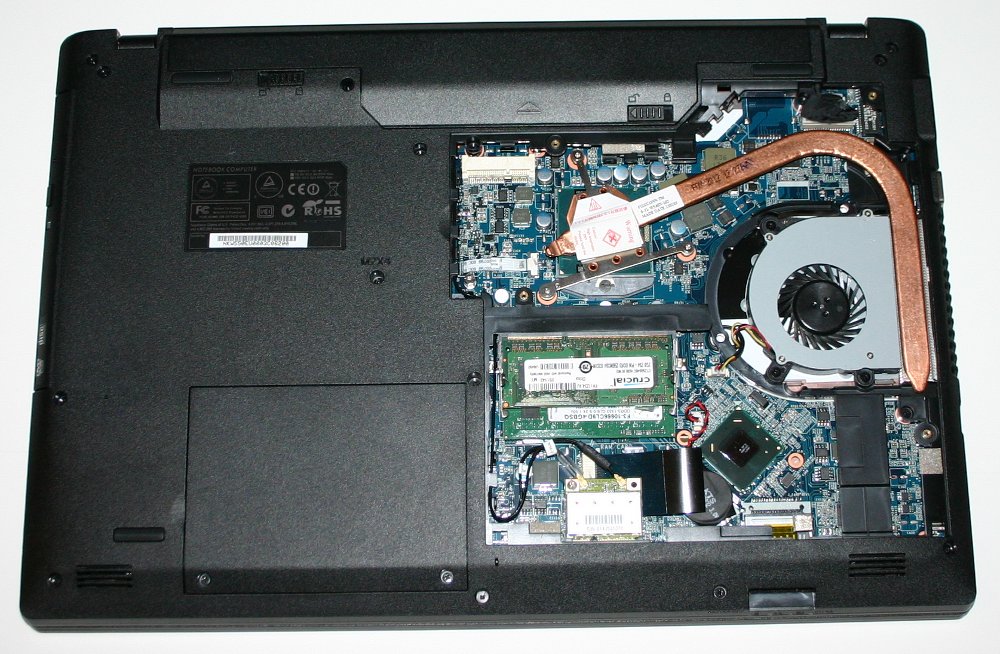
Here is an example of one of our laptops with one of these compartments on
and one with the compartment off:
https://www.thinkpenguin.com/files/kingpenguinphotos/kingpenguin5.jpg
https://www.thinkpenguin.com/files/kingpenguinphotos/kingpenguin4.jpg
This has 3-4 screws to take it off. Other laptops have a few different
compartments with a single screw each.