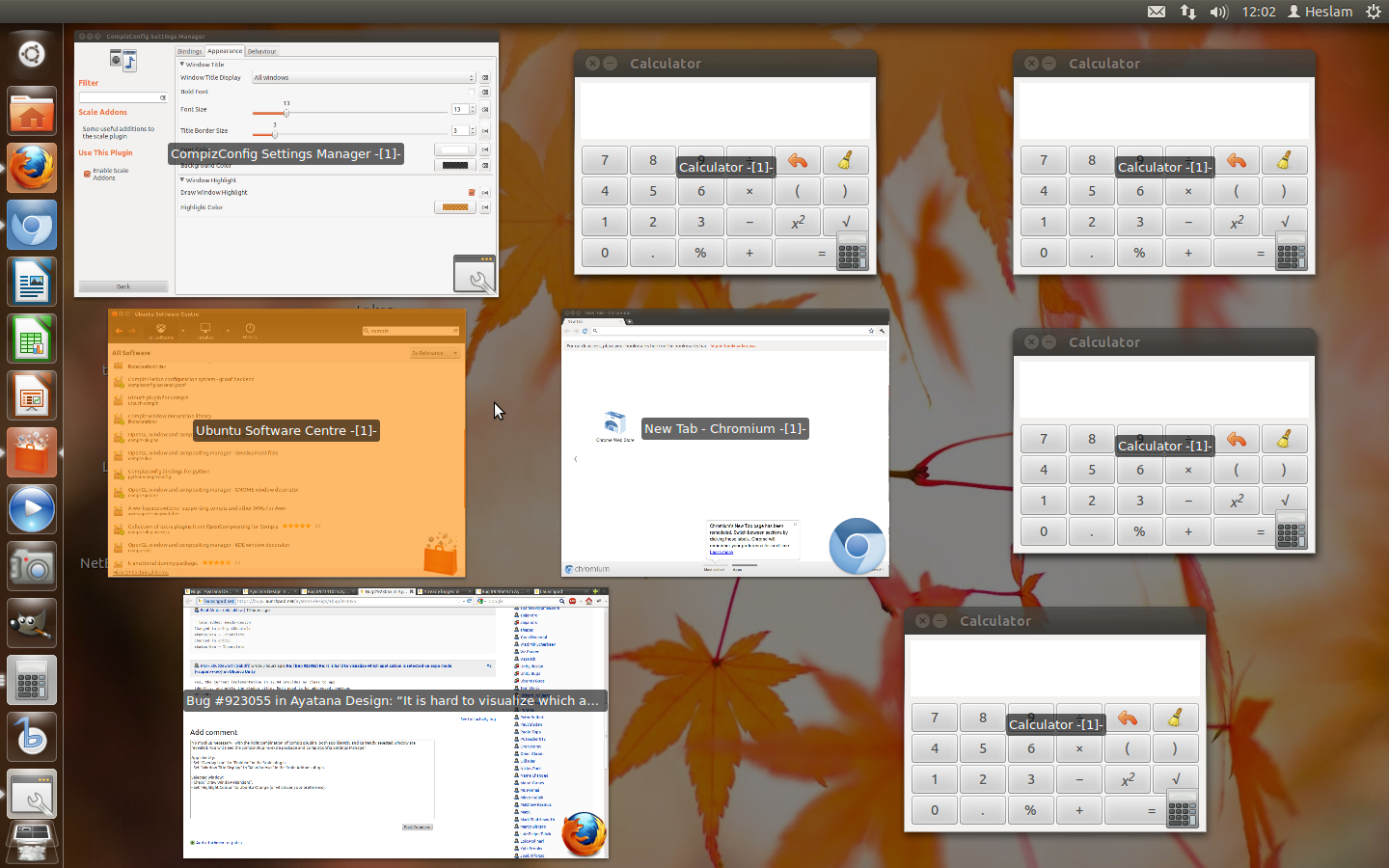
No mockup necessary - with the right combination of compiz plugins, both
app identity and the currently selected window are revealed. You will
need the compiz-plugins-extra package and CompizConfig Settings Manager.
App identity:
- Set "Overlay Icon" to "Emblem" in the Scale plugin.
- Set "Window Title Display" to "All Windows" in the Scale Addons plugin.

Selected window:
- Check "Draw Window Highlight".
- Set "Highlight Colour" to Ubuntu Orange (or whatever your preference).

See attached my desktop and approximation of Ubuntu Orange (it's more
Ubuntu Tangerine).

** Attachment added: "desktop screenshot"

https://bugs.launchpad.net/ayatana-design/+bug/923055/+attachment/2723546/+files/Screenshot%20at%202012-02-08%2012%3A02%3A16.png

--
You received this bug notification because you are a member of Ubuntu
Bugs, which is subscribed to Ubuntu.
https://bugs.launchpad.net/bugs/923055

Title:
  It is hard to visualize which application is selected on expo mode
  (<super>+<w>) on Ubuntu Unity

To manage notifications about this bug go to:
https://bugs.launchpad.net/ayatana-design/+bug/923055/+subscriptions

--
ubuntu-bugs mailing list
[email protected]
https://lists.ubuntu.com/mailman/listinfo/ubuntu-bugs