** Description changed:

  software-center trunk r2404, Ubuntu 11.10 beta
+ Ubuntu Software Center 5.2.1, Ubuntu 12.04

  1. Choose "View" > "Canonical-Maintained Software".
  2. Navigate to "Developer Tools".

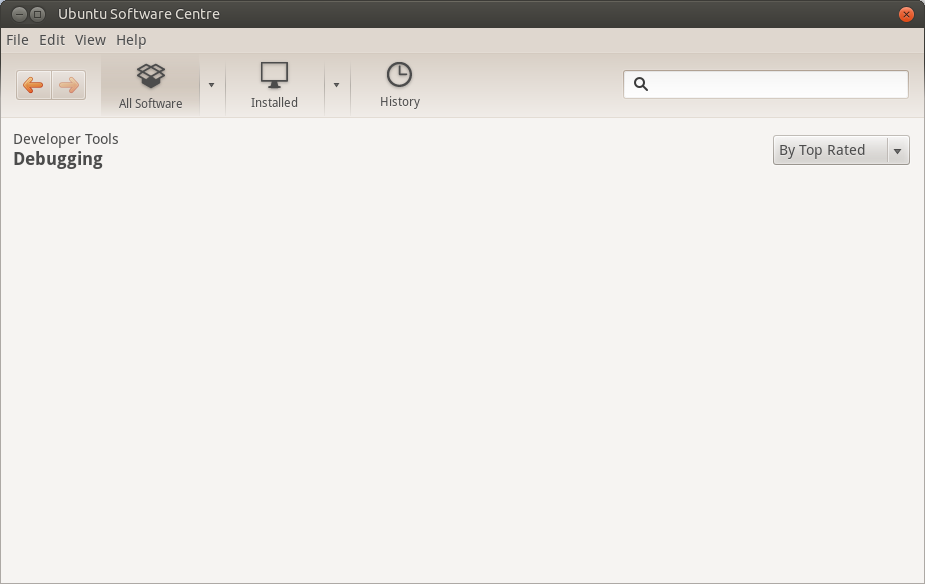
  What you see: A "Debugging" subcategory.
  What you should see: The subcategory shouldn't be there, because it contains
no items.
** Attachment added: "screenshot of the problem in 5.2.1"

https://bugs.launchpad.net/ubuntu/+source/software-center/+bug/855581/+attachment/3135795/+files/bug-855581.png

--
You received this bug notification because you are a member of Ubuntu
Bugs, which is subscribed to Ubuntu.
https://bugs.launchpad.net/bugs/855581

Title:
  Empty subcategories still shown on category screen

To manage notifications about this bug go to:
https://bugs.launchpad.net/ubuntu/+source/software-center/+bug/855581/+subscriptions

--
ubuntu-bugs mailing list
[email protected]
https://lists.ubuntu.com/mailman/listinfo/ubuntu-bugs