** Tags added: mako u187

** Tags added: qa-daily-testing rtm14
** Tags removed: u187
** Tags added: u183

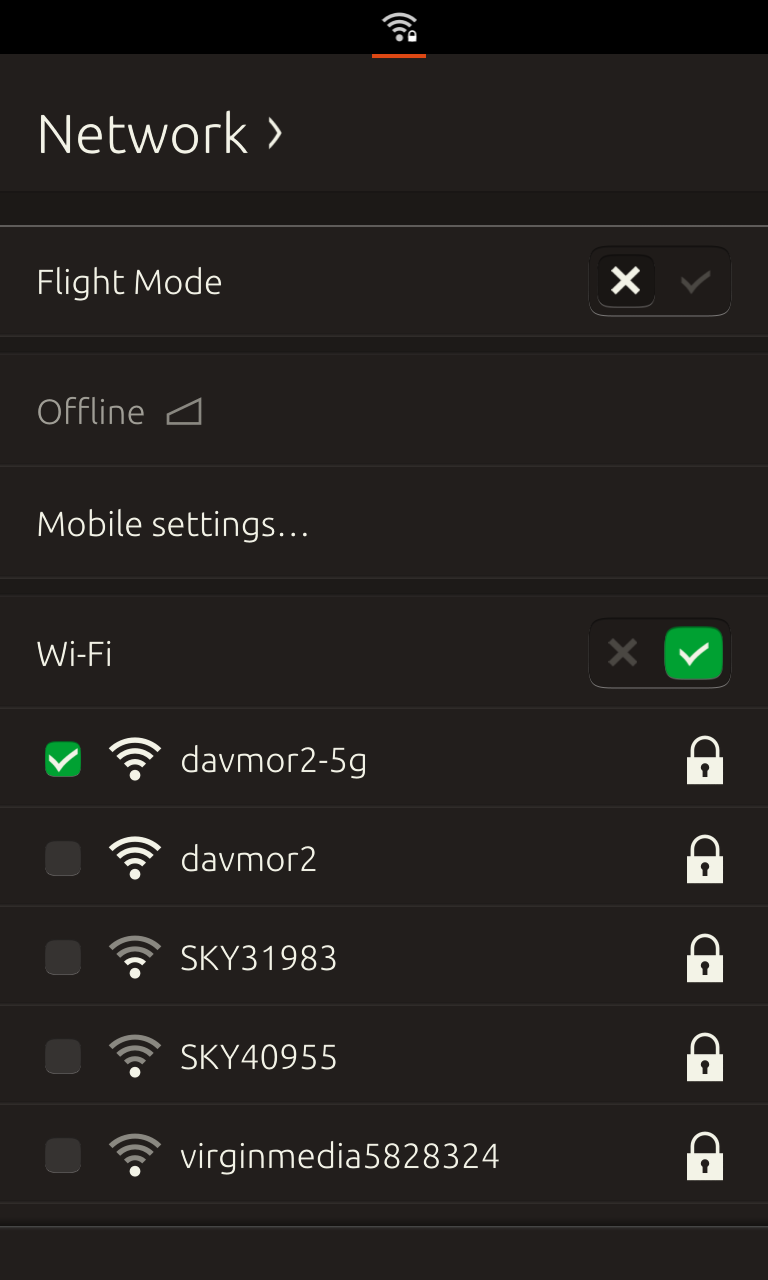
** Attachment added: "device-2014-08-11-154307.png"

https://bugs.launchpad.net/ubuntu/+source/urfkill/+bug/1355218/+attachment/4174496/+files/device-2014-08-11-154307.png

** Description changed:

  STEPS:
  1. Open settings app
  2. Select Security and Privacy
  3. Select Lock security
  4. Type in a 4 digit pin
  5. Set it
  6. Tap the power button so the device screen blanks
  7. Tap the power button again so the device is at the welcome screen
- 8. Drag down the indicator and set flight mode
+ 8. Drag down the network-indicator and set flight mode
  9. Wait a second and disable flight mode
  10. now log into the device with the passcode you set

  EXPECTED:
  I expect both wifi and cellular to be back up

  ACTUAL:
  Wifi is back up but cellular says offline or no sim,  Offline can be fixed by
restarting, No sim needs a full bootstrap install.

  ProblemType: Bug
  DistroRelease: Ubuntu 14.10
  Package: urfkill 0.6.0~20140708.110711.a0581f3-0ubuntu2
  Uname: Linux 3.4.0-5-mako armv7l
  ApportVersion: 2.14.5-0ubuntu4
  Architecture: armhf
  Date: Mon Aug 11 15:13:21 2014
  InstallationDate: Installed on 2014-08-11 (0 days ago)
  InstallationMedia: Ubuntu Utopic Unicorn (development branch) - armhf
(20140811-020205)
  SourcePackage: urfkill
  UpgradeStatus: No upgrade log present (probably fresh install)

--
You received this bug notification because you are a member of Ubuntu
Bugs, which is subscribed to Ubuntu.
https://bugs.launchpad.net/bugs/1355218

Title:
  urfkill seems to leave celluar in an offline state

To manage notifications about this bug go to:
https://bugs.launchpad.net/ubuntu/+source/urfkill/+bug/1355218/+subscriptions

--
ubuntu-bugs mailing list
[email protected]
https://lists.ubuntu.com/mailman/listinfo/ubuntu-bugs