Work-around:

Using Synaptic Package Manager, downgrading the network-manager package
to version 1.1.93-0ubuntu4 and restarting the network-manager causes the
unwanted behavior to stop.
Work around steps:

1) Install Synaptic Package Manager
sudo apt-get install synaptic

2) Search for "network-manager" (no quotes), and then select "network-
manager" so that it is highlighted.

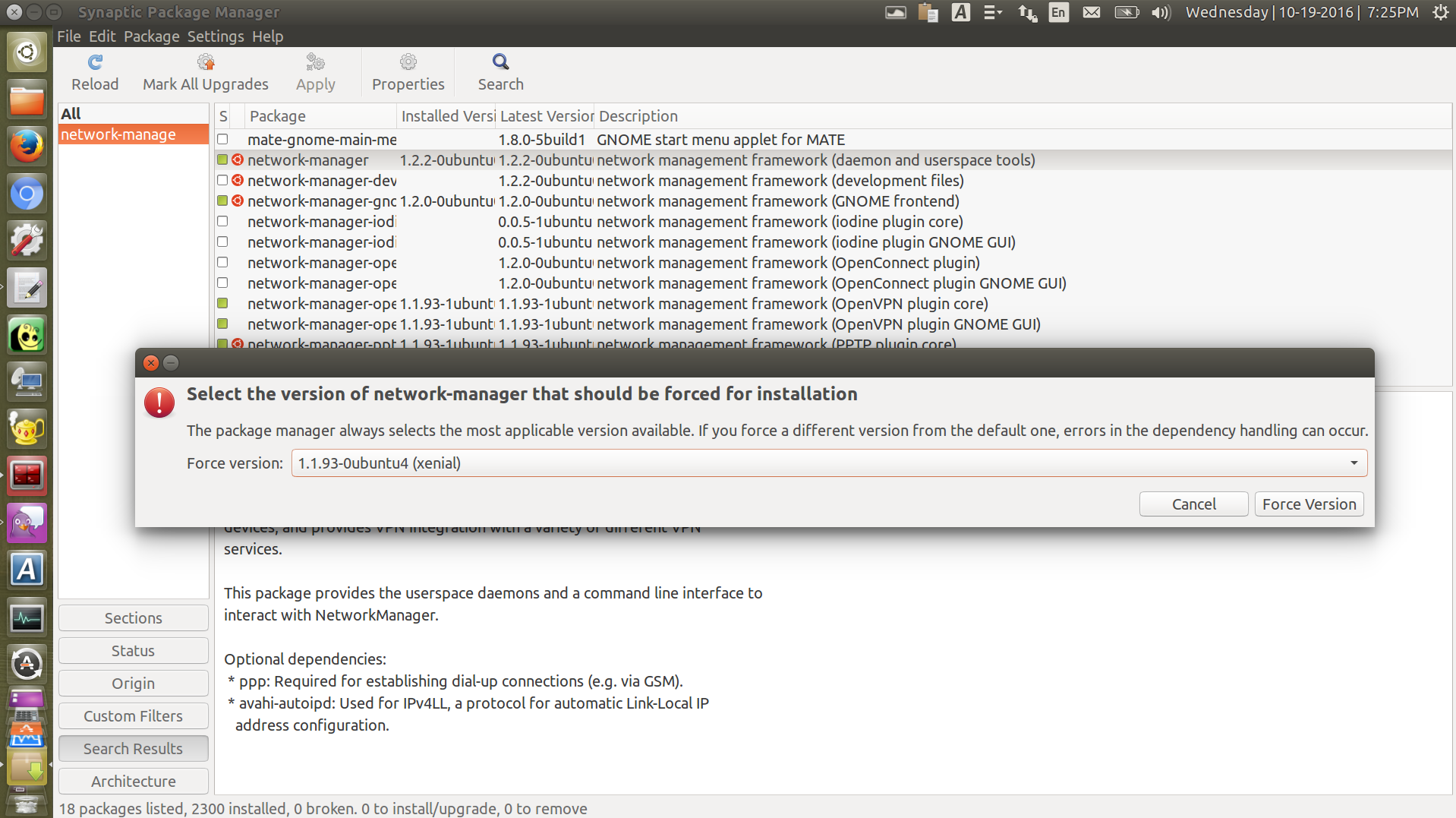
3) In the "Package" menu, select "Force Version" and choose 1.1.93-0ubuntu4
from the drop-down-menu:
http://neartalk.com/ss/2016-10-19_005_1918x1077.png

4) Click the Apply button

5) Restart the network-manger service:
sudo service network-manager restart

6) Reconnect to your vpn

After these steps I was able to ping computers on the remote VPN network
by their computer-name without having to explicitly type the "Search
Domain" portion of their address, as prescribed by the "Additional
Search Domain" option in the VPN configuration dialog.

This is only a work-around, there is definitely a bug in network-manager
version 1.2.2-0ubuntu0.16.04.3.

--
You received this bug notification because you are a member of Ubuntu
Bugs, which is subscribed to Ubuntu.
https://bugs.launchpad.net/bugs/1633877

Title:
  VPN - "Additional Search Domains" Settings are being Ignored

To manage notifications about this bug go to:
https://bugs.launchpad.net/network-manager-applet/+bug/1633877/+subscriptions

--
ubuntu-bugs mailing list
[email protected]
https://lists.ubuntu.com/mailman/listinfo/ubuntu-bugs