Hello @kaihengfeng

To start I just need the hardware to be recognized as touchpad, so that
in the control panel, in Mouse options, also appear on options of
Touchpad.
Hardware Unique ID: AH6Q.bGO0sOimOM3

The touchpad works reasonably with libinput and with evdev, but it is
recognized as a mouse and therefore not configurable by the user. The
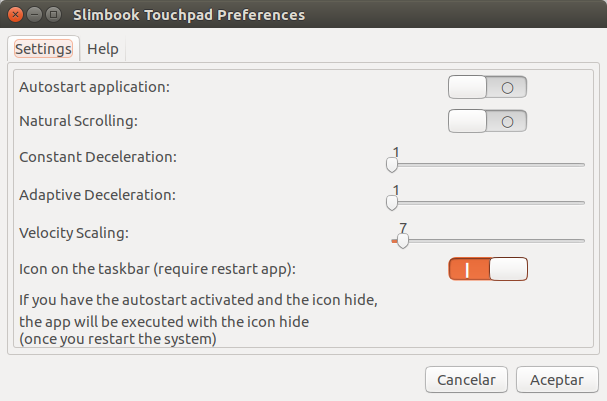
user can not activate options like "Natural Scrolling", Velocity, etc.

We have developed an application [1] that allows users to change parameters of
libinput and evdev, to activate the natural scrolling. But the customers have
to install it additionally.
The correct is that it recognizes that unique hardware like touchpad, which is
what it really is, and thus Ubuntu allows to configure parameters without
needing to install third-party applications.

[1]: https://slimbook.es/images/imagetuto/touchpadevdev.png

--
You received this bug notification because you are a member of Ubuntu
Bugs, which is subscribed to Ubuntu.
https://bugs.launchpad.net/bugs/1688625

Title:
  Linux does not recognize the Hantick touchpad as a touchpad and does
  not enable all the functions

To manage notifications about this bug go to:
https://bugs.launchpad.net/ubuntu/+source/linux/+bug/1688625/+subscriptions

--
ubuntu-bugs mailing list
[email protected]
https://lists.ubuntu.com/mailman/listinfo/ubuntu-bugs