Public bug reported:

Hi guys
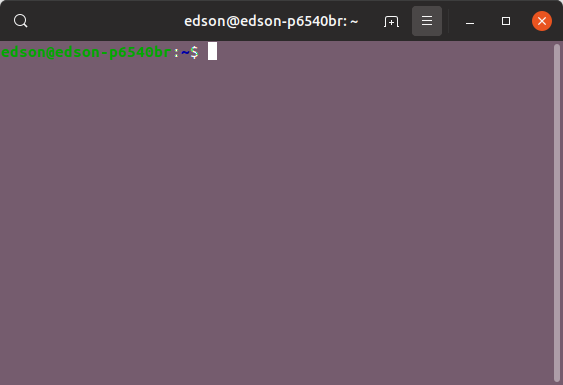
The "Show terminal menu bar is not enabled.
Every time we open the terminal we have to manually inhabit the "Show menu bar"

When we enter the edit option / preferences / shortcuts the "Hide and
Show menu bar" option is not enabled, much less let us return to the
default.

As per attached image, I changed by mistake and can not revert, but
before having changed the above situation already occurred.

Thank you

ProblemType: Bug
DistroRelease: Ubuntu 19.04
Package: gnome-terminal 3.31.90-1ubuntu1
ProcVersionSignature: Ubuntu 4.19.0-13.14-generic 4.19.20
Uname: Linux 4.19.0-13-generic x86_64
ApportVersion: 2.20.10-0ubuntu21
Architecture: amd64
CurrentDesktop: ubuntu:GNOME
Date: Sat Feb 16 13:48:38 2019
ExecutablePath: /usr/lib/gnome-terminal/gnome-terminal-server
InstallationDate: Installed on 2019-02-11 (4 days ago)
InstallationMedia: Ubuntu 19.04 "Disco Dingo" - Alpha amd64 (20190203)
SourcePackage: gnome-terminal
UpgradeStatus: No upgrade log present (probably fresh install)

** Affects: gnome-terminal (Ubuntu)
     Importance: Undecided
         Status: New


** Tags: amd64 apport-bug disco

** Attachment added: "Opening the Terminal Menu Bar Does Not Appear"

https://bugs.launchpad.net/bugs/1816247/+attachment/5239135/+files/Captura%20de%20tela%20de%202019-02-16%2013-51-55.png

--
You received this bug notification because you are a member of Ubuntu
Bugs, which is subscribed to Ubuntu.
https://bugs.launchpad.net/bugs/1816247

Title:
  The "Show terminal menu bar" is not enabled

To manage notifications about this bug go to:
https://bugs.launchpad.net/ubuntu/+source/gnome-terminal/+bug/1816247/+subscriptions

--
ubuntu-bugs mailing list
[email protected]
https://lists.ubuntu.com/mailman/listinfo/ubuntu-bugs