QA-test Lubuntu 19.04 (daily 20190315) on hp 8200 elite sff (i5-2400,
8gb, nvidia quadro 600)
I adjusted monitors to vertical as my displays are
(prefs->lxqt.settings->monitor.settings) - monitor which was on the
right (on bootup or default) is now below my the previous-left monitor

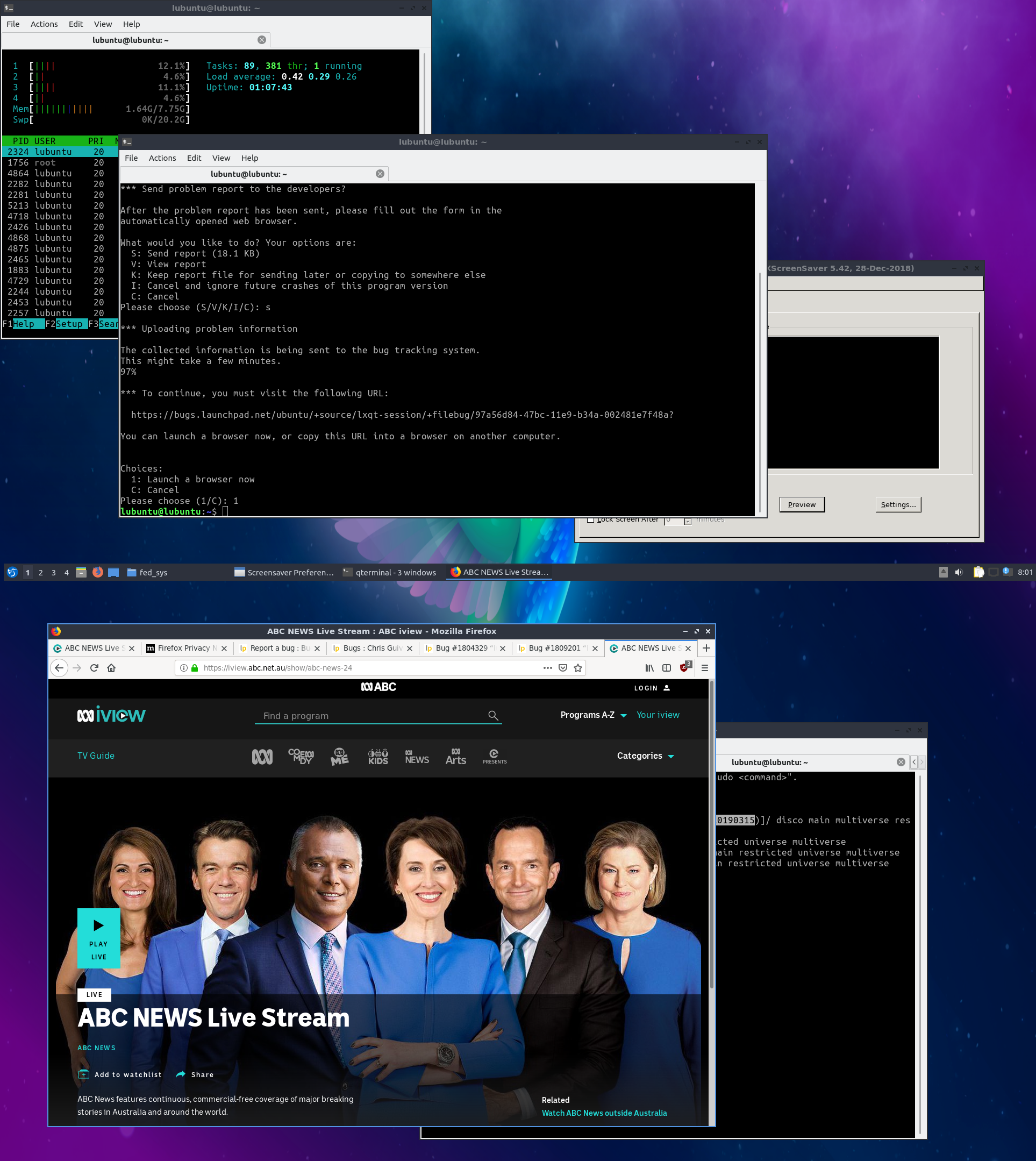
As part of text I open firefox; add ublock origin & stream youtube.  I
drag window around the two displays streaming news in small window,
maximized, f11 & fullscreen.

I did a search for 'abc news 24' (local [au] news), and near the top was
"abc news live stream" so I selected it. I opens
https://iview.abc.net.au/show/abc-news-24 which has a "PLAY LIVE" button
which I clicked - at which point my window jumped position !

I dragged window back to prior position, clicked <back> to put me at
prior url & again PLAY LIVE caused the window position to change.
Identical behavior as aforementioned bug report.

I am only getting this behavior on lower monitor/display (the one that
was originally right on boot)  If window is dragged to other display
behavior is as expected.

-- additional info
The ABC news 24 button when pressed required me to enable DRM by clicking or
doing something easy.  I did it and the news started streaming, BUT it also
stopped the behavior & I can no longer get a screenshot sorry (of where it
jumped to).

** Attachment added: "shows window position, firefox open & web page before it
jumped position"

https://bugs.launchpad.net/ubuntu/+source/lxqt-session/+bug/1804329/+attachment/5246695/+files/firefox_jumping_abc_24_play-live.png

--
You received this bug notification because you are a member of Ubuntu
Bugs, which is subscribed to Ubuntu.
https://bugs.launchpad.net/bugs/1804329

Title:
  lubuntu 19.04 daily - pcmanfm-qt (dolphin..) moves window position on
  opening device, folders or adjust size of windows  (when on 2nd
  display only with vertical placement)

To manage notifications about this bug go to:
https://bugs.launchpad.net/ubuntu/+source/lxqt-session/+bug/1804329/+subscriptions

--
ubuntu-bugs mailing list
[email protected]
https://lists.ubuntu.com/mailman/listinfo/ubuntu-bugs