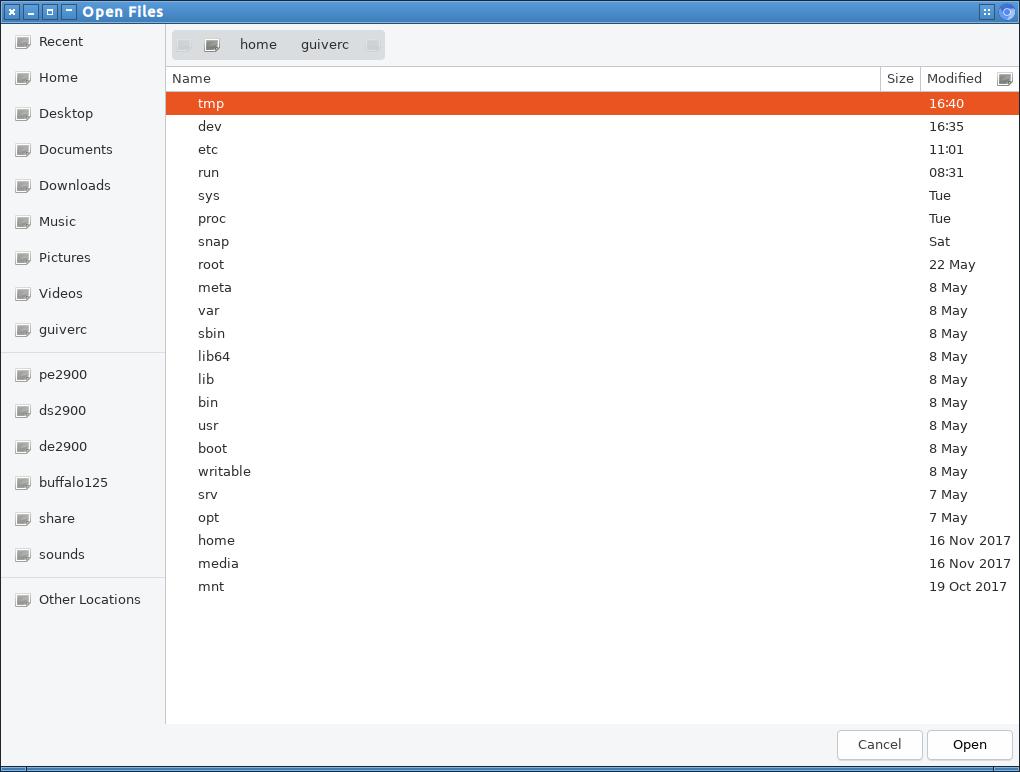
this is the image as I uploaded to community.ubuntu.com.   The primary
difference on this was the lack of icons to the left in the file-open
dialog window.
this image was from d960 (my primary box) and is more likely modified as
I use it all the time. The prior image (which has icons in visible in
this dialog window) would be less used, less modified (more defaults),
and the primary issue of navigation was identical on both boxes.

-- d960 appearance settings (which lacked icons)
Qt Style: Breeze
GTK2 Theme: Radiant-MATE
GTK3 Theme: Radiant-MATE
Icons Theme: Papirus (Papirus icon theme)
LXQt Theme: Ambiance

** Attachment added: "this was window as it appeared on my d960 (dell optiplex
960)"

https://bugs.launchpad.net/ubuntu/+source/chromium-browser/+bug/1832711/+attachment/5270583/+files/chromium_upload_snap.jpg

--
You received this bug notification because you are a member of Ubuntu
Bugs, which is subscribed to Ubuntu.
https://bugs.launchpad.net/bugs/1832711

Title:
  chromium-browser snap quirks lubuntu 19.10 bookmarks

To manage notifications about this bug go to:
https://bugs.launchpad.net/ubuntu/+source/chromium-browser/+bug/1832711/+subscriptions

--
ubuntu-bugs mailing list
[email protected]
https://lists.ubuntu.com/mailman/listinfo/ubuntu-bugs