El día Friday, August 14, 2015 a las 10:19:05PM +0100, Alan Pope escribió:
> I'd put the mutt binary in ./lib/arm-linux-gnueabihf/bin and the libs
> in ./lib/arm-linux-gnueabihf, and (if you want it to be a multi-arch
> package) the right arch bins and libs in ./lib/x86_64-linux-gnu and
> ./lib/i386-linux-gnu once you've confirmed you got it right with the
> armhf ones. The environment should be set up correctly that the
> binaries and libraries are found when run on-device. Just set the
> Exec=mutt in your desktop file and it _should_ run the right one :)
>
> > To be continued ... :-)
> >
> > Thanks for your help
> >
>
> No problem. I'm glad people are finding the community contributed core
> apps code and build setup useful for their own projects. Thanks for
> discussing this all in the open where others can learn too.

So, I have the pieces together in a new click package

com.ubuntu.mutt-terminal_0.1._multi.click

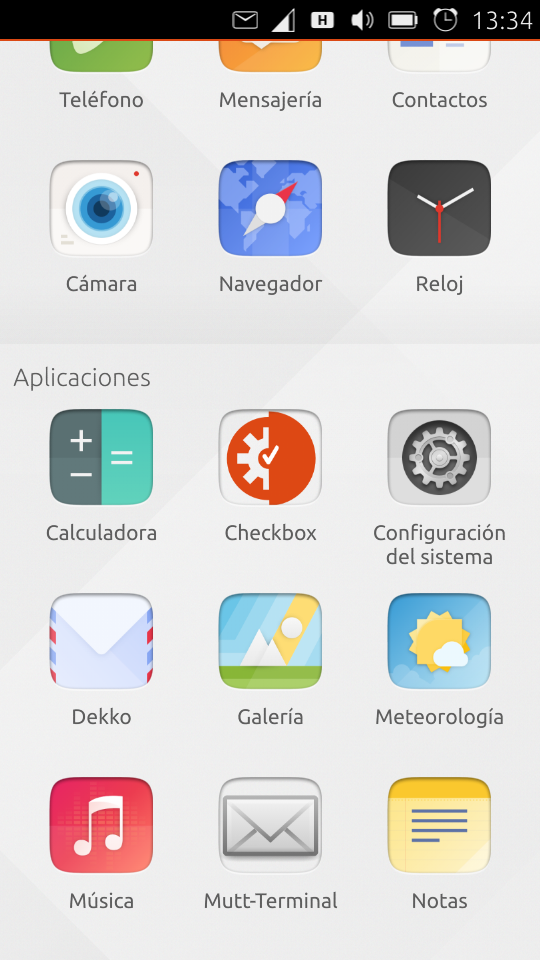
which delivers all the bits required by mutt. There is a new icon in the
apps named 'Mutt-Terminal':

http://www.unixarea.de/screenshot20150815_133438301.png

and on click the follwing script will be started,
/opt/click.ubuntu.com/.click/users/phablet/com.ubuntu.mutt-terminal/lib/arm-linux-gnueabihf/bin/mutt.sh

    #!/bin/sh

    # where we have installed the sasl2 modules
    #
    SASL_PATH=${APP_DIR}/lib/arm-linux-gnueabihf    export SASL_PATH

    # we need lynx to read mails in HTML
    #
    LYNX_CFG=${APP_DIR}/lib/arm-linux-gnueabihf/bin/lynx.cfg export LYNX_CFG
    LYNX_LSS=${APP_DIR}/lib/arm-linux-gnueabihf/bin/lynx.lss export LYNX_LSS

    # we use a 'vim.basic' installed in the jail too, together with its config
files
    #
    VIM=${APP_DIR}/lib/arm-linux-gnueabihf/bin export VIM

    # if the user 'phablet' has a file ~/.muttrc, we use this; else we stopp
    #
    if [ -f ~/.muttrc ]; then
      mutt -F ~/.muttrc
    else
      echo You must have a file ~/.muttrc, but you dont have.
      echo Hit ENTER to close the app.
      read a
   fi


The change in the terminal sources (appart from renaming stuff) is
simple:


    $ diff src/plugin/qmltermwidget/src/ksession.cpp*
    78c78
    <     QStringList args("$APP_DIR/lib/arm-linux-gnueabihf/bin/mutt.sh");
    ---
    >     QStringList args("");
    80c80
    <     session->setAutoClose(true);   // set to false to see invocation
errors
    ---
    >     session->setAutoClose(true);

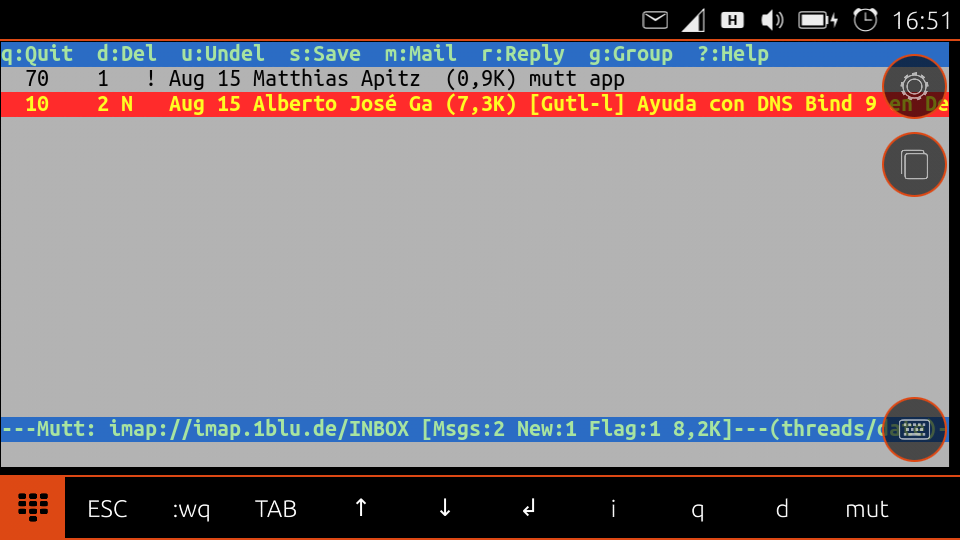
This brings up the MUA in the launched terminal:

http://www.unixarea.de/screenshot20150815_165117321.png

Thanks for your help, Alan.

        matthias

--
Matthias Apitz, ✉ [email protected], http://www.unixarea.de/  ☎ +49-176-38902045
No! Nein! ¡No! Όχι! -- Ευχαριστούμε!

--
Mailing list: https://launchpad.net/~ubuntu-phone
Post to     : [email protected]
Unsubscribe : https://launchpad.net/~ubuntu-phone
More help   : https://help.launchpad.net/ListHelp