El día Wednesday, January 13, 2016 a las 01:37:27PM +0000, Alan Pope escribió:
> On 13 January 2016 at 13:15, Matthias Apitz <[email protected]> wrote:
> > El día Wednesday, January 13, 2016 a las 12:48:43PM +0000, Alan Pope
> > escribió:
> >
> >> On 13 January 2016 at 11:57, Matthias Apitz <[email protected]> wrote:
> >> > I described here:
> >> > https://gurucubano.gitbooks.io/bq-aquaris-e-4-5-ubuntu-phone/content/en/chapter6.html
> >> > how one can bring the MIR screen onto an X11 server with around 60
> >> > frames per second, which is good enough to produce for example a demo
> >> > for a talk in a conference.
> >> >
> >>
> >> This is interesting to me, thanks for documenting it. Have you tried
> >> it recently though? I tried on my OnePlus One and the mirscreencast
> >> call on the device just launches and stops until you remove the
> >> --stdout parameter. On the PC side nothing ever appears on screen, no
> >> mplayer.
> >
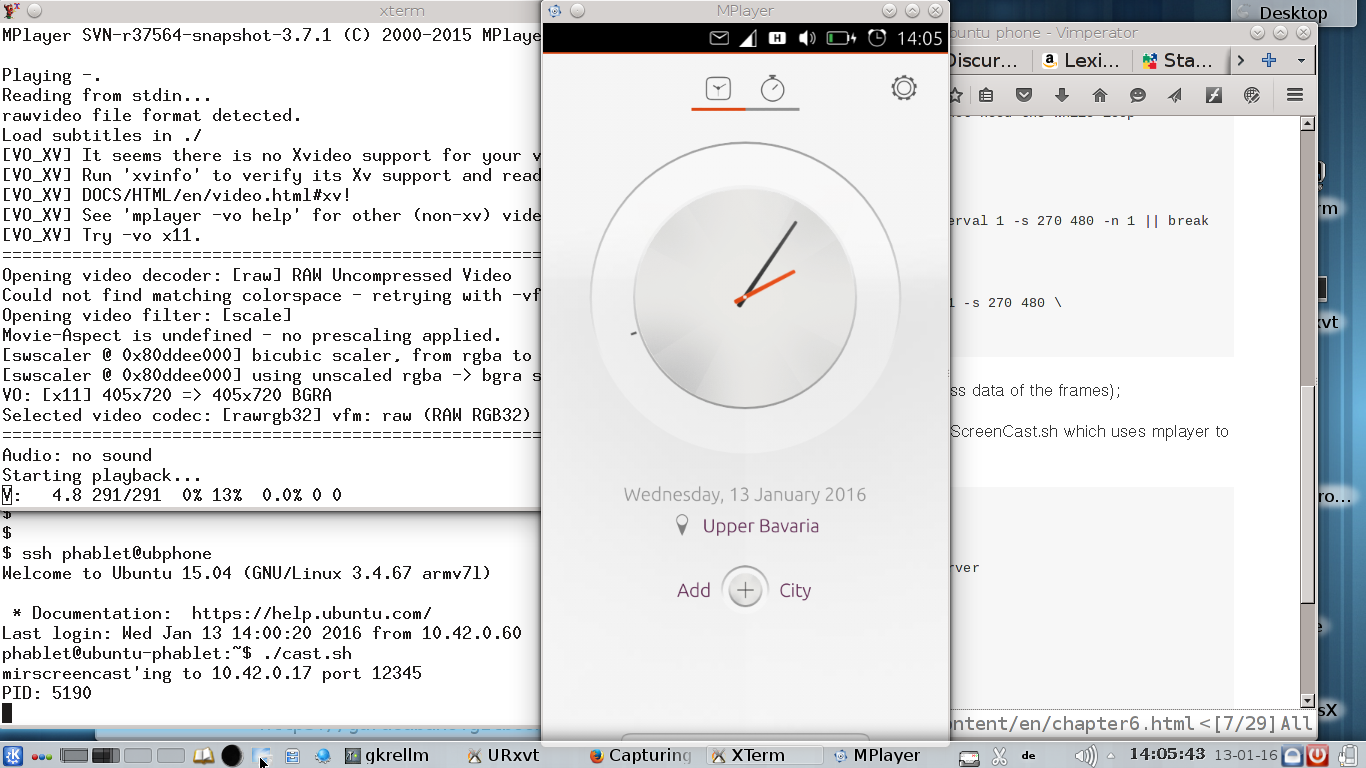
> > I tested it right now for some minutes with the rotating clock; it works
> > exactly as described. See attached desktop picture. or here:
> > http://www.unixarea.de/mircast.png
> >
>
> Thanks for confirming. I must have done something stupid, it works here too
> now.

Nothing to thank for. I found a small issue after playing back the demo.
The two command pipes are, on BQ:

mirscreencast -m /run/mir_socket --stdout --cap-interval 1 -s 405 720 \
    | gzip -c | nc $srcIP $port

on the netbook:

nc -l 12345 | gzip -dc |\
    tee mutt.video |\
    mplayer -demuxer rawvideo -rawvideo fps=60:w=405:h=720:format=rgba -

As you can see the frames are recorded in a file 'mutt.video',
uncompressed already. If you play this file back with:

mplayer -demuxer rawvideo -rawvideo fps=60:w=405:h=720:format=rgba - <
mutt.video

It runs to fast, 10 times to fast. It contains 1073 frames from the test
(and btw, it has 1 GByte of size); it plays fine with fps=6; this means
that during the test the sending side (mirscreencast) gave only 6 frames
per second, and not 60 as the parameter '--cap-interval 1' asked.

And this is wrong again, because it seems that this changed now in Ubuntu.
There is no man page installed in the BQ, but the help says:

$ mirscreencast -h
Usage:
  -h [ --help ]                 displays this message
  -n [ --number-of-frames ] arg number of frames to capture
  -d [ --display-id ] arg       id of the display to capture
  -m [ --mir-socket-file ] arg  mir server socket filename
  -f [ --file ] arg             output filename (default is
                                /tmp/mir_screencast_<w>x<h>.<rgba|bgra>
  -s [ --size ] arg             screencast size [width height]
  -r [ --screen-region ] arg    screen region to capture [left top width
                                height]
  --stdout                      use stdout for output (--file is ignored)
  --query                       only queries the colorspace and output size
                                used but does not start screencast
  --cap-interval arg            adjusts the capture rate to <arg> display
                                refresh intervals
                                1 -> capture at display rate
                                2 -> capture at half the display rate, etc..

Does this mean, that the MIR runs only with 6 fps? HOw one can play
video with this?

Some hints about this?

        matthias

--
Matthias Apitz, ✉ [email protected], ⌂ http://www.unixarea.de/  ☎
+49-176-38902045
UNIX since V7 on PDP-11 | UNIX on mainframe since ESER 1055 (IBM /370)
UNIX on x86 since SVR4.2 UnixWare 2.1.2 | FreeBSD since 2.2.5

--
Mailing list: https://launchpad.net/~ubuntu-phone
Post to     : [email protected]
Unsubscribe : https://launchpad.net/~ubuntu-phone
More help   : https://help.launchpad.net/ListHelp