I use Ubuntu 13.10 64bit (unity-webapps-youtube
2.4.16+13.10.20130924.2-0ubuntu1) on a Lenovo Thinkpad E530. The
play/pause media-key works fine for applications like Banshee, Totem,
Rhytmbox etc. but unfortunately fails to play/pause a Youtube video.
Manually clicking on the button in the sound-menu for Youtube works as
expected.
In addition to the sound-menu, I would love to be able to pause a
(background) youtube music-video using my media-keys or the quicklist in
the launcher (bug 1132966).

--
You received this bug notification because you are a member of Ubuntu
WebApps bug tracking, which is subscribed to unity-webapps-youtube in
Ubuntu.
https://bugs.launchpad.net/bugs/1081082

Title:
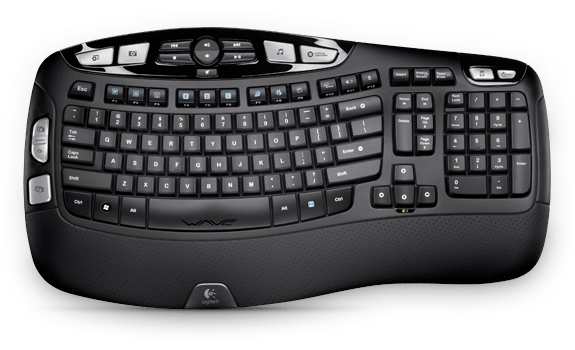
  Keyboard play/pause buttons don't work (keyboard Logitech K350)

Status in “unity-webapps-youtube” package in Ubuntu:
  Confirmed

Bug description:
  I'm using Logitech keyboard, model K350. It has hardware play and
  pause key: http://www.logitech.com/assets/24957/24957.png - above F6
  key. It doesn't work with youtube videos, but works with Rhytmbox
  player. Considering that both apps are in the same menu, I think it
  should work.

  Ubuntu 12.10:
  $ lsb_release -a
  No LSB modules are available.
  Distributor ID:       Ubuntu
  Description:  Ubuntu 12.10
  Release:      12.10
  Codename:     quantal

  unity-webapps-youtube version 2.4.10:
  $ dpkg -l | grep youtub
  ii  unity-webapps-youtube                       2.4.10
            all          Unity Webapp for YouTube

  P.S. First bug, didn't find anything related here -
  https://bugs.launchpad.net/ubuntu/+source/unity-webapps-youtube

To manage notifications about this bug go to:
https://bugs.launchpad.net/ubuntu/+source/unity-webapps-youtube/+bug/1081082/+subscriptions

--
Mailing list: https://launchpad.net/~ubuntu-webapps-bugs
Post to     : [email protected]
Unsubscribe : https://launchpad.net/~ubuntu-webapps-bugs
More help   : https://help.launchpad.net/ListHelp