Hi Victor,

On Oct 13, 2008, at 11:03 PM, Victor Ott wrote:
<snip>
Here again a summary:

exit %somecode%
pro: reliably returns the code from .cmd script to calling
(Groovy) program
    con: brutally ends the shell if .cmd script called from
interactive command line

exit /b %somecode%
    pro: doesn't brutally end the shell if .cmd script called from
interactive cmd line
    con: doesn't pass return code from .cmd script to calling program

I personally would go for both of them, using this workaround:
=========================
...
rem Set env var EXIT_WITH_CODE if you need the _script_ return code
instead of
rem the _cmd.exe /c_ return code!
if  not "" == "%EXIT_WITH_CODE%" exit %the_code%
exit /b %the_code%
=========================

Usage would be:
- if someone calls gradle.cmd from a Program (like you wrote in the
Groovy script above), she/he should also define the environment
variable EXIT_WITH_CODE with some non-empty value => "exit %the_code%"
gets executed, return code reliably transferred
- if someone calls gradle.cmd from interactive command line (shell),
environment variable EXIT_WITH_CODE is not defined => gradle.cmd ends
with "exit /b %the_code%", return code transferred to shell and shell
is not terminated.

This way both win: interactive users and calling programs.
I think this is the way to go.
Suggestion #2, which I don't like too much, is to provide two scripts.
E.g.:
    gradle.cmd (ends with "exit /b thecode")
    gradlerun.cmd (ends with "exit thecode")
This is definitely an option. But considering the fact that a project
might also provide Gradle wrapper scripts (http://gradle.org/
userguide/latest/masterch16.html#x54-13600016), that would be quite a
number of Gradle scripts (4) in the top level dir. As the use case
for the gradlerun.cmd is not to use it from the command line, this is
another argument against such a script file.
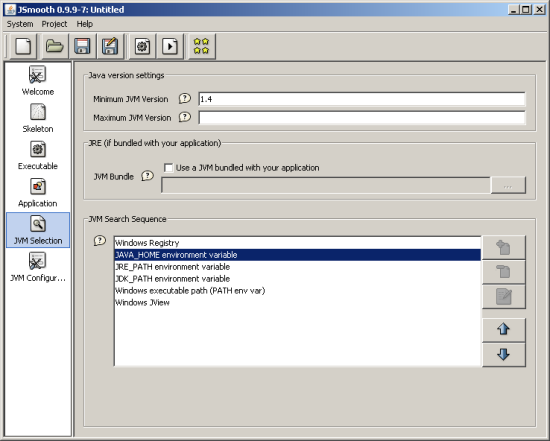
Suggestion #3: use another java exe wrapper instead Launch4J.
E.g. JSmooth: http://jsmooth.sourceforge.net   From the features list:
"You can force the executable to search in the path first, and in the
registry last, or
in JAVA_HOME first. We have all the flavours! "
http://jsmooth.sourceforge.net/docs/images/jsg-selection.png
An interesting option. It has its appeal to have such an exe although
we have found a solution for our biggest problem with start scripts,
which is the return value. There are still issues with start scripts,
like JAVA_HOME with spaces. We have some (for me completely esoteric)
snippets in the script to deal with this but this is not completely
reliable.
On the other hand one big draw back of an exe generator is the
platform issue. I need to be able to build those exe files on my Mac
for example. Launch4j provided at least bundles for three platforms
(Mac, Windows, Linux) which is not perfect but good enough. But we
had to ship those bundles with the Gradle distribution, as the
wrapper task which generates the wrapper script needs them (3MB). I
don't know if jsmooth can be run on multiple platforms. But you would
have to ship all the dependencies with Gradle.
And after all, scripts provides the most flexibility for
customization to our users.
Well, now somebody has to decide... Anybody with more suggestions/
comments?
All in all I think we should go for the first approach. In fact I
have already made this decision for trunk. The changes are already
submitted. If you want to have a look at our windows script
generation. Our scripts are dynamically assembled:
The start scripts are assembled as part of the build. You find the
code here: buildSrc/src/main/groovy/org/gradle/build/startscripts/
StartScriptGenerator.groovy
You find the building blocks here: buildSrc/src/main/resources/org/
gradle/build/startscripts
The wrapper scripts are assembled as part of executing the Gradle
Wrapper task. You can find the code here: src/main/groovy/org/gradle/
api/tasks/wrapper/WrapperScriptGenerator.java
You find the building blocks here: src/main/resources/org/gradle/api/
tasks/wrapper
Before we have introduced launch4j we have used windows scripts. So I
have just taken the scripts from the svn history. I have already
added your fix for the return value issue. You are very welcome to
review our windows scripts and for example turn them into cmd files
if they can be improved by that.
Thanks a lot for pushing the whole issue to a good solution.

- Hans

--
Hans Dockter
Gradle Project lead
http://www.gradle.org


---------------------------------------------------------------------
To unsubscribe from this list, please visit:

   http://xircles.codehaus.org/manage_email