Vy,

Taher and Michael simply mean did you run
"gradlew eclipse"

from the command the line?

This creates the information needed by Eclipse to correctly handle OFBiz

You can run this command at any moment, just Eclipse may complain and then you
have to refresh.

Something to add in the wiki BTW, will do!

Jacques


Le 26/06/2017 à 10:26, Donhu Vy a écrit :
"Launch configuration gradle_remote_debug references closed project ofbiz."
Is your project "ofbiz" open in Eclipse?
--> I don't know how to determine name of project in Eclipse in this case. I named it is
ofbiz (Like document:
https://cwiki.apache.org/confluence/display/OFBIZ/Running+and+Debugging+OFBiz+in+Eclipse
"Pick ofbiz for the project")


________________________________
From: Michael Brohl <[email protected]>
Sent: Monday, June 26, 2017 3:21:34 PM
To: [email protected]
Subject: Re: Can't access webapp in debug model

"Launch configuration gradle_remote_debug references closed project ofbiz."

Is your project "ofbiz" open in Eclipse?

Regards,

Michael Brohl
ecomify GmbH
www.ecomify.de<http://www.ecomify.de>


Am 26.06.17 um 09:19 schrieb Donhu Vy:
Thank Jacques Le Roux,

I don't understand your reply. I want re-present my work step-by-step.

I am reading
https://cwiki.apache.org/confluence/display/OFBIZ/Running+and+Debugging+OFBiz+in+Eclipse
 . I am using Windows 10 Pro x64, Eclipse Neon 3.

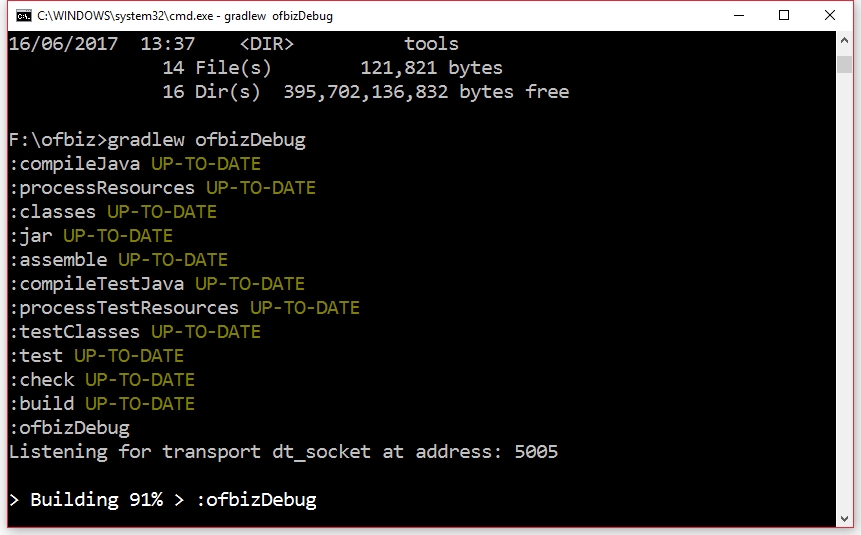
   At OFBiz's folder (F:\ofbiz), I release command

gradlew ofbizDebug

(screenshot:
https://user-images.githubusercontent.com/1328316/27528187-72519bca-5a79-11e7-8bd2-e4d3751642f7.jpg
 )

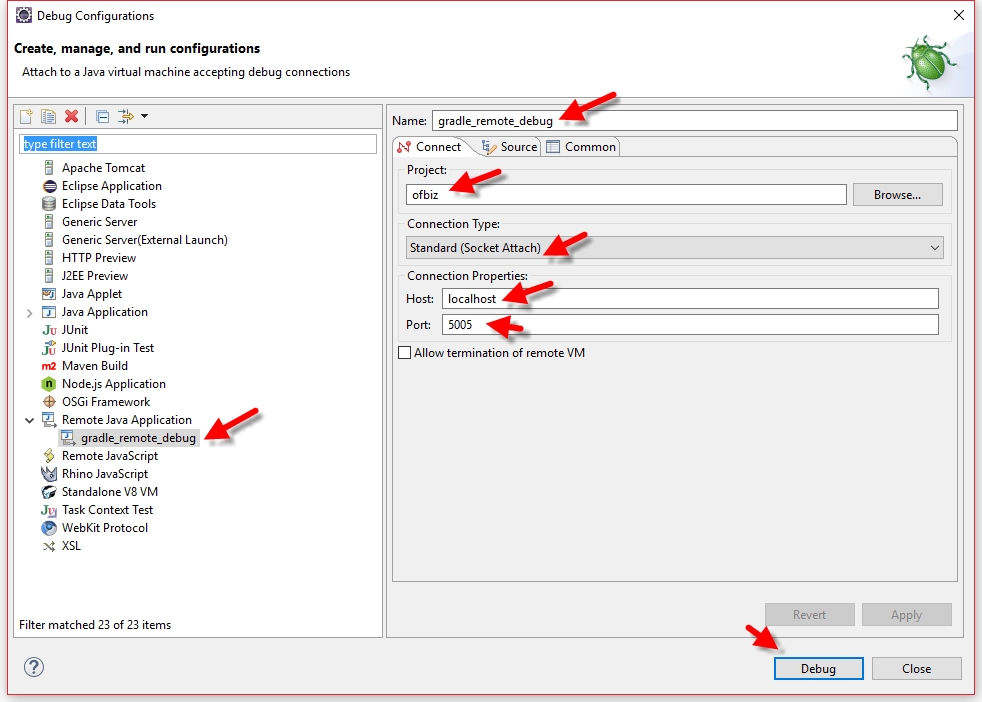
At Debug configuration windows, I set configuration like screenshot
https://user-images.githubusercontent.com/1328316/27528188-7276fc1c-5a79-11e7-846c-85d75b037f5d.jpg

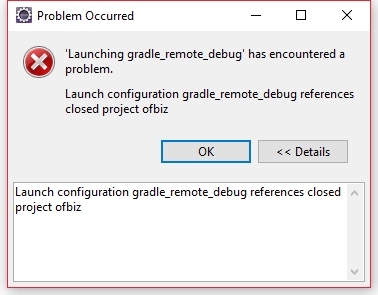
When I press button "Debug", I see error:
Problem Occurred
'Launching gradle_remote_debug' has encountered a problem. Launch configuration
gradle_remote_debug references closed project ofbiz.
Details: Launch configuration gradle_remote_debug references closed project
ofbiz
(Screenshot:
https://user-images.githubusercontent.com/1328316/27528317-19ce76c0-5a7a-11e7-9635-e0e38adb07ca.jpg
 )

How to debug OFBiz inside Eclipse IDE?


Vy

________________________________
From: Jacques Le Roux <[email protected]>
Sent: Monday, June 26, 2017 1:32:39 PM
To: [email protected]
Subject: Re: Can't access webapp in debug model

Hi,

You need to start a debugger for OFBiz to continue and be ready.

When you use the ofbizDebug Gradle task, OFBiz waits for a debugger to
continue. You can see that in the console or console.log

Jacques


Le 26/06/2017 à 04:14, Donhu Vy a écrit :
In previous sessions, when I release command
gradlew cleanAll loadDefault ofbiz --info
I can access https://localhost:8443/ap/control/main and start to play with
OFBiz.

Today , I release command
gradlew cleanAll loadDefault ofbizDebug --info
I can't access https://localhost:8443/ap/control/main .

Please help me explain why. I want dive inside to source code and start make
something small (for example: a widget, or tweak few lines of code).