Hi,

----------  Forwarded Message  ----------
Subject: Creating live USB keys in Windows
Date: Saturday 02 February 2008
From: Luke Macken <[EMAIL PROTECTED]>
To: [EMAIL PROTECTED]

Hi!

So, I wrote some code that will install a Fedora Live ISO onto a USB
stick, in Windows.

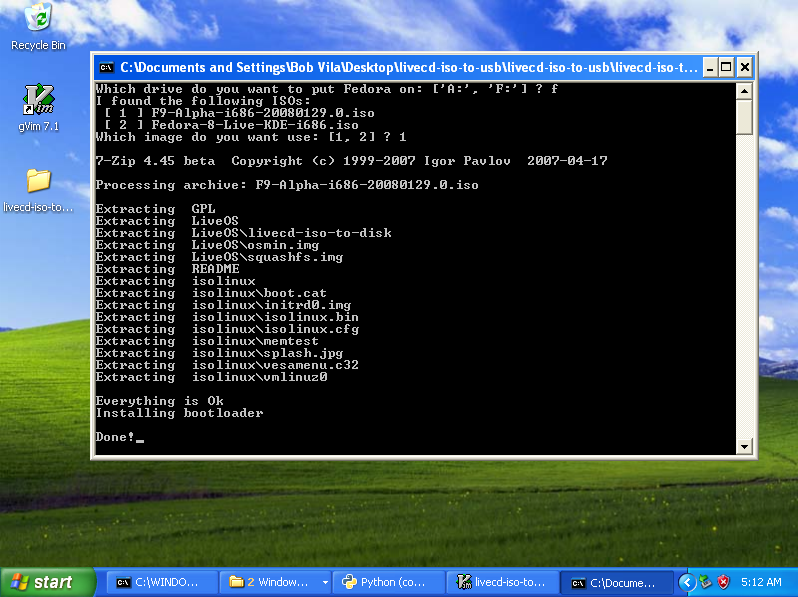
It automatically detects all removable drives, finds your ISO, extracts
it to your USB key, tweaks the syslinux.cfg, and installs the
bootloader.

>From a user perspective, using it is pretty simple:
- download fedora
- download and extract livecd-iso-to-usb.zip
- drag fedora iso into directory
- double click 'livecd-iso-to-usb.exe'
- ...profit!

It has worked great during all of my testing, and Jesse seemed to have
good luck with it today, but we definitely need more people to try it
out before we can start recommending it to users.

    Documentation: http://fedoraproject.org/wiki/LukeMacken/WindowsLiveUSB
    In action: http://lmacken.fedorapeople.org/livecd-iso-to-usb.png
    The binary: http://lmacken.fedorapeople.org/livecd-iso-to-usb.zip
    The code: git clone http://lmacken.fedorapeople.org/livecd-iso-to-usb.git

Comments/suggestions/patches/flames ?

Thanks!

luke

-------------------------------------------------------


You can also download a GUI version of the tool from
http://kushal.fedorapeople.org/livecd-iso-to-usb.zip

Kushal
--
Fedora Ambassador, India
http://kushaldas.in
http://dgplug.org (Linux User Group of Durgapur)

_______________________________________________
Users mailing list
[email protected]
http://lists.dgplug.org/listinfo.cgi/users-dgplug.org