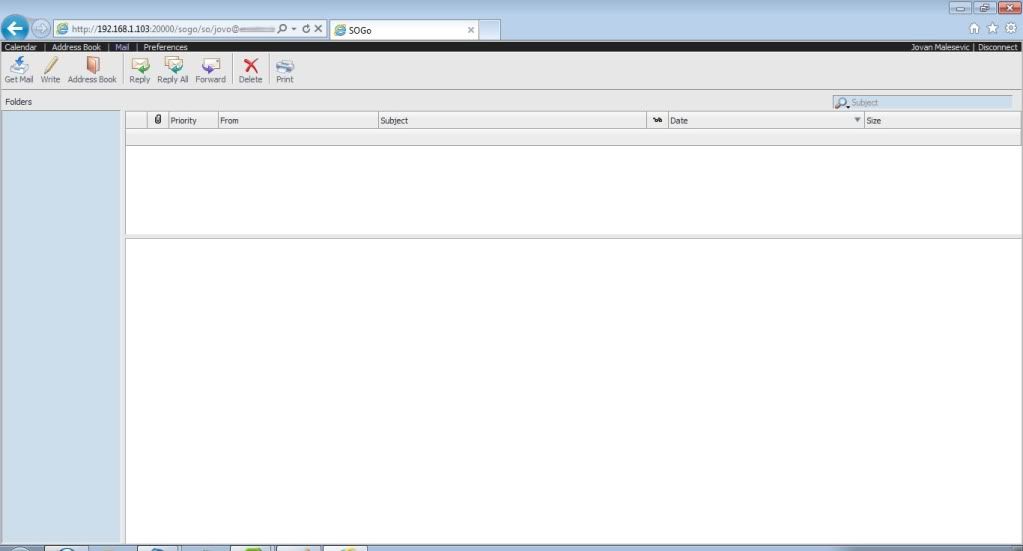
How to do that?

If I change lines in /etc/httpd/init.d/sogo.conf
ProxyPass /SOGo http://127.0.0.1:20000/SOGo retry=0
<Proxy http://127.0.0.1:20000/SOGo>

to

ProxyPass /SOGo http://127.0.0.1/SOGo retry=0
<Proxy http://127.0.0.1/SOGo>

I'm getting error 404 - Not found.

Is there anything to change?

I think, I cannot change line WOPort=20000 in .GNUstepDefaults file.

Please help...

On Sun, Aug 14, 2011 at 4:04 PM, Jean-Michel OLTRA <[email protected]>wrote:

>
>    Bonjour,
>
>
> Le dimanche 14 août 2011, Jovan Malesevic a écrit...
>
>
> > After that, when I log in in web interface with Mozilla Firefox, I'm
> > getting very poor view. Same is happening with Google Chrome. With
> > Internet Explorer 9, everything is displayed fine, except there is no
> > IMAP folders viewed.
>
> > Screenshot Mozilla Firefox:
> http://i231.photobucket.com/albums/ee256/jovanmal/ScreenshotMozilla.jpg
> > Screenshot IE:
> > http://i231.photobucket.com/albums/ee256/jovanmal/ScreenshotIE.jpg
>
> You're accessing the port 20000
>
> Do not do this way, and it'll be fine!
>
> --
> jm
>
> --
> [email protected]
> https://inverse.ca/sogo/lists
>
--
[email protected]
https://inverse.ca/sogo/lists