I was curious after seeing these posts, and found this article, the complete
text is after the link.
https://www.google.com/amp/www.cultofmac.com/429335/10-things-you-should-know-about-googles-gboard-keyboard/amp/
7 months ago
10 things you should know about Google’s Gboard keyboard
[X]Killian Bell
7 months ago
[Gboard on iPhone.]
Gboard on iPhone.

Google now offers its very own keyboard for
iOS<http://www.cultofmac.com/428111/googles-first-ios-keyboard-has-built-in-search-gifs-and-more/>,
 and it’s awesome. It’s packed full of useful features like glide typing and
built-in search, and it has a clean and simple design that’s a pleasure to type
on. It’s probably the best third-party keyboard on iPhone.

But there are 10 things you should know about Gboard before you get set up.

1. It’s not watching what you type
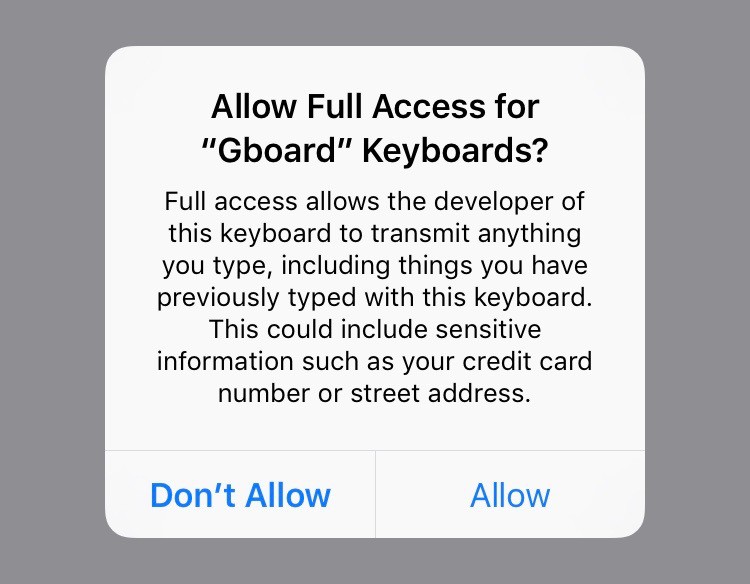
[Every third-party keyboard requires this warning on
iOS.]<http://cdn.cultofmac.com/wp-content/uploads/2016/05/IMG_0532.jpg>Every
third-party keyboard requires this warning on iOS.
Screenshot: Cult of Mac

You may have seen tweets from Google bashers who think the company is using
Gboard to keep tabs on every single thing you type on your iPhone. But in
actual fact, that’s not the case.

Granting Gboard “full access” will summon a scary popup that warns it could
collect the words you type — but you will see this with every single
third-party keyboard you install. The warning isn’t exclusive to Gboard, and
Google makes it clear during setup that it will only collect search results.

What’s more, Gboard doesn’t even give you the option to sign in with your
Google account. So even if it is looking at your searches, the company doesn’t
know they’re yours. The searches you make in Gboard will not show up in your
Google Search history.

2. You can glide type
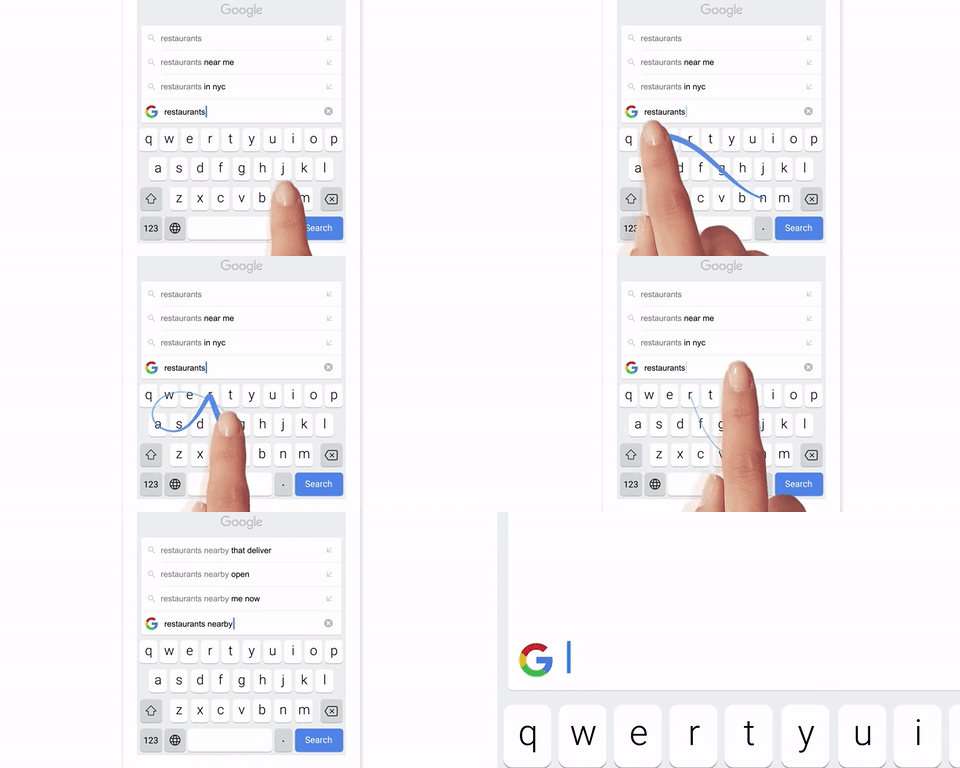
[Glide typing in
action.]<http://cdn.cultofmac.com/wp-content/uploads/2016/05/Gboard-glide-typing.gif>Glide
 typing in action.
Photo: Google

It’s difficult to tap type on a touchscreen when you only have one hand free —
especially if you have the larger iPhone Plus. But with Gboard, you can swipe
to type.

If you’ve switched to iPhone from Android, you’ve probably used glide typing in
the past. You simply glide your thumb over the keys you need, and Gboard will
identify the word you want and insert it. It’s so much faster that tapping, and
you’ll be surprised by how accurate it is.

But be warned: Once you get used to glide typing, you’ll never go back to
tapping.

3. The space bar is a trackpad
<http://cdn.cultofmac.com/wp-content/uploads/2016/05/IMG_0533.jpg>It’s more
than just a space bar.
Screenshot: Cult of Mac

You know how you can press firmly on the keyboard to move the cursor on an
iPhone
6s<http://www.cultofmac.com/389863/3d-touch-turns-iphone-6s-keyboard-into-a-touchpad/>?
 Well, with Gboard, you can simply swipe back and forth on the space bar, which
means you get a useful trackpad that will allow you to move your cursor between
text even on older devices.

4. Get instant search results
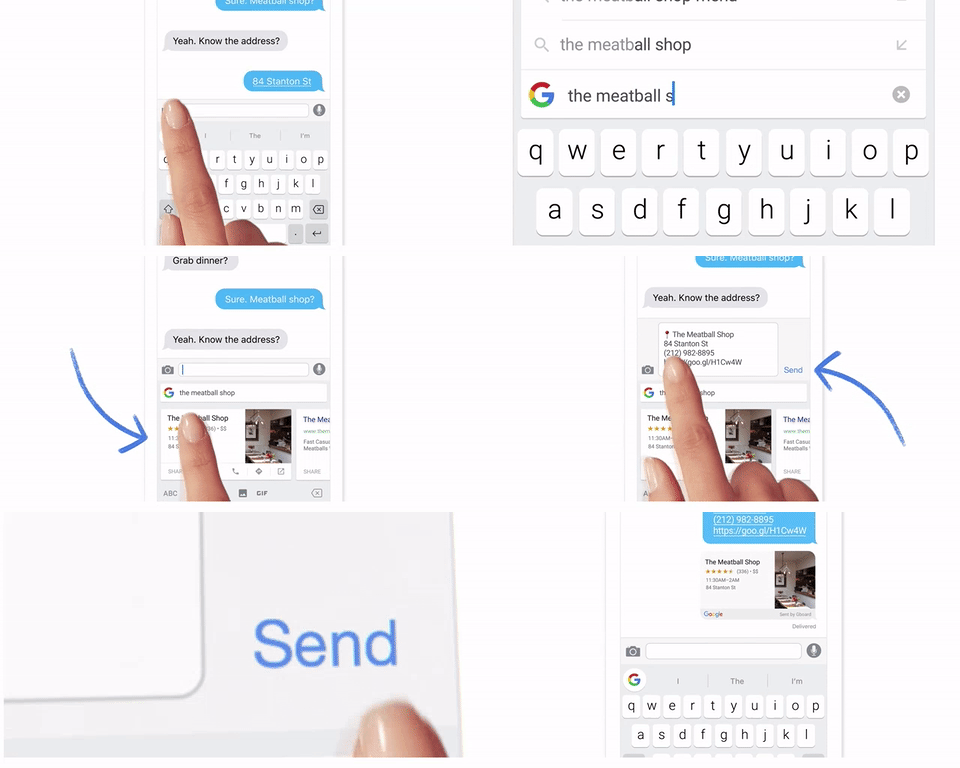
[It's as easy as
that!]<http://cdn.cultofmac.com/wp-content/uploads/2016/05/Gboard-search.gif>It’s
 as easy as that!
Photo: Google

So, you’ve booked at a table at your favorite restaurant for this weekend, but
none of your friends know how to get there. Usually, you would open your
browser, search for the restaurant, find the address, then copy and paste it
into a text and sent it.

But with Gboard, Google Search is built-in, so none of that is necessary.
During the conversation, simply tap the Google button, type in your search, tap
a result, and the information is automatically pasted into your message. You
can also search for GIFs and YouTube videos.

5. Search for emoji
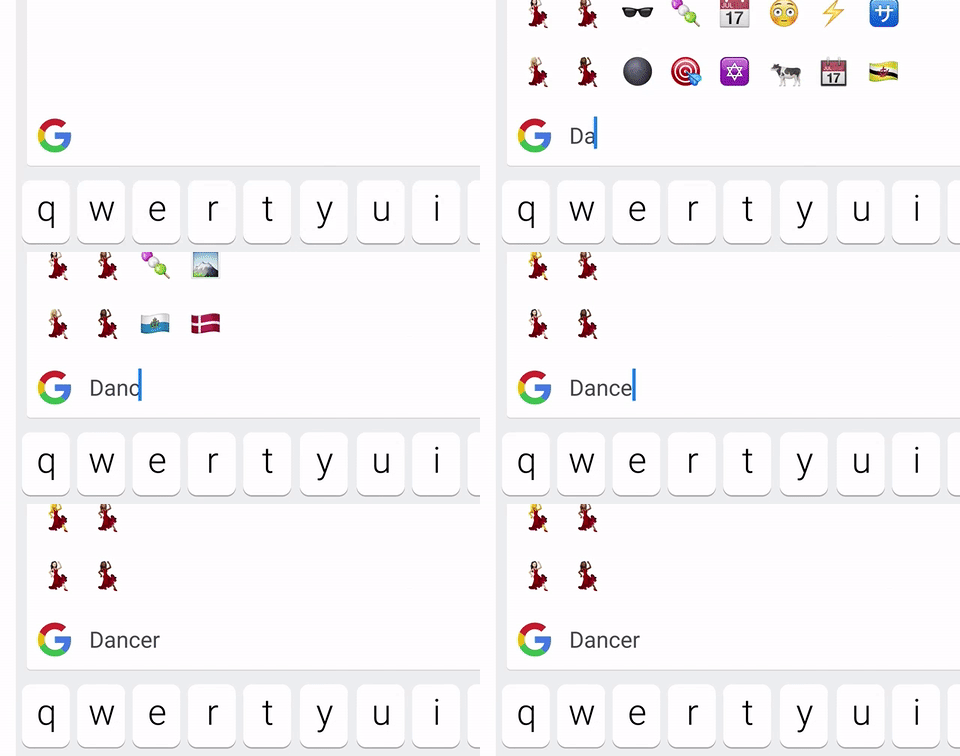
[Finding emoji couldn't be
easier.]<http://cdn.cultofmac.com/wp-content/uploads/2016/05/Gboard-emoji-search.gif>Finding
 emoji couldn’t be easier.
Photo: Google

You know there’s an emoji that’s perfect for this moment, but with hundreds to
choose from, you just can’t find it. With Gboard, you can just search for it.

Tap the emoji button, then the search bar, then type things like “angry,”
“pizza,” “cat,” and “car” and you’ll see all relevant emoji characters in an
instant.

6. Customize it
<http://cdn.cultofmac.com/wp-content/uploads/2016/05/IMG_0534.jpg>Gboard lets
you customize more than you might think.
Screenshot: Cult of Mac

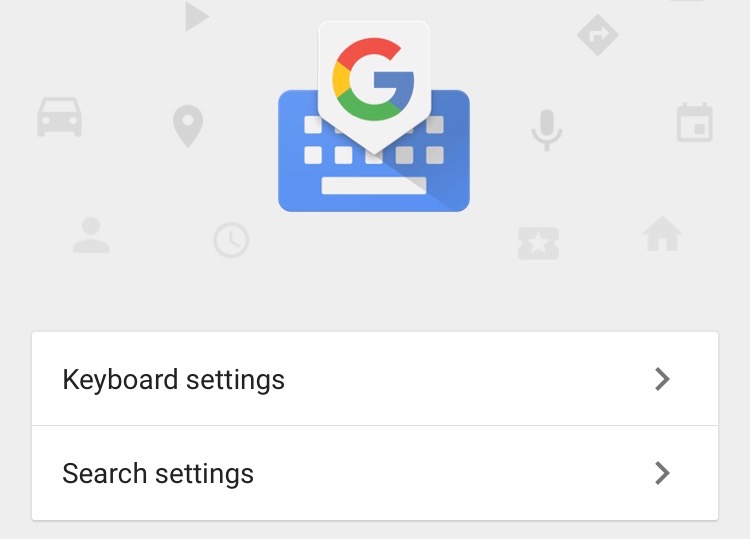
If you open up the Gboard app, you’ll find all kinds of options that let you
customize the keyboard to your liking. Don’t want glide typing? You can disable
it. You can also toggle things like auto-correction, auto-capitalization,
enable caps lock, and lots more.

You can also customize your search settings, clear your search history and
custom dictionary, and provide Google with feedback.

7. Get to Gboard faster
<http://cdn.cultofmac.com/wp-content/uploads/2016/05/IMG_0535.jpg>Get to Gboard
faster!
Screenshot: Cult of Mac

iOS still doesn’t handle third-party keyboards as well as it should, so even
after you’ve activated Gboard, you’ll find the default iOS keyboard still
appears from time to time.

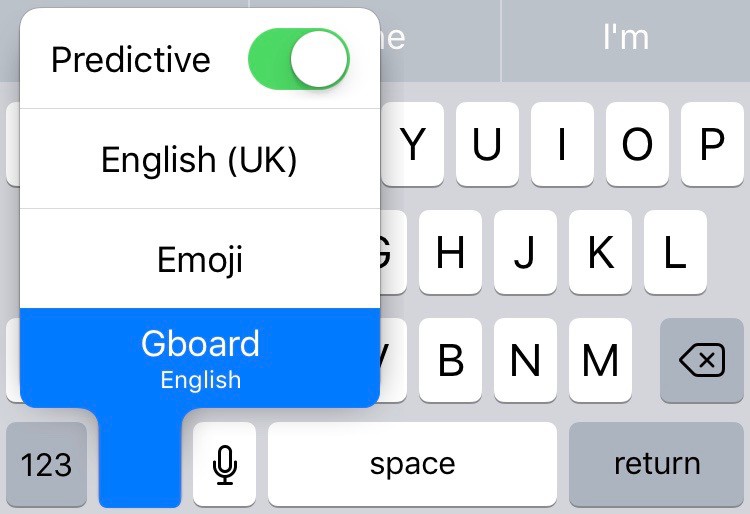
Rather than tapping the globe button over and over to get Gboard back, just tap
and hold it, wait for your keyboard options to pop up, then slide your thumb
onto Gboard and release.

8. Gboard can’t enter passwords
<http://cdn.cultofmac.com/wp-content/uploads/2016/05/IMG_0536.jpg>You can’t use
Gboard here.
Screenshot: Cult of Mac

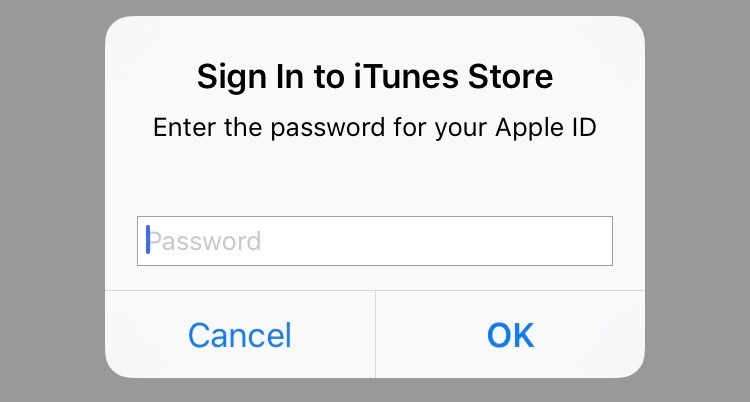
Sometimes the default iOS keyboard will appear, and it’s the only keyboard
you’ll be able to use. That’s because Apple won’t allow you to use third-party
keyboards when entering passwords in iOS. This can be annoying, but it’s
probably for our own good.

9. Gboard can’t do dictation
<http://cdn.cultofmac.com/wp-content/uploads/2016/05/IMG_0537.jpg>Gboard can’t
do dictation.
Screenshot: Cult of Mac

Apple doesn’t allow third-party keyboards to use
dictation<http://www.cultofmac.com/303653/apple-limits-dictation-keyboard/>,
either, so no matter how hard you search for that microphone key, you won’t
find it. Unfortunately, if you rely on dictation a lot, you’re probably better
off sticking with the default iOS keyboard.

10. It’s not available outside the U.S.
<http://cdn.cultofmac.com/wp-content/uploads/2016/05/IMG_0539.jpg>Don’t bother
looking for Gboard outside the U.S.
Screenshot: Cult of Mac

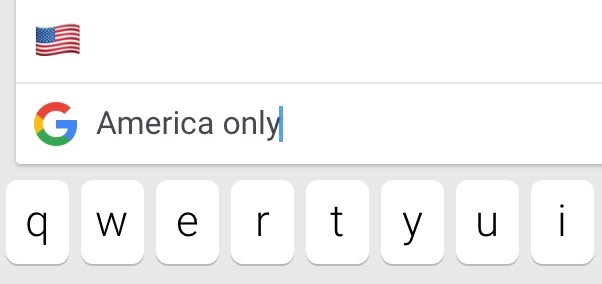
Gboard is currently only available to those who live in the U.S., or have a
U.S. iTunes account, so you won’t find it in the App Store in other countries.
Google will be making it available to other markets, and hopefully that will
happen sooner rather than later.

  *
  *

<safari-reader://www.google.com/amp/www.cultofmac.com/429335/10-things-you-should-know-about-googles-gboard-keyboard/amp/#disqus_thread>Leave
 a
comment<http://www.cultofmac.com/429335/10-things-you-should-know-about-googles-gboard-keyboard/#disqus_thread>
Categories: News<http://www.cultofmac.com/category/news/>, Top
stories<http://www.cultofmac.com/category/top-stories/>
Tags: customize<http://www.cultofmac.com/tag/customize/>,
dictation<http://www.cultofmac.com/tag/dictation/>,
emoji<http://www.cultofmac.com/tag/emoji/>,
Gboard<http://www.cultofmac.com/tag/gboard/>,
GIF<http://www.cultofmac.com/tag/gif/>,
Glide<http://www.cultofmac.com/tag/glide/>,
Google<http://www.cultofmac.com/tag/google/>,
iOS<http://www.cultofmac.com/tag/ios/>,
iPad<http://www.cultofmac.com/tag/ipad/>,
iPhone<http://www.cultofmac.com/tag/iphone/>,
keyboard<http://www.cultofmac.com/tag/keyboard/>,
password<http://www.cultofmac.com/tag/password/>,
search<http://www.cultofmac.com/tag/search/>,
swipe<http://www.cultofmac.com/tag/swipe/>,
YouTube<http://www.cultofmac.com/tag/youtube/>
Leave a
Comment<http://www.cultofmac.com/429335/10-things-you-should-know-about-googles-gboard-keyboard/#comments>


...Wishing you a Happy Chanukah, Merry Christmas, Satisfying Solstice,
Quintessential Kwanza, and a Happy New Year ... anything you celebrate.


“By doing what you love, you inspire and awaken the hearts of others."
- Satsuki Shibuya
(Sent from my iPhone 5S)

On Dec 15, 2016, at 6:43 PM, M. Taylor <[email protected]<mailto:[email protected]>>
wrote:

Mary,

As always, my greatest concern about using third-party keyboards is the fact
that everything one enters can be accessed by the developer.  I believe there
is a ULA that one must agree to when installing a third-party keyboard, is
there not?

Mark

-----Original Message-----
From: [email protected]<mailto:[email protected]>
[mailto:[email protected]] On Behalf Of Mary Otten
Sent: Wednesday, December 14, 2016 11:43 AM
To: [email protected]<mailto:[email protected]>
Subject: Gboard

That is apparently the name of the Google keyboard for iOS. I wonder if anyone
has tried it and whether it works with voiceover. For me, the most interesting
thing about it is that it seemingly includes a number row, without having to
switch like you do with the standard Apple keyboard. That would be nice.
Mary


Sent from my iPhone

--
The following information is important for all members of the V iPhone list.

If you have any questions or concerns about the running of this list, or if you
feel that a member's post is inappropriate, please contact the owners or
moderators directly rather than posting on the list itself.

Your V iPhone list moderator is Mark Taylor and your owner is Cara Quinn - you
can reach Cara at [email protected]<mailto:[email protected]>

The archives for this list can be searched at:
http://www.mail-archive.com/[email protected]/
---
You received this message because you are subscribed to the Google Groups
"VIPhone" group.
To unsubscribe from this group and stop receiving emails from it, send an email
to
[email protected]<mailto:[email protected]>.
To post to this group, send email to
[email protected]<mailto:[email protected]>.
Visit this group at https://groups.google.com/group/viphone.
For more options, visit https://groups.google.com/d/optout.

--
The following information is important for all members of the V iPhone list.

If you have any questions or concerns about the running of this list, or if you
feel that a member's post is inappropriate, please contact the owners or
moderators directly rather than posting on the list itself.

Your V iPhone list moderator is Mark Taylor and your owner is Cara Quinn - you
can reach Cara at [email protected]<mailto:[email protected]>

The archives for this list can be searched at:
http://www.mail-archive.com/[email protected]/
---
You received this message because you are subscribed to the Google Groups
"VIPhone" group.
To unsubscribe from this group and stop receiving emails from it, send an email
to
[email protected]<mailto:[email protected]>.
To post to this group, send email to
[email protected]<mailto:[email protected]>.
Visit this group at https://groups.google.com/group/viphone.
For more options, visit https://groups.google.com/d/optout.

--
The following information is important for all members of the V iPhone list.

If you have any questions or concerns about the running of this list, or if you
feel that a member's post is inappropriate, please contact the owners or
moderators directly rather than posting on the list itself.

Your V iPhone list moderator is Mark Taylor and your owner is Cara Quinn - you
can reach Cara at [email protected]

The archives for this list can be searched at:
http://www.mail-archive.com/[email protected]/
---
You received this message because you are subscribed to the Google Groups
"VIPhone" group.
To unsubscribe from this group and stop receiving emails from it, send an email
to [email protected].
To post to this group, send email to [email protected].
Visit this group at https://groups.google.com/group/viphone.
For more options, visit https://groups.google.com/d/optout.