weewx-nws puts National Weather Service forecasts and alerts on your WeeWX
site. It polls api.weather.gov for your station's own latitude and
longitude, keeps twelve-hour forecasts, hourly forecasts and active alerts
in a small database of its own, and serves them to any report through
$nwsforecast tags.
6.0 rebuilds the report that comes with it. Three pages — seven day, hourly
and alerts — now responsive, so one page serves a phone and a desktop. They
also follow the reader's own light or dark setting, through
prefers-color-scheme: if your phone switches at sunset, the forecast page
switches with it. There is no theme toggle to click and nothing to
configure.


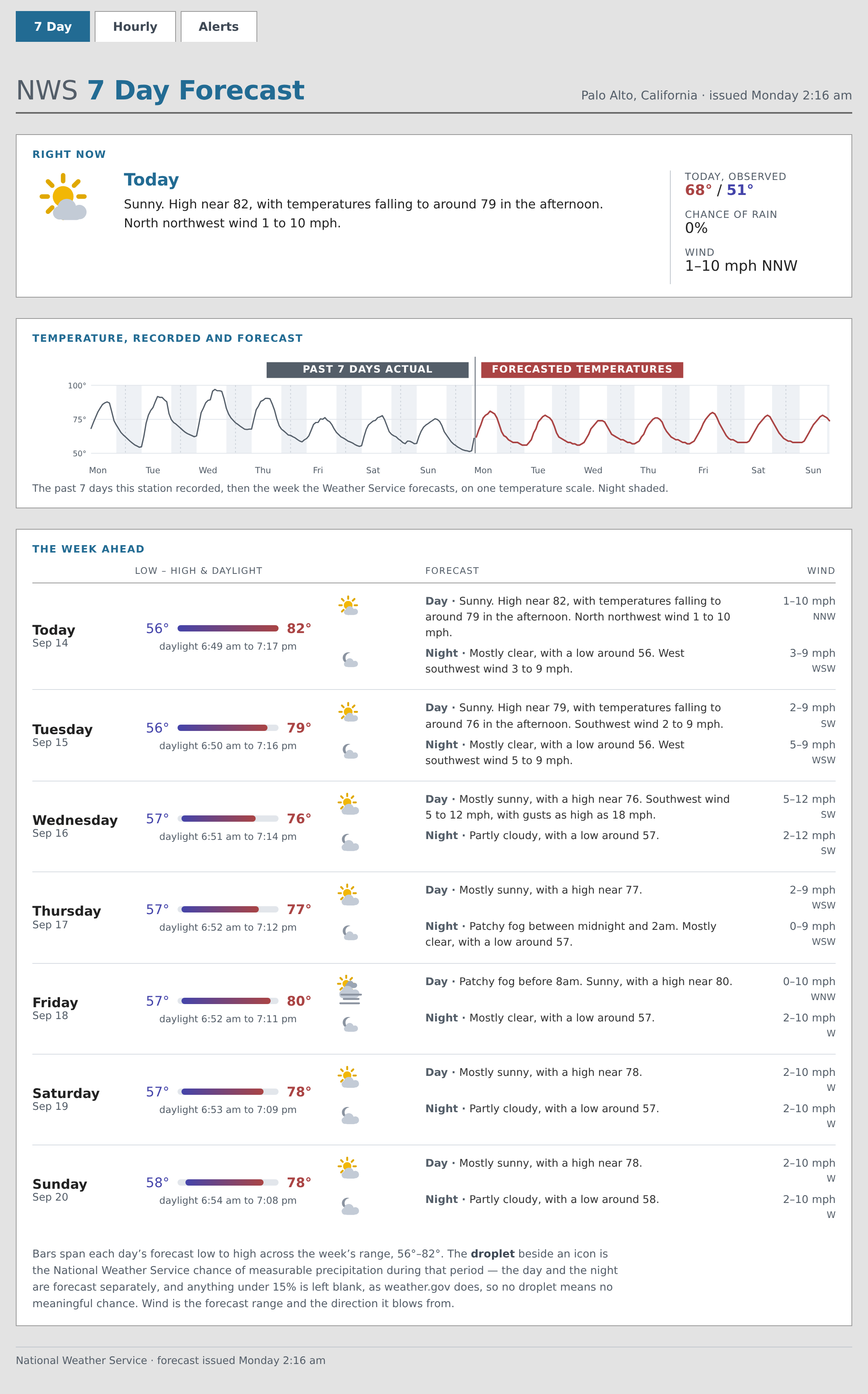
[image: The seven-day page]
<https://raw.githubusercontent.com/chaunceygardiner/weewx-nws/master/docs/images/sample-report-days-full.png>

The seven-day page leads with a "Right now" card and a sparkline of the
week, then gives one row per calendar day: that day's low-to-high bar
against the whole week's range, its daylight, and each period's icon,
chance of rain, forecast and wind.


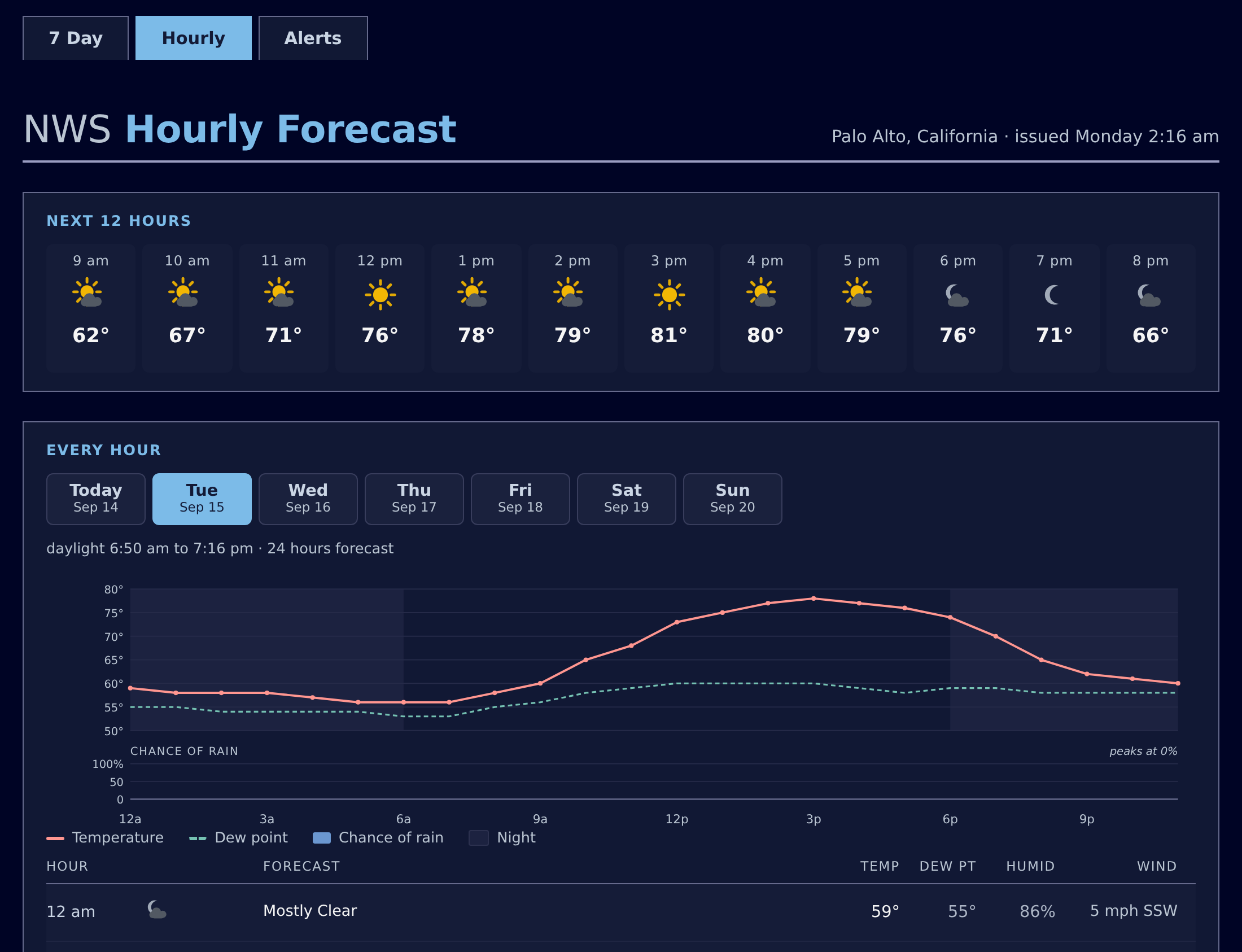
The hourly page gives the next twelve hours at a glance, then a tab per day
carrying that day's chart — temperature, dew point and rain — and its hour
table. Point at a chart, drag a finger across it, or reach it with Tab and
walk it with the arrow keys.

[image: The hourly page in dark mode]
<https://raw.githubusercontent.com/chaunceygardiner/weewx-nws/master/docs/images/sample-report-hours-dark.png>


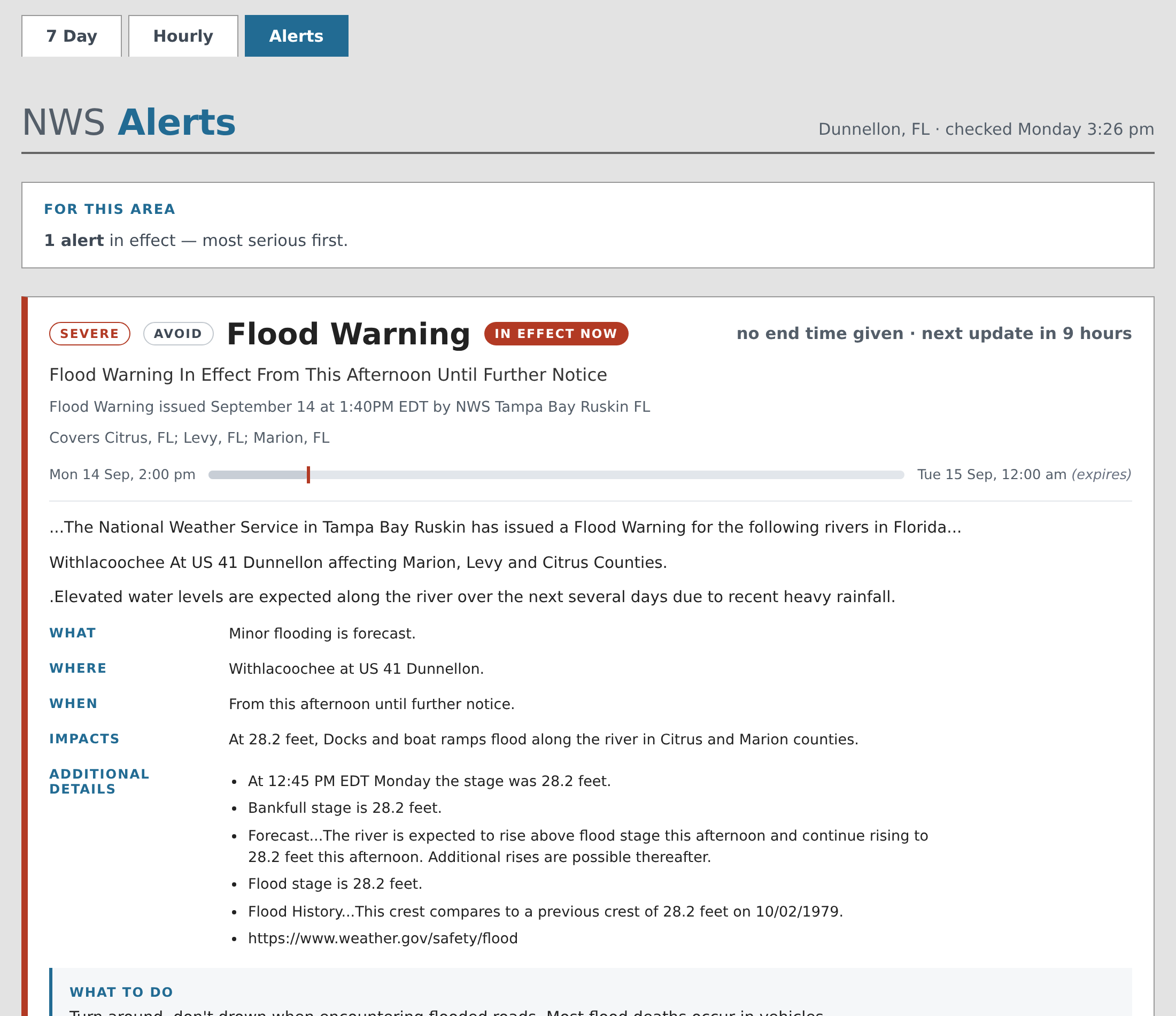
The alerts page gives each alert a card with a severity-colored rail, a
status badge, a bar showing where now falls in the alert's window, and the
alert's own text as real structure rather than teletype.

[image: The alerts page]
<https://raw.githubusercontent.com/chaunceygardiner/weewx-nws/master/docs/images/sample-report-alerts.png>


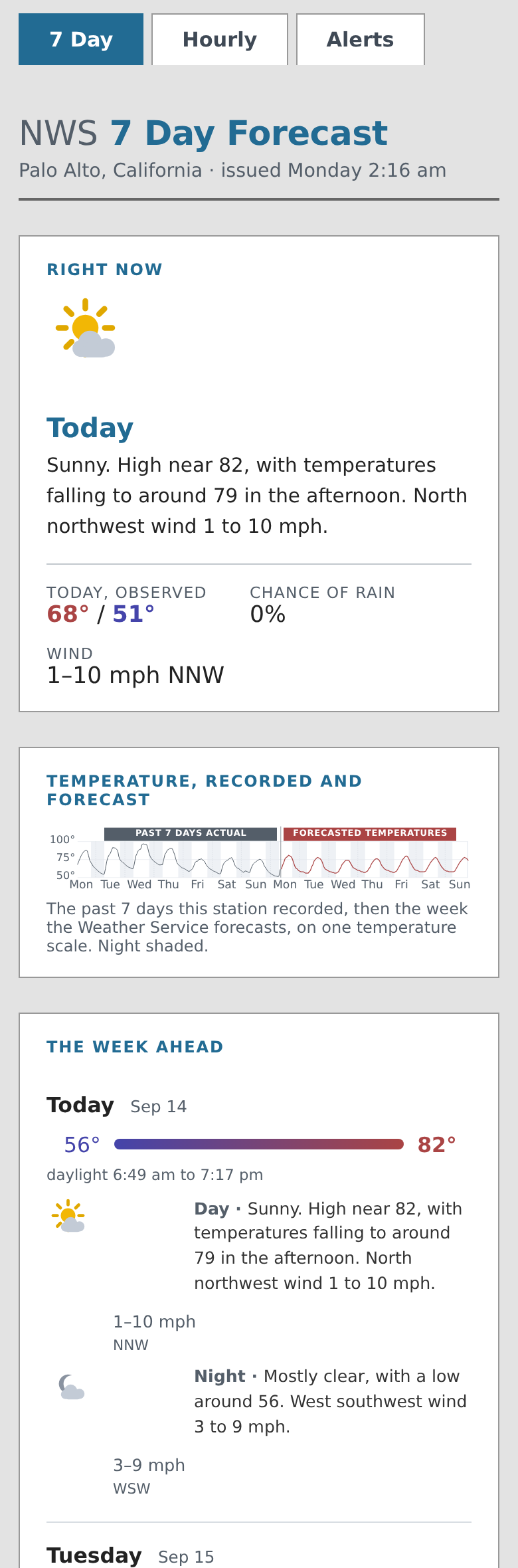
And the same pages on a phone — one responsive page, not a second mobile
skin to maintain:

[image: The seven-day page on a phone]
<https://raw.githubusercontent.com/chaunceygardiner/weewx-nws/master/docs/images/sample-report-phone.png>


The pages fetch nothing: no request to api.weather.gov, no font or script
from anywhere else, and no reloading themselves. The weather icons are
drawn as SVG — all 34 NWS conditions, day and night — so they stay crisp at
any size and take their colors from your stylesheet.


If you write your own skin, the tags gained the parts of NWS's feed that
are easy to get subtly wrong: grouping periods by the calendar day each one
*starts* in, ordering alerts the way a reader needs them, working out
whether an alert is in effect, and turning a CAP description into labeled
sections, paragraphs and bullets. They return data, not markup, so the
layout stays yours.


   - Download —
   https://github.com/chaunceygardiner/weewx-nws/releases/latest
   - Manual — https://chaunceygardiner.github.io/weewx-nws/
   - Upgrading — https://chaunceygardiner.github.io/weewx-nws/upgrading.html


Python 3.9 or later and WeeWX 5, plus the python requests and dateutil
packages,
which are not WeeWX requirements — the manual covers installing them.
Upgrading is install-over-the-top with no weewx.conf edits; as with any
release it replaces the bundled skin, so save a copy first if you
customized it.


John

--
You received this message because you are subscribed to the Google Groups
"weewx-user" group.
To unsubscribe from this group and stop receiving emails from it, send an email
to [email protected].
To view this discussion visit
https://groups.google.com/d/msgid/weewx-user/CAK1LHoUXmCjBOrwdG_nVuTNRS368Rut3uiN253sFZXyoKNx5cQ%40mail.gmail.com.