Hi All,

I am glad to announce the next release of Desktop Icons Preferences.
*What are the improvements*

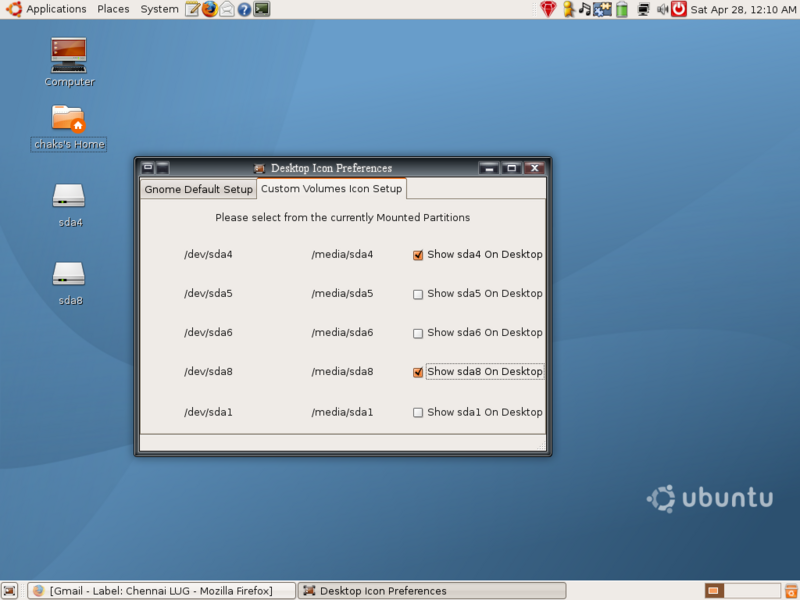
Enabled to show/hide specific volumes in the desktop. So now , if the user
wants to hide *sda4* and have only *sda2* on the desktop, the user can do it
now

*To Install*

  - tar xjvf dip-0.1.tar.bz2
  - cd dip-0.1
  - sudo ./setup install (for installing)
  - sudo ./setup remove (for un-installing)
  - Run it from menu System-->Preferences-->Desktop Icons Preferences


*Limitations*

1) You cant keep custom names or icons for volumes shown on your desktop. So
as of now, if its *sda2*, the icon name gets created as sda2

2) If you change the created desktop volume entry's name , the
desktop-icons-preferences does not keep track of the name changes, however,
you can change the icon

3) As per the standard, this works only for partitions mounted at
*/media*and thus the default Ubuntu setup will work without any flaws.

*Things to do*

1) Still haven't created any source forge or launchpad entries
2) The GUI has to be improved a bit
3) deb package has to be created
4) Translation to various languages
5) Enable to show other partitions mounted in other locations than /media
(is it really needed??)
6) To get the label of the partition and display instead of *sda4* or *sda5*

Please report your bugs and what you think of the improvement.

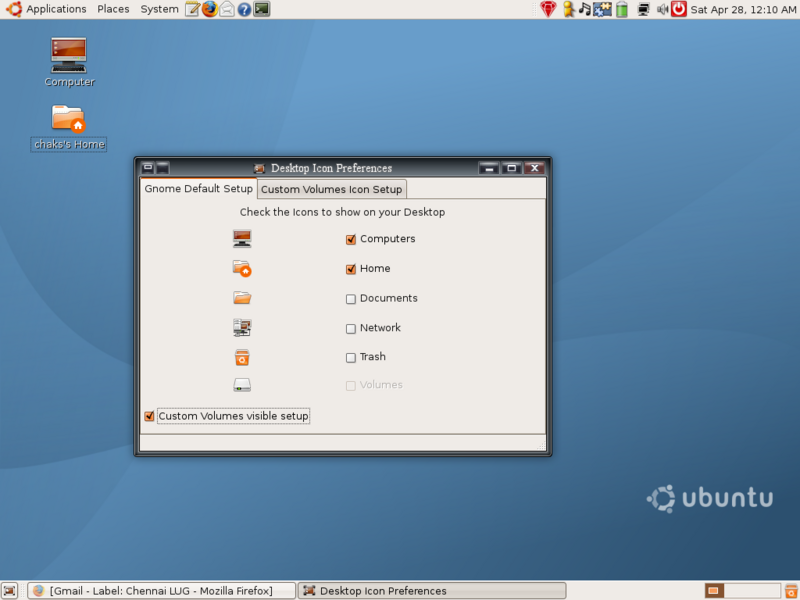
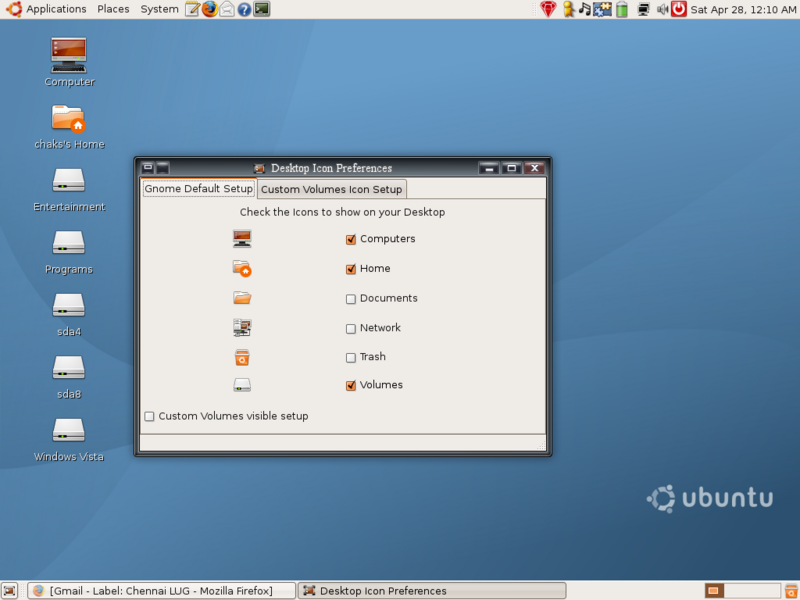
Here are some screen shots too attached

http://i33.photobucket.com/albums/d74/chaks_2k/Screenshot-2-1.png
http://i33.photobucket.com/albums/d74/chaks_2k/Screenshot-1-1.png
http://i33.photobucket.com/albums/d74/chaks_2k/Screenshot.png

--
Regards,
C.C.Chakkaradeep,
http://chakkaradeep.wordpress.com
--
"Sometimes it's better not to ask - or to listen - when people tell you
something can't be done. I didnt ask for permission or approval. I just went
ahead and did it."  - from "Direct from Dell"
 dip-0.1.tar.bz2
Description: BZip2 compressed data
_______________________________________________
yoper-dev mailing list
[email protected]
https://morpheus.pingos.org/cgi-bin/mailman/listinfo/yoper-dev