On 28/11/2025 18:24, Will Godfrey wrote:
So Inkscape it will be. I'll also look through some info on creating flow
charts to get (somewhere near) common styles - I might as well try to do the
job properly :p
Inkscape and thus SVG seems a good choice. I use it a lot for schematics.

I met several people who favoured Dia, because it is much more high-level,
and in theory you should be able to put together some standard diagrams
with just some clicks. However, I never was able to get to grips with
Dia, it just seemed plain confusing and resisted doing simple things
the way I want. Probably the reason is just that I am "oldscool"
insofar that I know how to draw myself.

That being said, working with Inkscape is certainly a bit low-level
and I'd recommend to approach it more systematically. I always do
a quick hand-sketch on a sheet of paper beforehand, so that I
have a clear picture up-front and can than just work my way
through it with Inkscape.

For any kind of schematic drawings, I consider it very important
to set-up the Grid in Inkscape properly, and to use the snap-to
functionality. Especially you should avoid to have an overly
fine-grained Grid. And you should enable only those kind of
snap functions you need for the task. The configuration is
in the top right corner of the window.

Another very important function is the "align" feature.
Note especially that you can align a selection relatively
to the first-selected or the last-selected element.

Also I'd recommend to establish a base styling with the
very first elements, and -- most importantly -- do that
before you add much content.

Tip: you can copy and paste the *style* from one element
to another one. For me this is the most painless way
for getting a common style on a lot of elements:
- copy the source (ctrl-c)
- select the target
- paste style with shift-ctrl-v  (or Edit>Paste... > Style)

Usually I prepare my common geometric shapes up-front,
like a box with a text label and a drop shaddow,
properly styled and grouped together.

Then I duplicate from that template (ctrl-d) and just
place it and edit the text content.

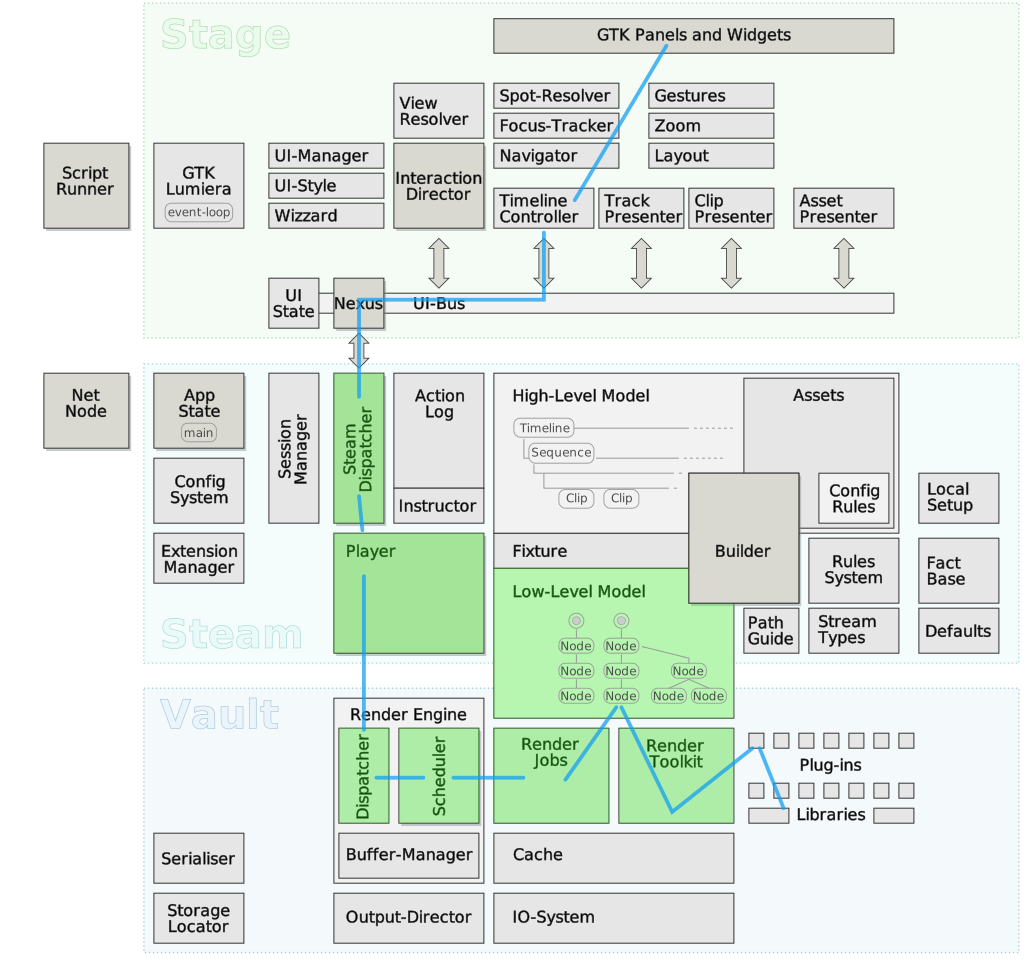
An example for an rather elaborate architecture diagram
built this way can be found here:
https://lumiera.org/documentation/devel/draw/VerticalSlice.Playback.svg


-- Hermann


_______________________________________________
Yoshimi-devel mailing list
[email protected]
https://lists.sourceforge.net/lists/listinfo/yoshimi-devel