Hi Lucy, you have a couple of different issues going on:

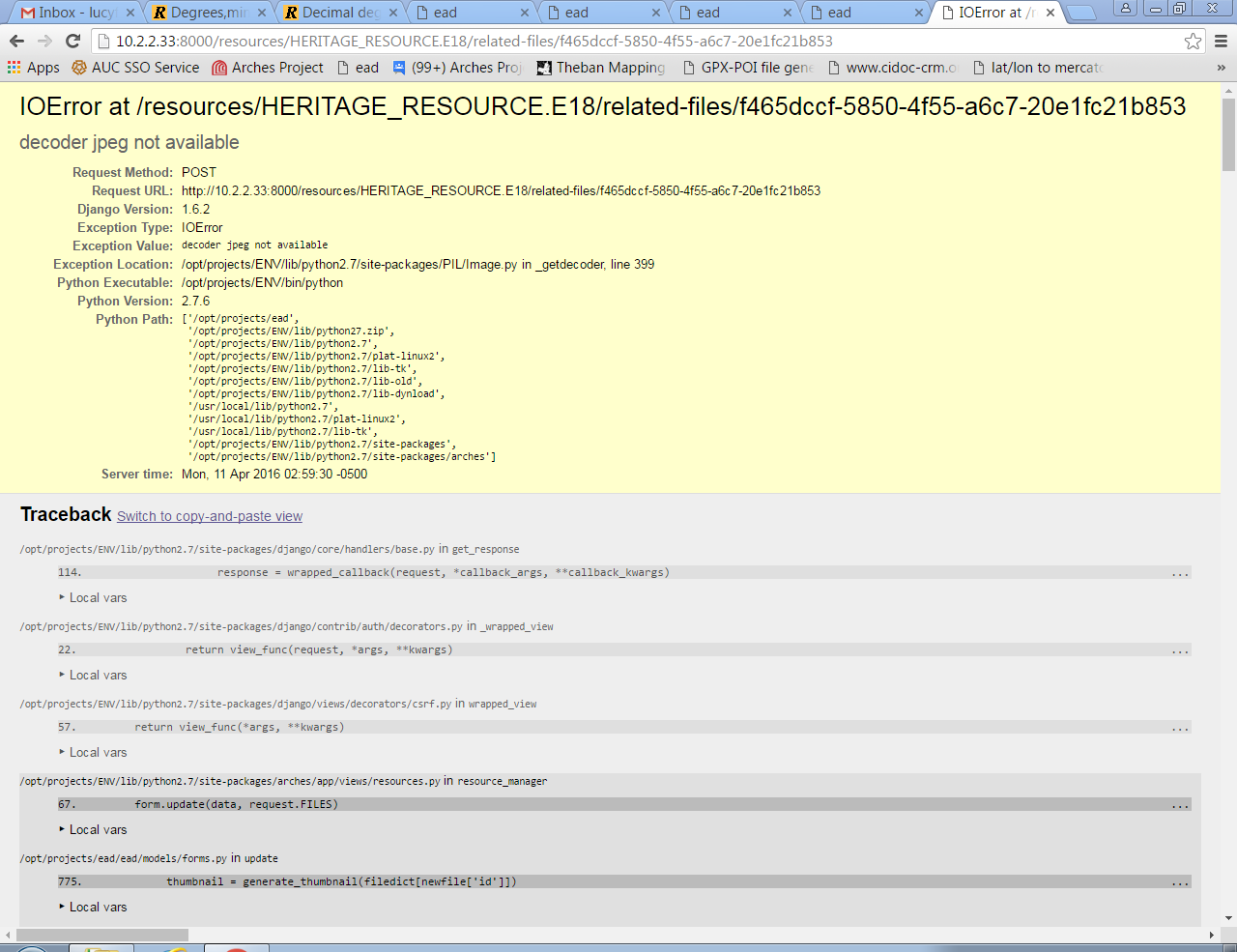
1. From this post here, it seems like this is an extremely common problem:
http://stackoverflow.com/questions/8915296/python-image-library-fails-with-message-decoder-jpeg-not-available-pil
 I'm not sure but it may be that something was missed during your arches
installation process in your virtual environment.  I'd recommend creating a
brand new virtual environment ("ENV2" or something), installing arches and
arches-hip in it, and then pointing your existing Arches installation to
ENV2.  If you've been sure to keep all your package customizations outside
of your virtual environment, this should go off without a hitch.  If you
still have the same decoder trouble, then you can follow the steps in this
SO question, and apply them to ENV2.  That way, if something goes wrong,
you can easily revert to your original virtualenv.
2.  The steps above may solve this issue, I'm not sure.

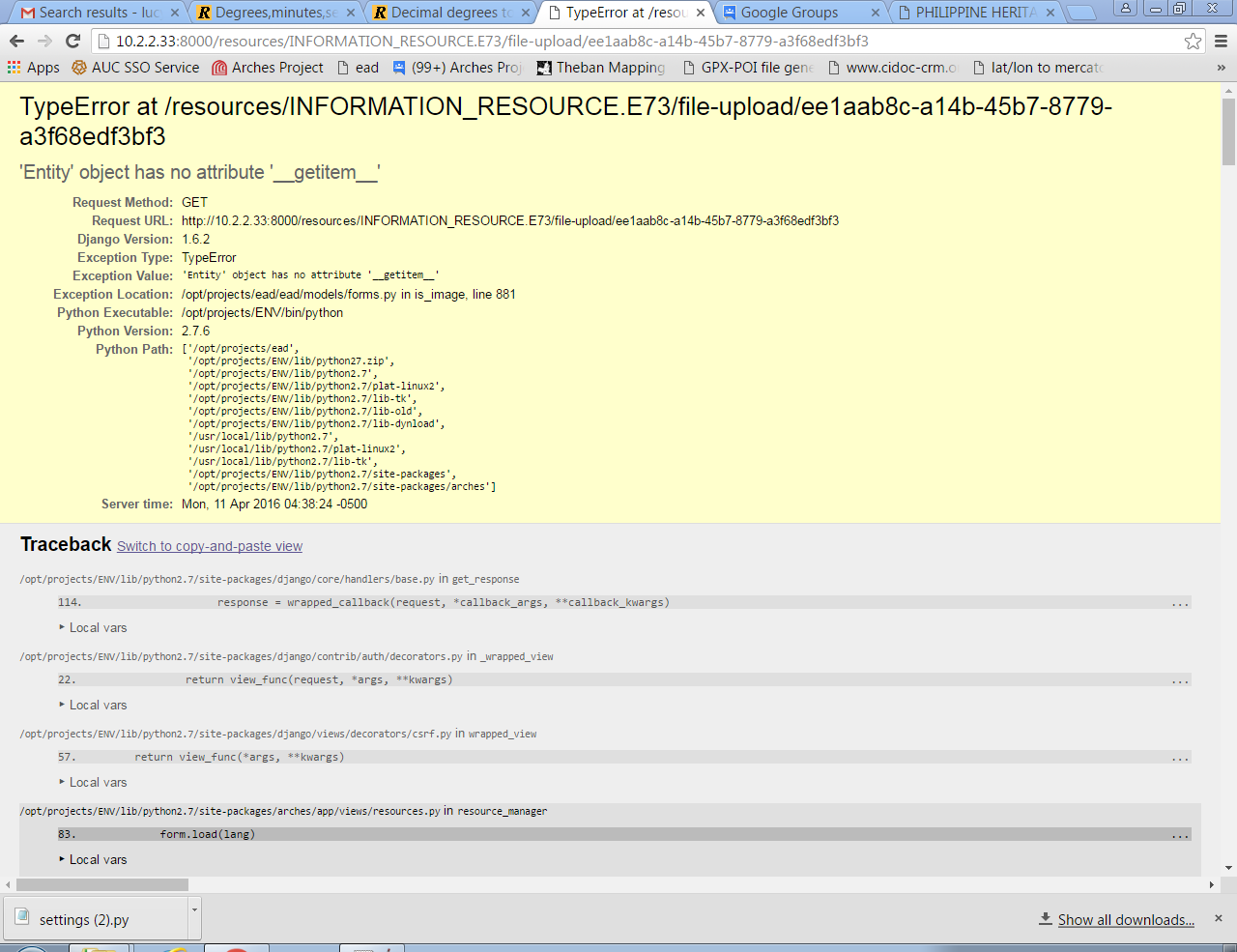
3.  This issue has been unaddressed for a very long time, as you can see
here <https://github.com/archesproject/arches/issues/269>.  The problem is
caused by having an image format selected and saved on the resource summary
page, before entering the file upload form.  If you remove the image format
attribute (and save), you should be able to enter the file upload form.

Good luck, very interested to hear how number 1 goes...

Adam

On Mon, Apr 11, 2016 at 4:29 AM, 'Lucy FJ' via Arches Project <
[email protected]> wrote:

>  Hi all,
>
> I saw some posts a while back on problems with uploading images but cannot
> find them, so I'm sorry if the answers have already been given. I have 3
> errors:
>
> 1. I tried uploading a JPEG image in the resource input screen, (and in
> edit mode) and got this error: "decoder JPEG not available", when saving to
> the database.
>
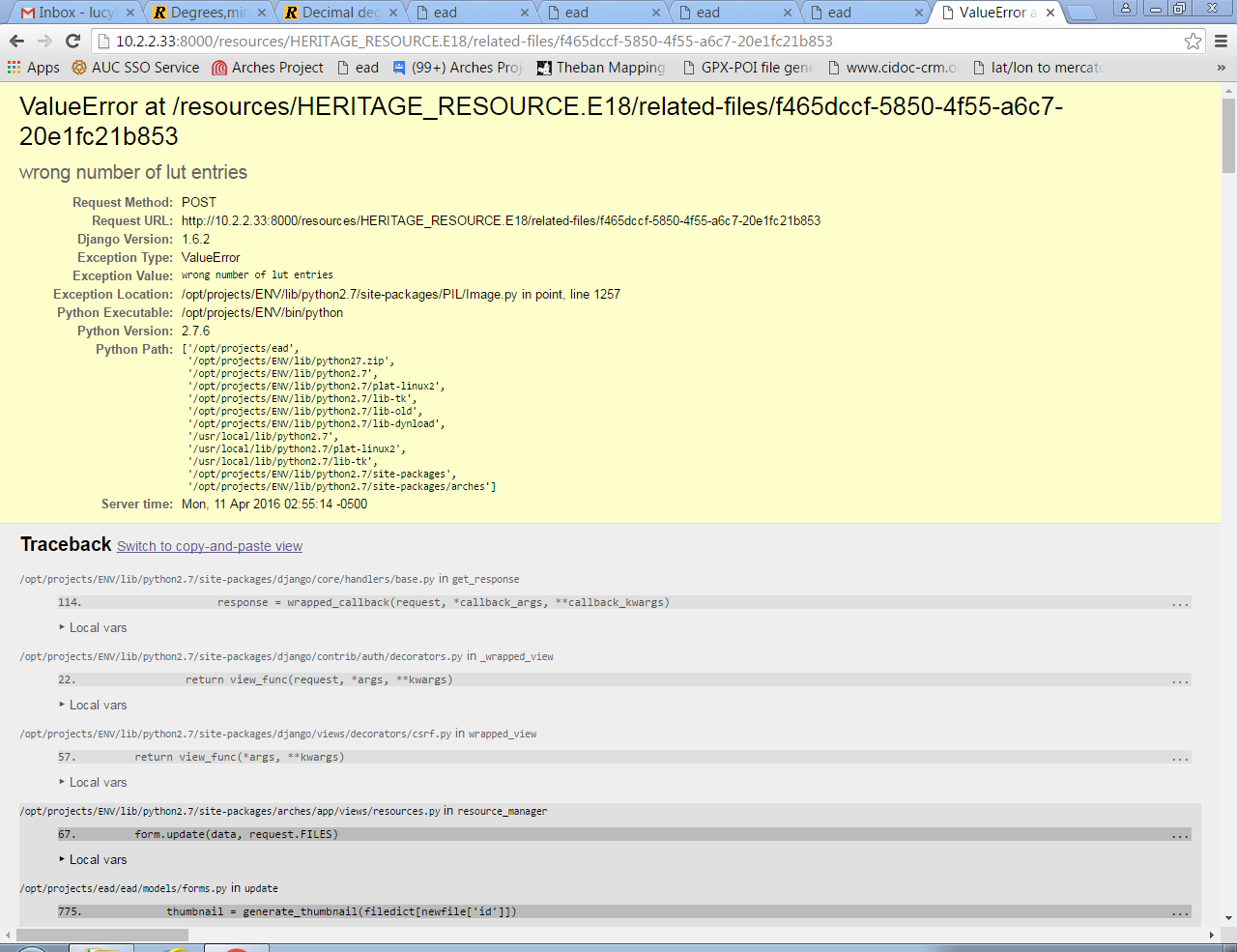
> 2. I also tried uploading a PNG image  and got a different error: a Value
> error: "wrong number of lut entries", when saving to the database.
>
> 3. I also tried using the Information Resource input to upload a file and
> immediately got an error when simply selecting the 'file upload' button
> after putting in some details on the resource summary screen.   When I went
> directly to the  'upload file' button, (without putting in details  I was
> able to upload an image but then got the same 'decoder JPEG not available'
> error when trying to save.
> (I think this error has already been reported)
>
> I've added the error reports here.
>
>
>
> <https://lh3.googleusercontent.com/-5L_07_WMNu0/Vwt8VuuPfRI/AAAAAAAAACE/O6spd7c5vT4uA4dnsopDFUlCicG_MZ3Jg/s1600/JPEGUploadError.PNG>
>
>
> <https://lh3.googleusercontent.com/-OENOtBfpV2k/Vwt8beURdLI/AAAAAAAAACI/wiZKbYDPWiAUlM-PPeCRzBi8W1PKYUH2g/s1600/PNGUploadError.PNG>
>
>
> <https://lh3.googleusercontent.com/-CWiPxXhXdUE/Vwt8lluXhGI/AAAAAAAAACM/dKqmPR606Z8_BQr227Mdqfj5TsWx8Nc2g/s1600/InfoResourceError.PNG>
> Any help appreciated, thank you.
>
> Lucy
>
>
> --
> -- To post, send email to [email protected]. To unsubscribe,
> send email to [email protected]. For more
> information, visit https://groups.google.com/d/forum/archesproject?hl=en
> ---
> You received this message because you are subscribed to the Google Groups
> "Arches Project" group.
> To unsubscribe from this group and stop receiving emails from it, send an
> email to [email protected].
> For more options, visit https://groups.google.com/d/optout.
>

--
-- To post, send email to [email protected]. To unsubscribe, send
email to [email protected]. For more information,
visit https://groups.google.com/d/forum/archesproject?hl=en
---
You received this message because you are subscribed to the Google Groups
"Arches Project" group.
To unsubscribe from this group and stop receiving emails from it, send an email
to [email protected].
For more options, visit https://groups.google.com/d/optout.