Hi all,

Short version:
I’ve put up another personal beta build of the Morphic Capture Tool if anyone
would like to try it.  As always this is an in-progress build so don’t use it
on your primary productive windows instance.

The download and basic instructions are here:

https://github.com/sgithens/gpii-app/releases/tag/2019-03-24
<https://github.com/sgithens/gpii-app/releases/tag/2019-03-24>

As part of refinements for operating remotely, and running on users home
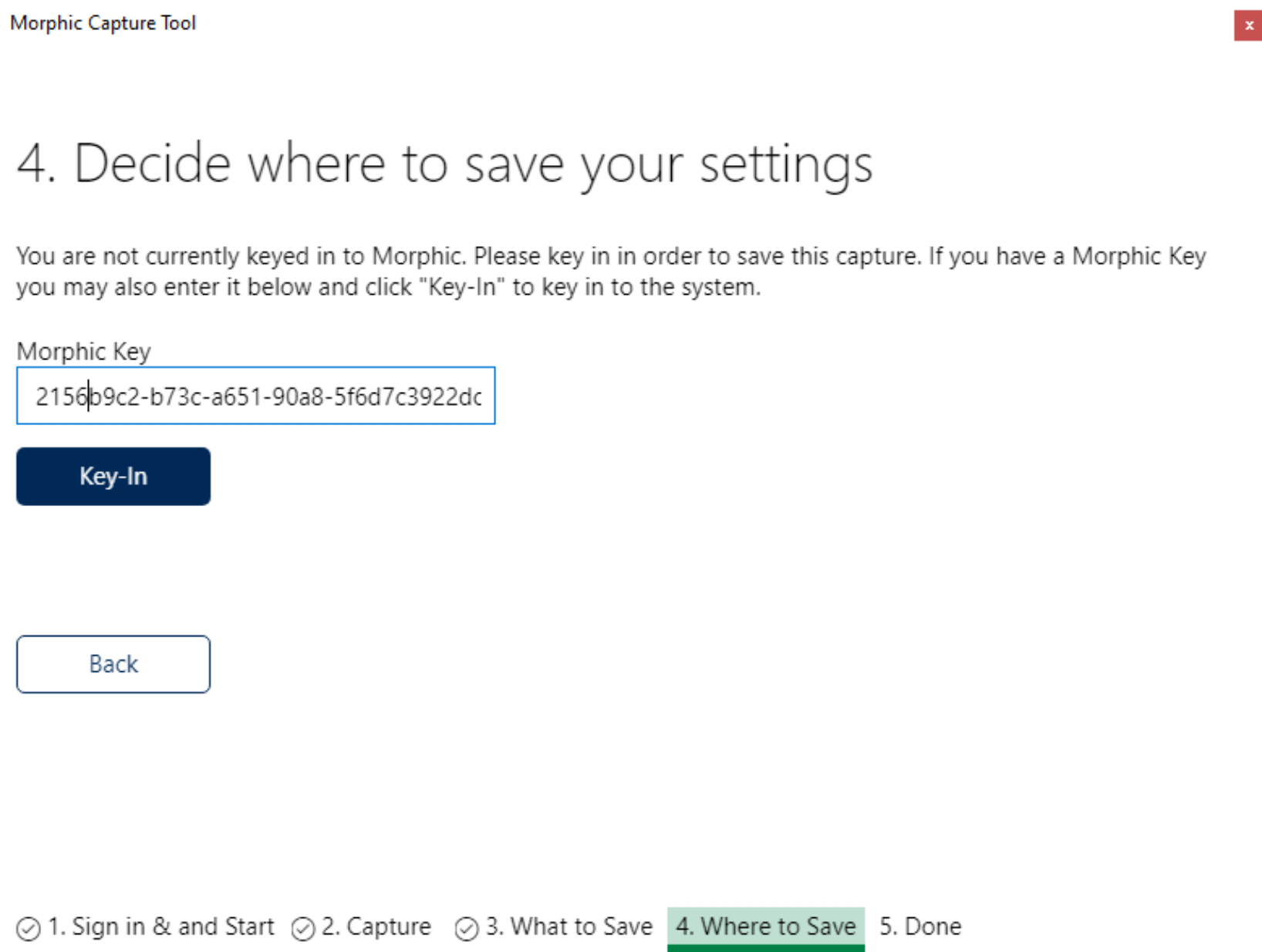
machines, we’ve added the ability to log in with a key on screen 4 if you’re
not keyed in to Morphic already.

https://user-images.githubusercontent.com/361700/77585767-4800f100-6ea2-11ea-8187-3b3f7c37bc78.png

If you don’t have access to a key on our cloud and would like one to test with,
you can email me. ( sgithens AT raisingthefloor.org
<http://raisingthefloor.org/> )  Additionally you can report any comments and
bugs to me ( or on list if it’s general architectural engineering thinking ),
or open a jira and assign it to me.

More detail:

As noted above this build adds the ability to key in with an input box and
button, which is an important first step I believe to moving forward with
logging in either via key or username/password from Morphic itself. Until now
we’ve either relied on custom deployment userfolder provisioning, USB sticks,
the task tray dev menu, etc.  As part of our move towards completely remote
protocols for both case studies and general users, this is suddenly very
important. (Imagine trying to test wit the capture tool, and fumbling around
with the user over screen sharing plugging USB drives in and out).

In the instructions you’ll see that only a limited number of settings can
actually be saved to the cloud at the moment, lest you’ll get an error.  After
running the capture tool, you’ll see that there are indeed, far far more
settings and solutions captured than we can currently save.  A short and
incomplete refresher on why this is.

Probably one of the most complex and challenging aspects of the GPII has always
been dealing with the interfaces and sometimes odd quirks of the installed and
built-in AT available on computers, and the way they interface with each other
in sometimes very surprising ways.  Honestly, tracking and testing these
interactions is much more work than actually writing the solution entry for
them.  Because of this, and our desire for AT interactions to not foul up
public machines and users machines, the settings that are currently allowed for
saving in the public cloud have been very thoroughly testing for unexpected and
detrimental combinations of usage, making sure they are safe for machines.  In
addition to putting machines in odd states, solutions also need to thoroughly
vetted for other issues, such as something I like to call SettingsInjections
Vulnerabilities, similar in vein to XSS or SQL injections.  If an AT product
allows free text settings, and these are used in some portion of the
application, there could be serious security implications.  This is another
reason that the settings we currently allow saving all have strong validation,
the text fields are enumerated types, etc etc.

Via our Client Credential System, we have the opportunity to allow
configurations for some users that allow saving more AT if and when the need
arises, but for our general public users, the current set remains small, and
while it will expand over time, requires very careful vetting.

For the Capture Tool Case Studies and testing we will have a special client
credential available to capture all these AT, but the payloads will need to be
reviewed before and if they are used for key-in.

Enjoy! To the Max!
Steve (Hens)
_______________________________________________
Architecture mailing list
[email protected]
https://lists.gpii.net/mailman/listinfo/architecture