Hi Andrew,
I'm not sure if I send it already but to make sure I send it again.
I'm trying to connect BBB to custom touch screen, I've tried with the
custom O.S and it didn't work.
I though the best way to achive such a connection would be with Android
O.S, so i've download the AOSP 4.4.4 prebuild image
from http://2net.co.uk/tutorial/android-4.4-beaglebone and plugged it to
the beaglebone black but it didn't work (I can see the image but the touch
functionality doesn't work).
I've contact the screen manufacturer and they told me that I have to insert
the driver into the Android kernel first and then build it and just then it
suppose to work.
So I've tried to download the source of the AOSP as the guide
in https://github.com/csimmonds/bbb-android-device-files/tree/kk4.4-sdcard
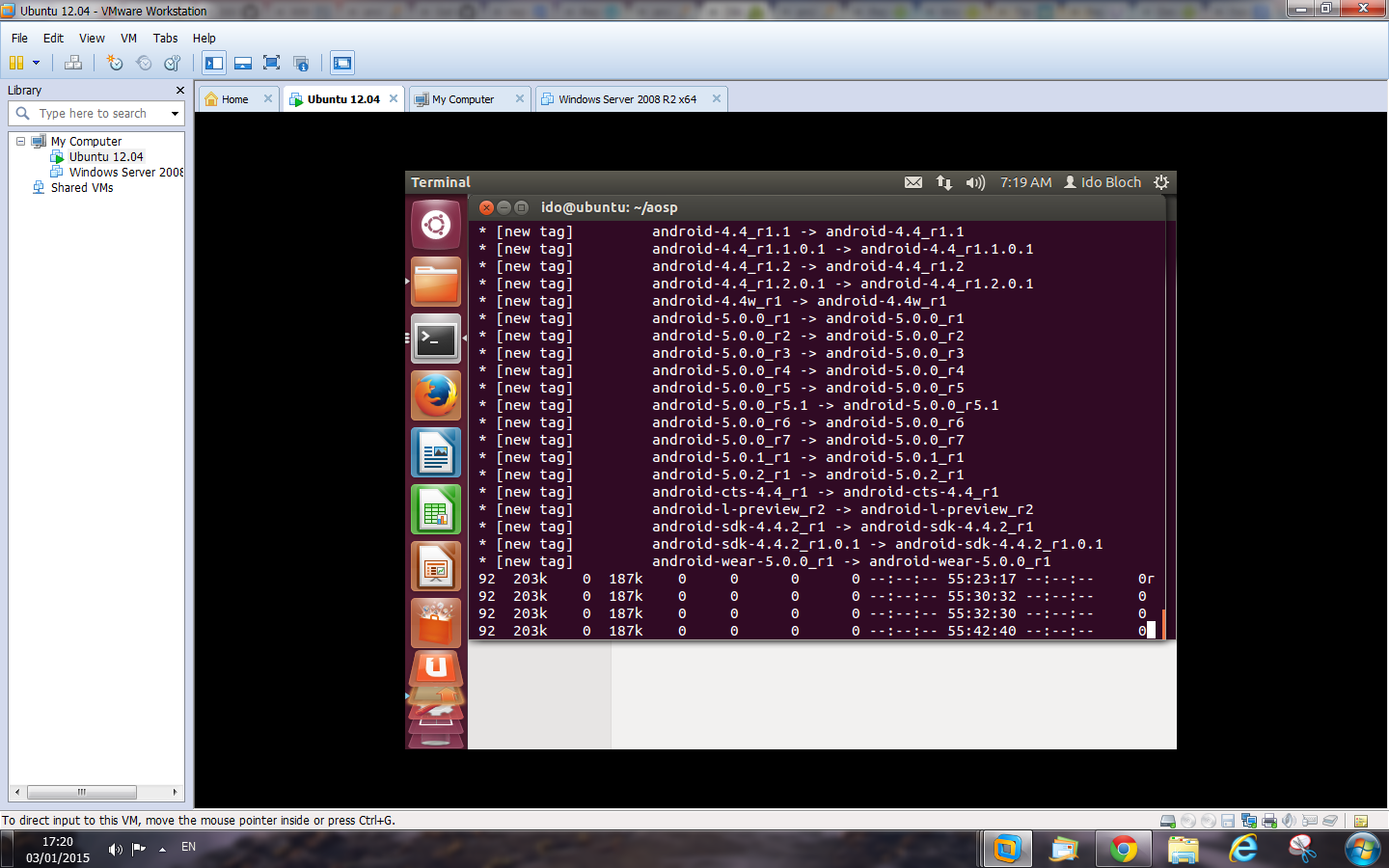
says but then I just got stuck in the following attached imaged, its been
like that for the last 55 hours, and I've not idea if it end already or it
isn't but it seems that the download is stuck (as in the following image).

<https://lh4.googleusercontent.com/-lA3FuyyTFN0/VKgiunL1CbI/AAAAAAAAAJA/rszWqRBwk_U/s1600/android%2Brepository%2Bisnt%2Bfinished.png>


as I understood if i'll type the following command again:

repo sync -c

it will start the download all over again and it is pretty long download.
I'd like to know what can I do now? and do I in the right direction?

Thanks,
Ido

On Sunday, September 28, 2014 6:14:24 PM UTC+3, Andrew Henderson wrote:
>
> Hello all. I have released a new port of Android for the BBB.  This
> version uses AOSP 4.4.4 (KitKat) and the 3.8 Linux kernel. I have made
> build instructions and a pre-made image available at
> http://www.bbbandroid.org.  I use a combination of AOSP repos and Rowboat
> build scripts, and I have a few custom repos for the kernel, bootloader,
> and additional "external" tools (such as i2c-tools).  You can view the repo
> manifest XML file for the project here:
>
>
> https://github.com/hendersa/bbbandroid-manifest/blob/master/bbbandroid-aosp-4.4.4_r1-3.8.xml
>
> Because this Android image uses the 3.8 kernel, you should be able to just
> plug in your capes and go without any hassle:
>
> Built-in HDMI cape:
> http://i.imgur.com/q4AZQ95.jpg
>
> 4D Systems LCD capes:
> 4DCAPE-43T: http://i.imgur.com/6qHmgqX.jpg
> 4DCAPE-70T: http://i.imgur.com/UZLG7Or.jpg
>
> CircuitCo LCD capes:
> LCD3: http://i.imgur.com/LC7SrBB.jpg
> LCD4: http://i.imgur.com/1xBQ8R6.jpg
> LCD7: http://i.imgur.com/vxoqROE.jpg
>
> Andrew
>

--
For more options, visit http://beagleboard.org/discuss
---
You received this message because you are subscribed to the Google Groups
"BeagleBoard" group.
To unsubscribe from this group and stop receiving emails from it, send an email
to [email protected].
For more options, visit https://groups.google.com/d/optout.