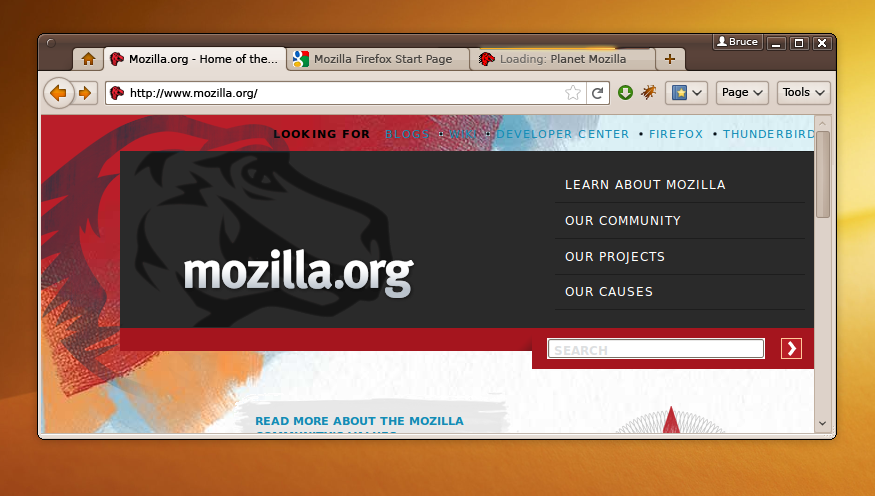
It does this if you right-click in the corner of title bar, near the
buttons, and tick Use System Title Bar and Borders.
It gives you nice shadows as well like the normal windows, but it
takes up more space when maximised.

2009/10/30 Aldo Mann <[email protected]>:
>
> I know, and this GTK integtation is nice. What I mean is an
> integration including the title bar and the buttons, like the «Firefox
> 4 GNU/Linux Mockup»
> https://wiki.mozilla.org/images/5/5a/Fx-4.0-Mockup-Linux-i01-ToT-T-Human-Brown.png
>
> Perhaps it could be developed for a future version of Chromium and
> Chrome.
>
> On 30 oct, 04:44, Mohamed Mansour <[email protected]> wrote:
>> Hi, if you goto Options > Personal Stuff > Themes, you can use Gtk theme
>> directly. And the UI of Chromium on Linux is done using GTK.
>>
>>  - Mohamed Mansour
>>
>> On Thu, Oct 29, 2009 at 7:07 PM, Aldo Mann <[email protected]>wrote:
>>
>>
>>
>>
>>
>> > Chromium integration using GTK in GNOME (I don't know how it works in
>> > KDE) is so cute, but I think it would be awesome a total GTK
>> > integration.
>> > In Mac OS X, Chromium and Google Chrome, look like Mac programs, in
>> > GNU/Linux it looks like a Windows program.
>>
>> > I love Chromium, but I'd like it much more if it looks like all my
>> > system. Actually I think all GNU/Linux users would appreciate the
>> > integration.
> >
>

--~--~---------~--~----~------------~-------~--~----~
Chromium Discussion mailing list: [email protected]
View archives, change email options, or unsubscribe:
    http://groups.google.com/group/chromium-discuss
-~----------~----~----~----~------~----~------~--~---