This is an automated email from the ASF dual-hosted git repository.

yumeng pushed a commit to branch main
in repository https://gitbox.apache.org/repos/asf/incubator-devlake-website.git
commit 58442bb0088efb21be8980f06c30762a7eb1d0aa Author: Yumeng Wang <[email protected]> AuthorDate: Wed Sep 21 19:08:01 2022 +0800 Update webhook.md --- docs/Plugins/webhook.md | 44 ++++++++++++++++++++++---------------------- 1 file changed, 22 insertions(+), 22 deletions(-) diff --git a/docs/Plugins/webhook.md b/docs/Plugins/webhook.md index 7acdee38d..d9bba9e16 100644 --- a/docs/Plugins/webhook.md +++ b/docs/Plugins/webhook.md @@ -6,27 +6,27 @@ description: > ## Summary -[Webhooks](https://en.wikipedia.org/wiki/Webhook) are HTTPs that you need to request. They should be triggered in your deploy and bug recorder systems, such as build shells in Jenkins or Jira. +[Webhooks](https://en.wikipedia.org/wiki/Webhook) are user-defined HTTP callbacks that can be used for causing an event on one site that will trigger certain behavior on another site. They can be triggered in your deployment and bug recording systems, such as build shells in Jenkins or Jira. 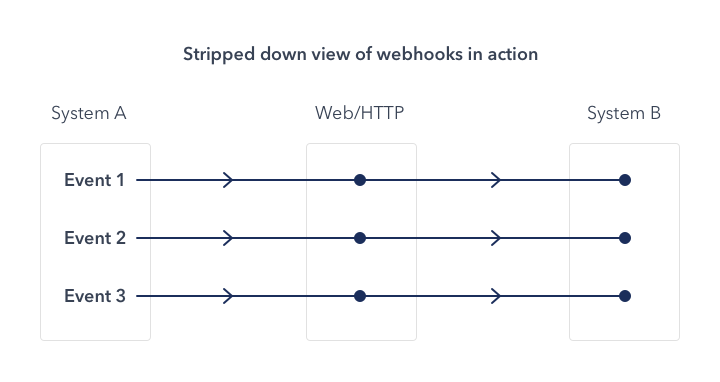 -(picture from the Internet) +(Image from the Internet) -Here, your systems play the roles of system A as the picture, and Apache DevLake is system B. Now, you can use webhooks to: +While using webhooks in DevLake, your systems play the roles of system A as shown in the above image, and Apache DevLake as system B. You can use webhooks to: * record bugs or incidents when DevLake cannot collect data from issue applications directly. -* detect code deployments by custom deploy-time measurement +* detect code deployments by using custom deploy-time measurement -DevLake does not limit the number of webhook requests. **But Notice**: Your Database or other servers may not handle unlimited requests. +DevLake does not limit the number of webhook requests. **But be aware** that your Database or other servers may not handle unlimited requests. ## Configuration -Configuring Webhook via config-ui. +Configuring webhooks via the Config UI. -First, You can create a webhook connection. +First, you can create a webhook connection from the Integration page.  -We suggest that one connection must be used in one system. So you can input the name of your system here. +We recommand that you give your webhook connection a unique name so that you can identify and manage where you have used it later. -Then, you can find the webhook URLs here. Copy what you need. (Or copy when you need them) +After cicking on "Generate POST URL", you will find four webhook URLs. Copy the ones that suits your usage into your CI or issue tracking systems. You can always come back to the webhook page to copy the URLS later on.  @@ -34,15 +34,15 @@ Then, you can find the webhook URLs here. Copy what you need. (Or copy when you ## Incident / Issue -If you want to collect issue or incident data from your system, you can use the webhook of issues. +If you want to collect issue or incident data from your system, you can use the two webhooks for issues. -There are 2 hooks. **Notice**: `https://sample-url.com/` and `1` should be replaced with your URL and connectionId. +**Notice**: `https://sample-url.com/` and `1` shown in the screenshot above should be replaced with your URL and connectionId. -#### Update or Create issues +#### Update or Create Issues `POST https://sample-url.com/api/plugins/webhook/1/issues` -Need to be called when an issue or incident is created. The body includes columns as follows: +needs to be called when an issue or incident is created. The body includes columns as follows: ``` board_key: issue belongs to which board/project @@ -74,11 +74,11 @@ component(Optional): which component is this issue in. -#### Close issue (Optional) +#### Close Issues (Optional) `POST https://sample-url.com/api/plugins/webhook/1/issue/:boardKey/:issueId/close` -Need to be called when an issue or incident is closed. Replace `:boardKey` and `:issueId` with specific strings and keep the body empty. +needs to be called when an issue or incident is closed. Replace `:boardKey` and `:issueId` with specific strings and keep the body empty. @@ -98,11 +98,11 @@ curl http://127.0.0.1:4000/api/plugins/webhook/1/issue/DLK/DLK-1234/close -X 'PO Read more in Swagger: http://localhost:4000/api/swagger/index.html#/plugins%2Fwebhook/post_plugins_webhook__connectionId_issues. -## Deployment +## Deployments Adding pipeline webhook in your deploy shells will help you collect data into DevLake. -First, let us know there are 2 entities Tasks and Pipelines. A pipeline means one build or deployment, and a pipeline may have more than one task. +First, let us know there are two entities: Tasks and Pipelines. A pipeline means one build or deployment, and a pipeline may have more than one task. 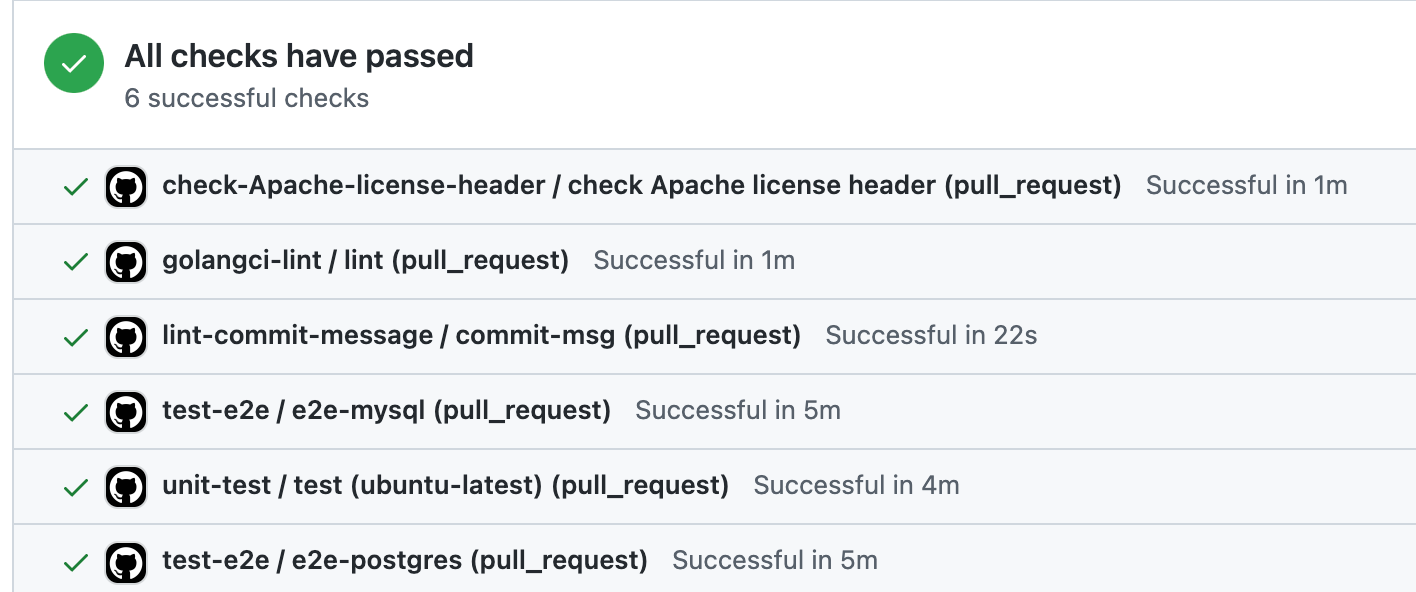 @@ -112,21 +112,21 @@ For example, we can find 6 tasks like `golangci-lint` and `unit-test` in one Git 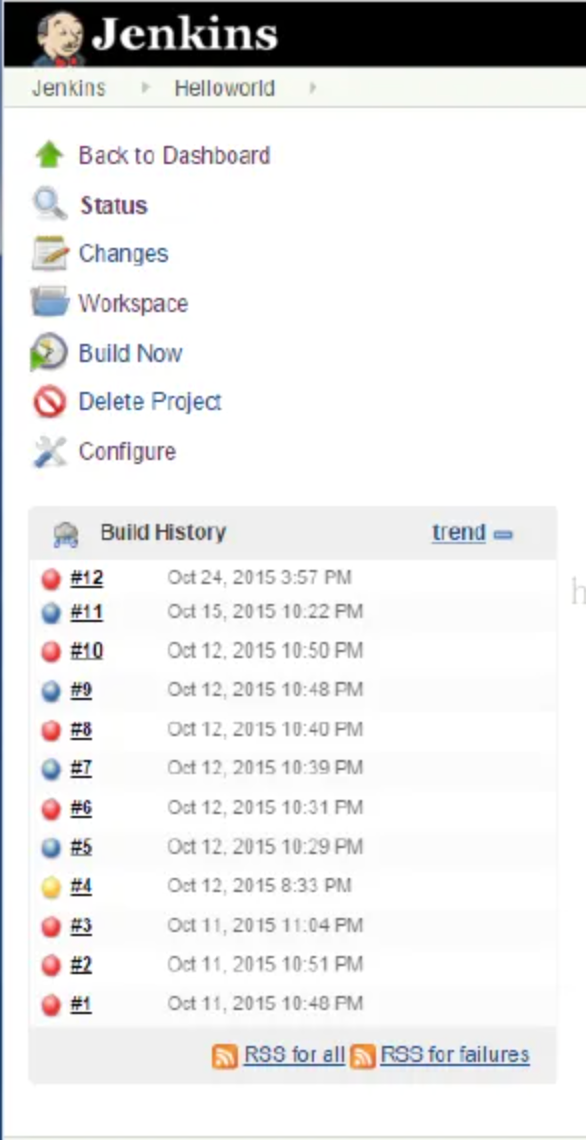 -(Example 2. Picture from the Internet) +(Example 2. Image from the Internet) In Example 2, we can find 12 Jenkins pipelines. 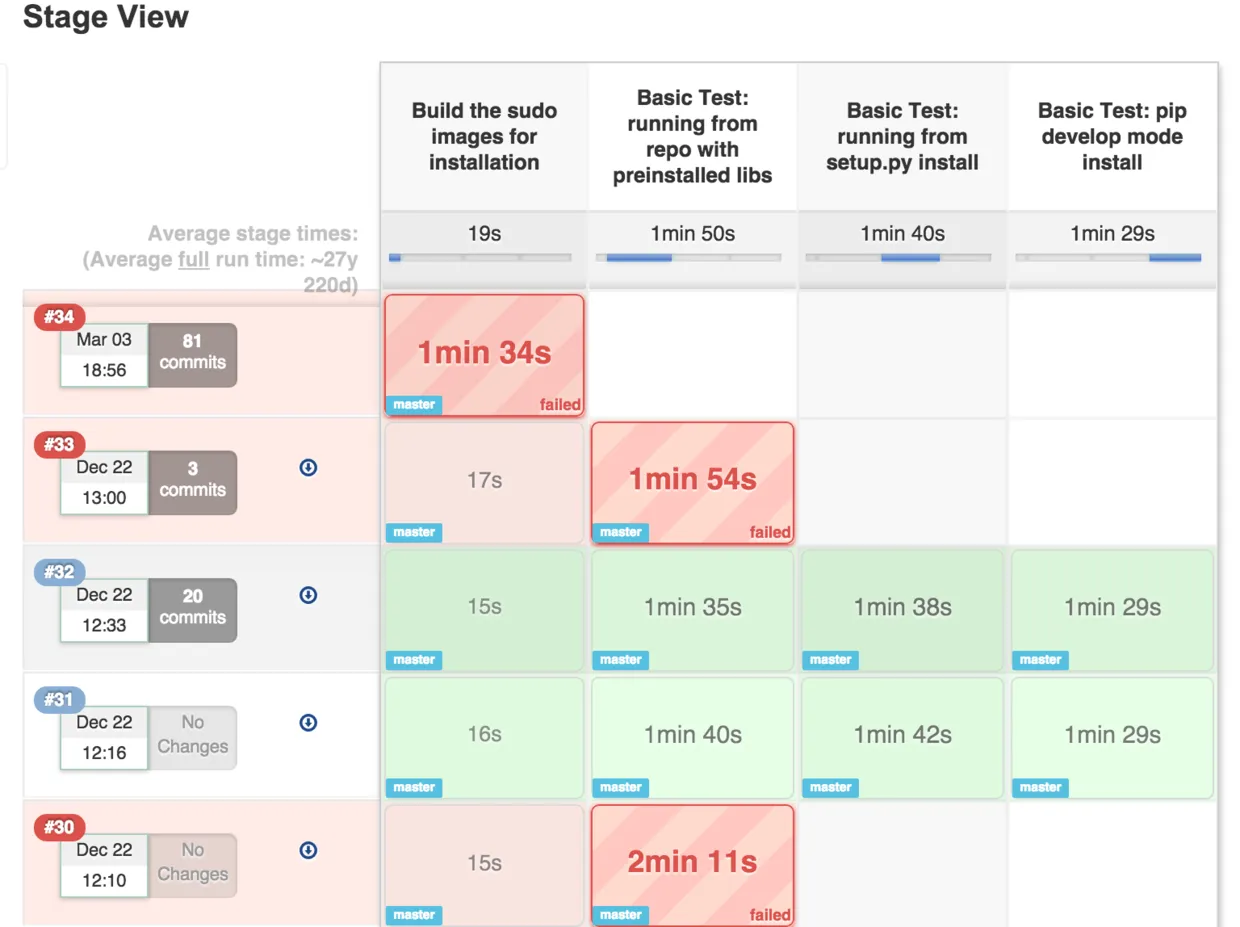 -(Example 3. Picture from the Internet) +(Example 3. Image from the Internet) In Example 3, we can find 5 Jenkins pipelines, and these pipelines have 1~4 task(s). -After figuring out `pipeline` and `task`, we can start to add webhook. 2 hooks need to be added in shells. **Notice**: `https://sample-url.com/` and `1` should be replaced with your URL and connectionId. +After figuring out `pipeline` and `task`, we can start to add webhooks. Two hooks need to be added in shells. **Notice**: `https://sample-url.com/` and `1` should be replaced with your URL and connectionId. -#### Update or Create the tasks in the pipeline +#### Update or Create Tasks in the Pipeline This hook should be added when the task starts and finishes. So in Example 3, we need to add 8 CURLs in the 4 tasks. @@ -150,7 +150,7 @@ commit_sha(Optional) -#### Close pipelines +#### Close Pipelines `POST https://sample-url.com/api/plugins/webhook/1/cicd_pipeline/:pipelineName/finish`






