This is an automated email from the ASF dual-hosted git repository.

likyh pushed a commit to branch likyh/bitbucket-cloud
in repository https://gitbox.apache.org/repos/asf/incubator-devlake-website.git
The following commit(s) were added to refs/heads/likyh/bitbucket-cloud by this
push:
new ba26ec97ac fix: fix for review
ba26ec97ac is described below
commit ba26ec97ac5b6e4cf1476197f0e5e1a48301c0e3
Author: linyh <[email protected]>
AuthorDate: Sun Feb 26 22:23:07 2023 +0800
fix: fix for review
---
docs/Configuration/BitBucket.md | 45 +++++++++++++++++++++--------------------
1 file changed, 23 insertions(+), 22 deletions(-)
diff --git a/docs/Configuration/BitBucket.md b/docs/Configuration/BitBucket.md
index ec5fc2125d..92cfea7b5c 100644
--- a/docs/Configuration/BitBucket.md
+++ b/docs/Configuration/BitBucket.md
@@ -16,13 +16,13 @@ Name your connection.
#### Endpoint URL
-This should be a valid REST API endpoint for BitBucket Cloud:
`https://api.bitbucket.org/2.0/`. The endpoint URL should end with `/`.
+This should be a valid REST API endpoint for BitBucket Cloud:
`https://api.BitBucket.org/2.0/`. The endpoint URL should end with `/`.
DevLake will support BitBucket Server in the future.
#### Authentication
-BitBucket `username` and `app password` are required to add a connection.
Learn about [how to create a BitBucket app
password](https://support.atlassian.com/bitbucket-cloud/docs/create-an-app-password/).
+BitBucket `username` and `app password` are required to add a connection.
Learn about [how to create a BitBucket app
password](https://support.atlassian.com/BitBucket-cloud/docs/create-an-app-password/).
The following permissions are required to collect data from BitBucket
repositories:
@@ -35,7 +35,7 @@ The following permissions are required to collect data from
BitBucket repositori
- Pipelines:Read
- Runners:Read
-
+
#### Proxy URL (Optional)
@@ -47,7 +47,7 @@ If you are behind a corporate firewall or VPN you may need to
utilize a proxy se
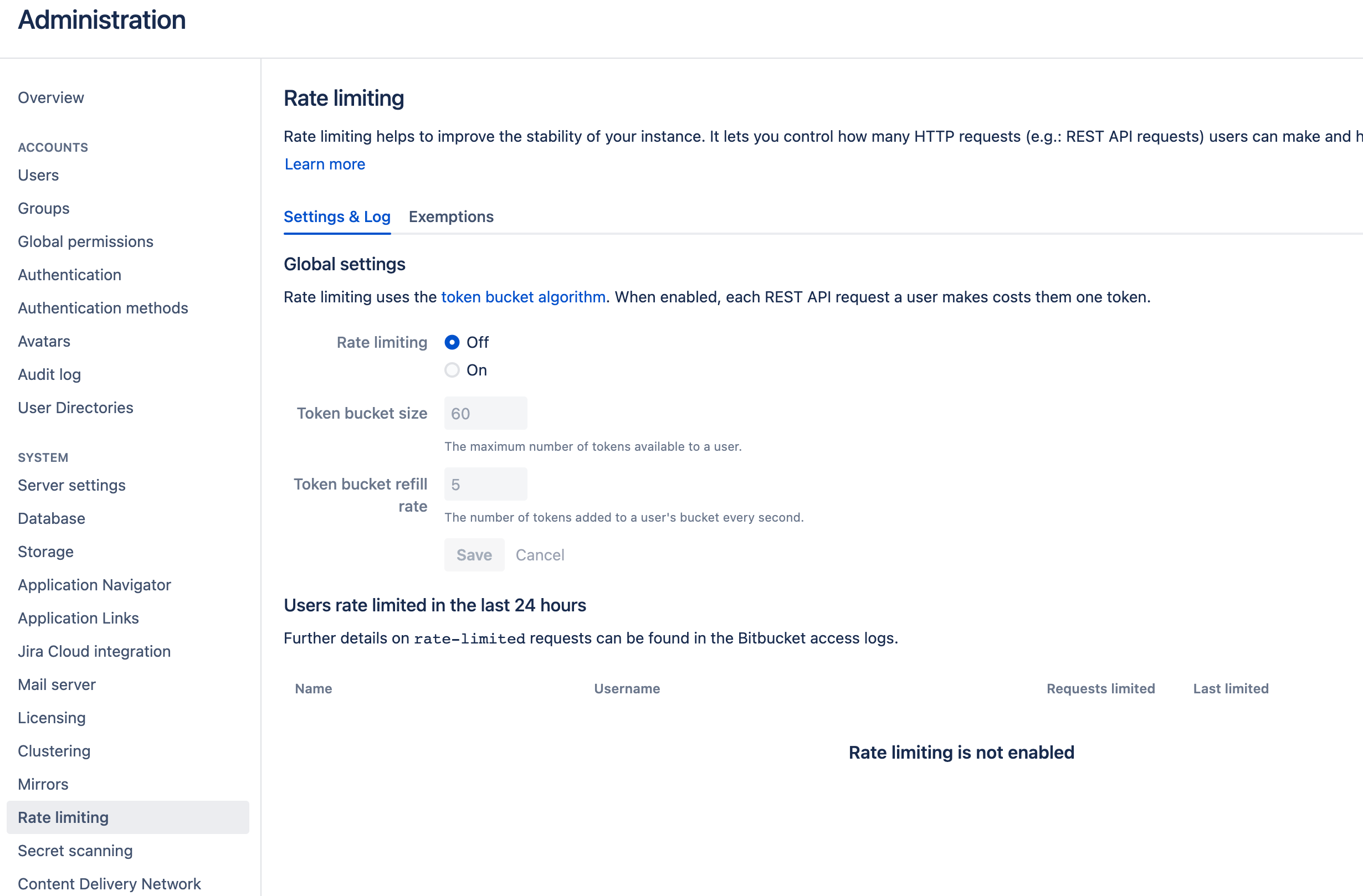
DevLake uses a dynamic rate limit to collect BitBucket data. You can adjust
the rate limit if you want to increase or lower the speed.
-The maximum rate limit for different entities in BitBucket(Cloud) is [1,000
requests/hour](https://support.atlassian.com/bitbucket-cloud/docs/api-request-limits/).
But we find it can run when we try a rate limit of more than 1000/h. So you
can try the bigger maximum if your repo is big enough.
+The maximum rate limit for different entities in BitBucket(Cloud) is [1,000
requests/hour](https://support.atlassian.com/BitBucket-cloud/docs/api-request-limits/).
But we find it can run when we try a rate limit of more than 1000/h. So you
can try the bigger maximum if your repo is big enough.
<!--
-->
@@ -62,17 +62,17 @@ Click `Test Connection`, if the connection is successful,
click `Save Connection
#### Repositories
-Select the Bitbucket repos to collect.
+Select the BitBucket repos to collect.
#### Data Entities
-Usually, you don't have to modify this part. However, if you don't want to
collect certain Bitbucket entities, you can unselect some entities to
accelerate the collection speed.
+Usually, you don't have to modify this part. However, if you don't want to
collect certain BitBucket entities, you can unselect some entities to
accelerate the collection speed.
-- Issue Tracking: Bitbucket issues, issue comments, etc.
-- Source Code Management: Bitbucket repos, refs, commits, etc.
-- Code Review: Bitbucket PRs, PR comments, etc.
-- CI/CD: Bitbucket Pipelines, Bitbucket Deployments, etc.
-- Cross Domain: Bitbucket accounts, etc.
+- Issue Tracking: BitBucket issues, issue comments, etc.
+- Source Code Management: BitBucket repos, refs, commits, etc.
+- Code Review: BitBucket PRs, PR comments, etc.
+- CI/CD: BitBucket Pipelines, BitBucket Deployments, etc.
+- Cross Domain: BitBucket accounts, etc.
Please go to the `Blueprints` page and switch to advanced mode. See how to use
advanced mode and JSON [examples](AdvancedMode.md).
@@ -82,34 +82,35 @@ Please go to the `Blueprints` page and switch to advanced
mode. See how to use a
Without changing default transformation rules, you can still view the Metrics
dashboard. However, if you want to view pre-built dashboards, the following
transformation rules, especially "Type/Bug", should be added.<br/>
-Each Bitbucket repo has at most ONE set of transformation rules.
+Each BitBucket repo has at most ONE set of transformation rules.
#### Issue Tracking
- TODO: the issues with selected states can be recognized not start issues.
-- IN-PROGRESS: Same as "TODO".
-- DONE: Same as "TODO".
-- OTHER: Same as "TODO".
+- IN-PROGRESS: The issues statuses that indicate an issue is work in progress.
+- DONE: The issue statuses that indicate an issue is completed.
+- OTHER: Other issues statuses that can not be mapped to the above three
statuses.
#### CI/CD
This set of configurations is used for calculating [DORA metrics](../DORA.md).
-A Bitbucket pipeline has many steps. Each Bitbucket pipeline is converted to a
-cicd_pipeline in the domain layer and each Bitbucket pipeline step is
converted to a cicd_task in the domain layer.
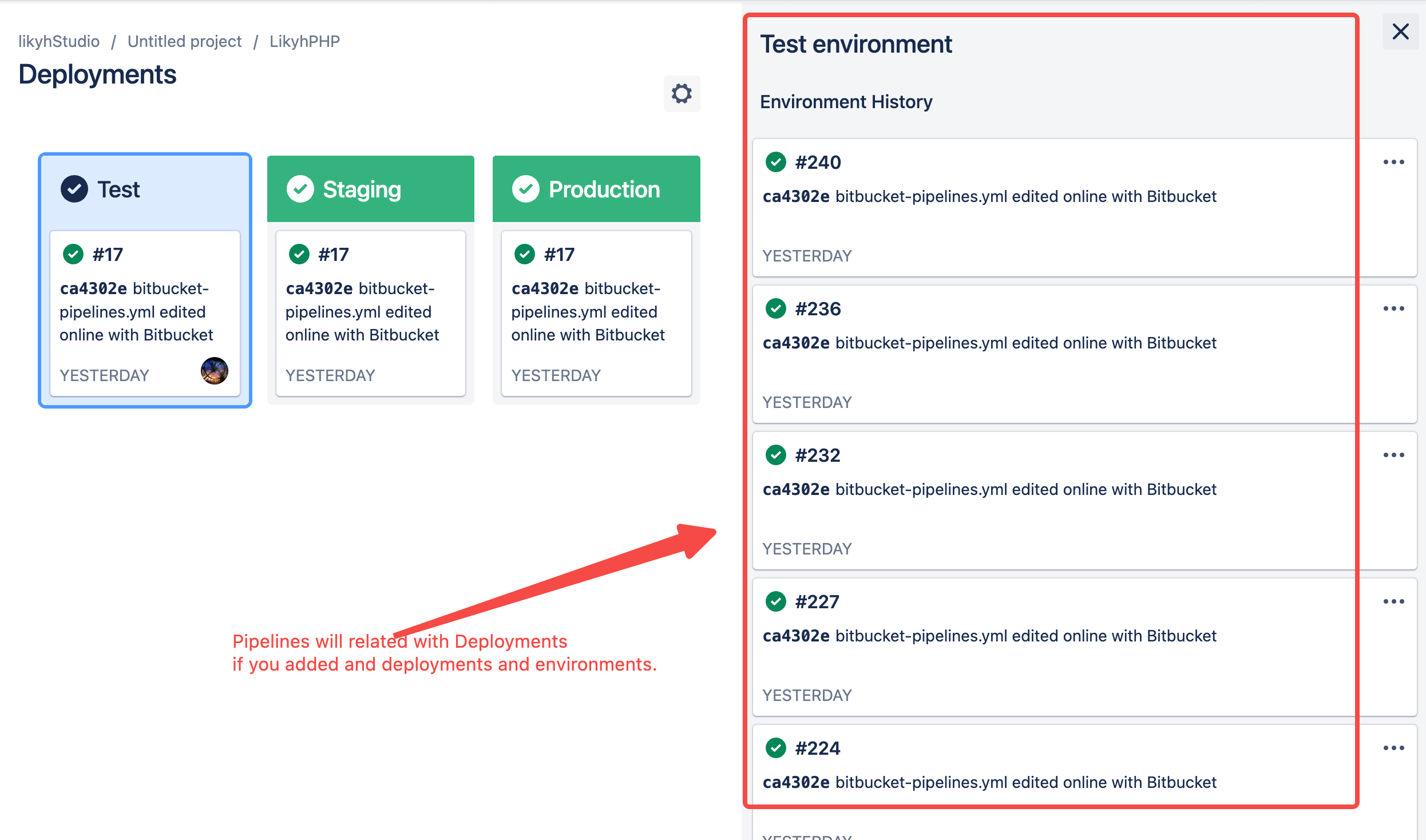
+BitBucket has several key CI entities: `pipelines`, `pipeline steps`, and
`deployments`. A Bitbucket pipeline contains several pipeline steps. Each
pipeline step defined with a deployment key can be mapped to a BitBucket
deployment.
+
+Each Bitbucket pipeline is converted to a cicd_pipeline in DevLake's domain
layer schema and each Bitbucket pipeline step is converted to a cicd_task in
DevLake's domain layer.

-If you are using Bitbucket Deployments and Environments, please select "Detect
Deployment from Environment in BitBucket". DevLake will consider the pipeline
steps with deployment as a deployment and use the environment type of
deployment in cicd_task.
+If you are using BitBucket Deployments and Environments, DevLake will consider
the pipeline steps with deployment as a deployment and use the environment type
of deployment in cicd_task.
-Or if you're using Bitbucket pipelines to conduct `deployments`, please select
"Detect Deployment from Pipeline Step Names in BitBucket", and input the RegEx
in the following fields:
+Or if you're using BitBucket pipelines to conduct `deployments`, please select
"Detect Deployments from Pipeline steps in BitBucket", and input the RegEx in
the following fields:
-- Deployment: A Bitbucket pipeline steps with a name that matches the given
regEx will be considered as a deployment.
-- Production: A Bitbucket pipeline steps with a name that matches the given
regEx will be considered a job in the production environment.
+- Deployment: A BitBucket pipeline steps with a name that matches the given
regEx will be considered as a deployment.
+- Production: A BitBucket pipeline steps with a name that matches the given
regEx will be considered a job in the production environment.
-The deployment and production regex are only applied to the records in the
cicd_tasks table when Bitbucket Deployments not exists.
+The deployment and production regex are only applied to the records in the
cicd_tasks table when BitBucket Deployments not exists.
#### Additional Settings (Optional)



