likyh commented on code in PR #444:
URL:
https://github.com/apache/incubator-devlake-website/pull/444#discussion_r1120180136
########## docs/Configuration/BitBucket.md: ########## @@ -47,20 +47,88 @@ If you are behind a corporate firewall or VPN you may need to utilize a proxy se DevLake uses a dynamic rate limit to collect BitBucket data. You can adjust the rate limit if you want to increase or lower the speed. -The maximum rate limit for different entities in BitBucket(Cloud) is [60,000 or 1,000 requests/hour](https://support.atlassian.com/bitbucket-cloud/docs/api-request-limits/). Please do not use a rate that exceeds this number. +The maximum rate limit for different entities in BitBucket(Cloud) is [1,000 requests/hour](https://support.atlassian.com/BitBucket-cloud/docs/api-request-limits/). But we find it can run when we try a rate limit of more than 1000/h. So you can try the bigger maximum if your repo is big enough. + +<!-- 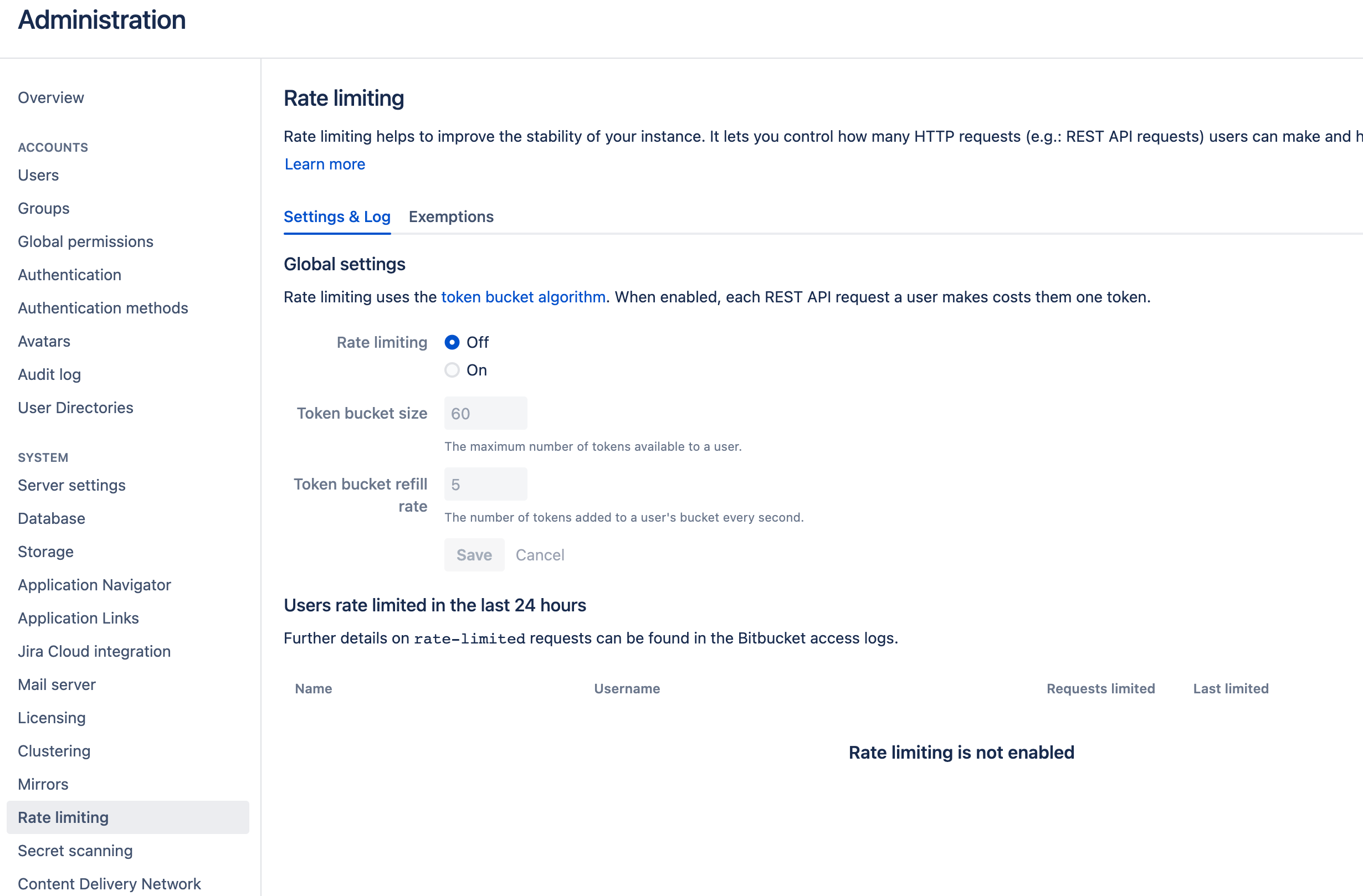 --> #### Test and Save Connection Click `Test Connection`, if the connection is successful, click `Save Connection` to add the connection. - ### Step 2 - Configure Blueprint -Similar to other beta plugins, BitBucket does not support `project`, which means, you can only collect BitBucket data via blueprint's advanced mode. +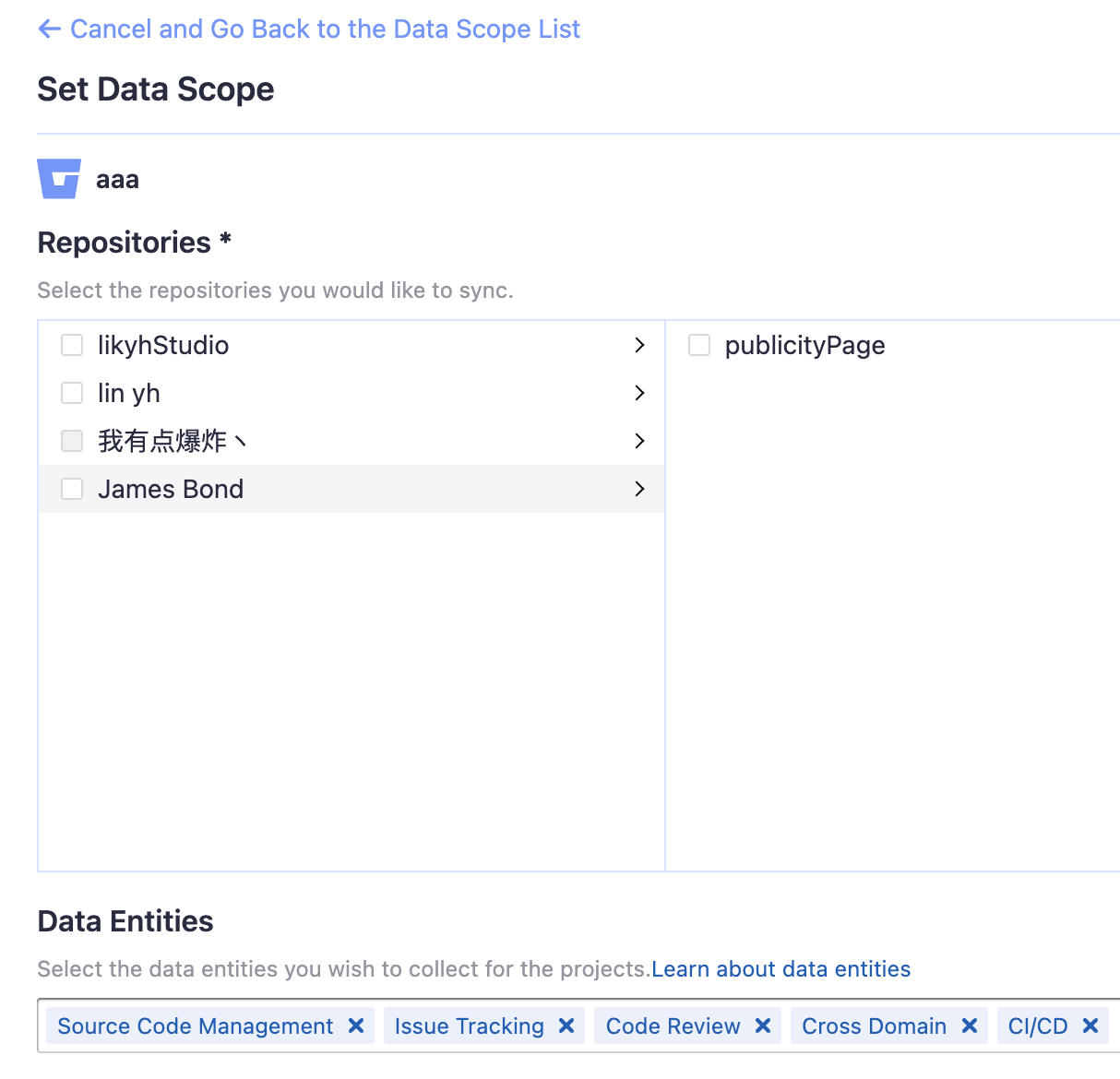 + +#### Repositories + +Select the BitBucket repos to collect. + +#### Data Entities + +Usually, you don't have to modify this part. However, if you don't want to collect certain BitBucket entities, you can unselect some entities to accelerate the collection speed. + +- Issue Tracking: BitBucket issues, issue comments, etc. +- Source Code Management: BitBucket repos, refs, commits, etc. +- Code Review: BitBucket PRs, PR comments, etc. +- CI/CD: BitBucket Pipelines, BitBucket Deployments, etc. +- Cross Domain: BitBucket accounts, etc. Please go to the `Blueprints` page and switch to advanced mode. See how to use advanced mode and JSON [examples](AdvancedMode.md). +### Step 3 - Adding Transformation Rules (Optional) + +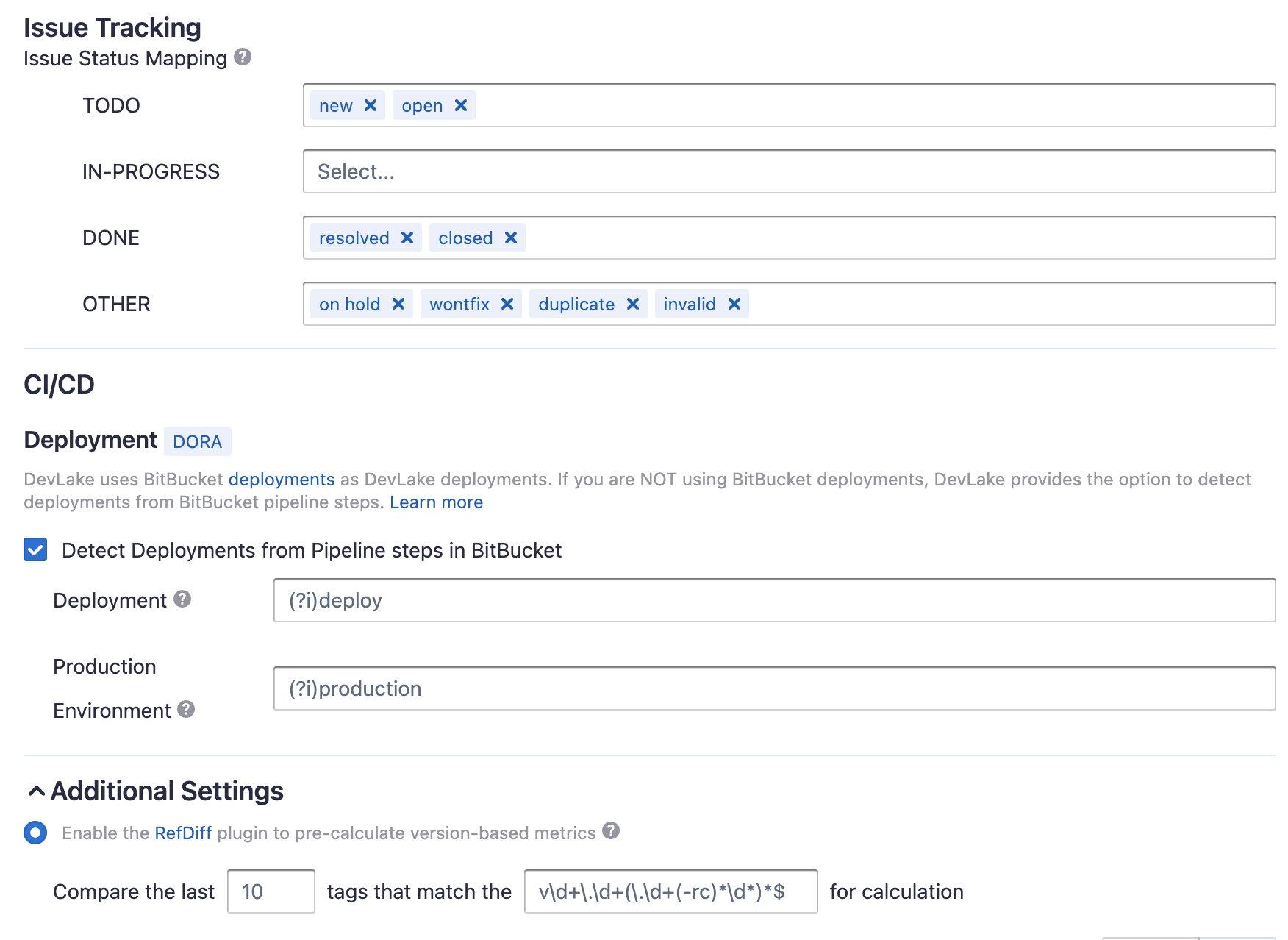 + +Without changing default transformation rules, you can still view the Metrics dashboard. However, if you want to view pre-built dashboards, the following transformation rules, especially "Type/Bug", should be added.<br/> + +Each BitBucket repo has at most ONE set of transformation rules. + +#### Issue Tracking + +- TODO: the issues with selected states can be recognized not start issues. + +- IN-PROGRESS: The issues statuses that indicate an issue is work in progress. +- DONE: The issue statuses that indicate an issue is completed. +- OTHER: Other issues statuses that can not be mapped to the above three statuses. + +#### CI/CD + +This set of configurations is used for calculating [DORA metrics](../DORA.md). + +BitBucket has several key CI entities: `pipelines`, `pipeline steps`, and `deployments`. A Bitbucket pipeline contains several pipeline steps. Each pipeline step defined with a deployment key can be mapped to a BitBucket deployment. + +Each Bitbucket pipeline is converted to a cicd_pipeline in DevLake's domain layer schema and each Bitbucket pipeline step is converted to a cicd_task in DevLake's domain layer. + + +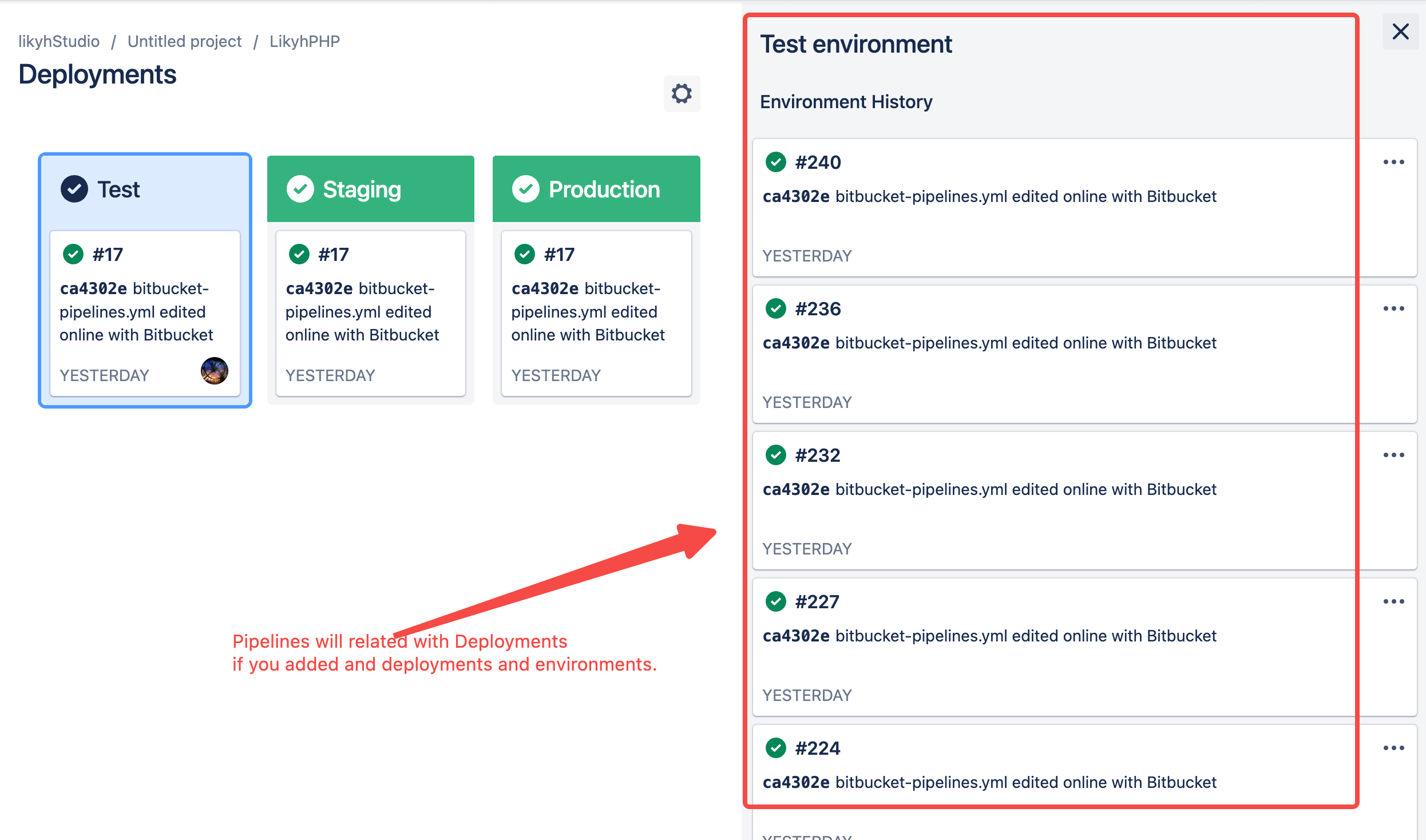 Review Comment: I add 1 in doc and add a notice in pic. -- This is an automated message from the Apache Git Service. To respond to the message, please log on to GitHub and use the URL above to go to the specific comment. To unsubscribe, e-mail: [email protected] For queries about this service, please contact Infrastructure at: [email protected]





