Wykyoyo opened a new issue #16681:
URL: https://github.com/apache/echarts/issues/16681
### Version 5.3.1 ### Link to Minimal Reproduction https://github.com/Wykyoyo/echars-setoptions-issue ### Steps to Reproduce 1. ``` import * as echarts from "echarts/core"; import { GridComponent, GridComponentOption, TooltipComponent, TooltipComponentOption, } from "echarts/components"; import { BarChart, BarSeriesOption } from "echarts/charts"; import { CanvasRenderer, SVGRenderer } from "echarts/renderers"; import { onMounted, reactive } from "vue"; echarts.use([GridComponent, TooltipComponent, BarChart, SVGRenderer]); type EChartsOption = echarts.ComposeOption< GridComponentOption | BarSeriesOption | TooltipComponentOption>; ``` 2. ``` let option: EChartsOption = { grid: { left: "3%", right: "4%", bottom: "10%", top: "10%", containLabel: true, }, xAxis: [ { type: "category", data: ["Mon", "Tue", "Wed", "Thu", "Fri", "Sat", "Sun"], axisTick: { interval: 0, alignWithLabel: true, show: false, }, nameLocation: "middle", splitNumber: 35, axisLine: { lineStyle: { color: "rgba(15, 192, 255, 0.3)", }, }, axisLabel: { color: "#666666", // X轴文字颜色 }, }, ], yAxis: [ { type: "value", axisLine: { lineStyle: { color: "#fff", }, }, splitLine: { show: true, lineStyle: { color: "rgba(15, 192, 255, 0.3)", }, }, axisLabel: { color: "#666666", // X轴文字颜色 }, }, ], series: [ { name: "a", data: [120, 200, 150, 80, 70, 110, 130], type: "bar", stack: "item", barWidth: "20%", }, { name: "b", data: [120, 200, 150, 80, 70, 110, 130], type: "bar", stack: "item", barWidth: "20%", }, ], tooltip: [ { trigger: "axis", }, ], }; myChart.setOption(option); ``` 3. ``` const onChange = () => { let options = { xAxis: [ { axisLine: { lineStyle: { color: "#FF0000", }, }, axisLabel: { color: "#FF0000", // X轴文字颜色 }, }, ], yAxis: [ { splitLine: { show: true, lineStyle: { color: "#FF0000", }, }, axisLabel: { color: "#FF0000", // X轴文字颜色 }, }, ], }; state.echars.setOption(options); }; ``` ### Current Behavior 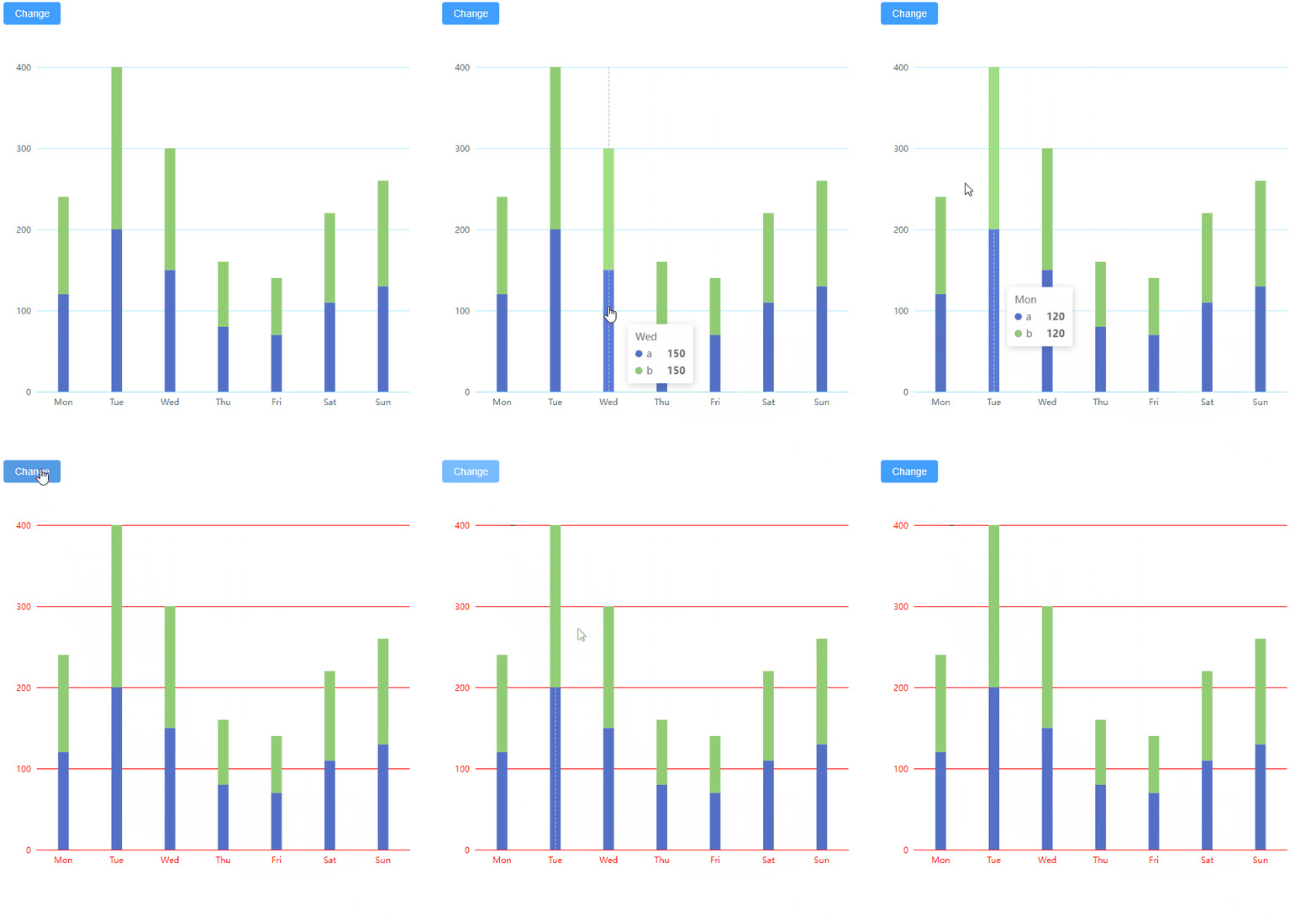 ### Expected Behavior The tooltip shows up when I change the setoptions based on the button ### Environment ```markdown - OS: - Browser: - Framework: ``` ### Any additional comments? _No response_ -- This is an automated message from the Apache Git Service. To respond to the message, please log on to GitHub and use the URL above to go to the specific comment. To unsubscribe, e-mail: [email protected] For queries about this service, please contact Infrastructure at: [email protected] --------------------------------------------------------------------- To unsubscribe, e-mail: [email protected] For additional commands, e-mail: [email protected]

