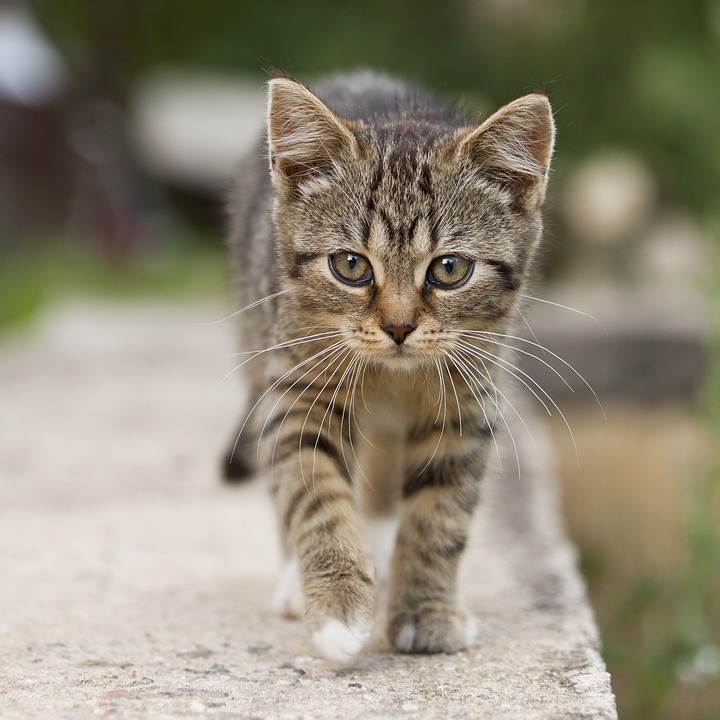
leandron commented on a change in pull request #7640:
URL: https://github.com/apache/tvm/pull/7640#discussion_r592994326
##########
File path: tutorials/get_started/tvmc_command_line_driver.py
##########
@@ -97,114 +97,134 @@


 ######################################################################
-# Compiling the model
-# -------------------
+# Compiling an ONNX Model to the TVM Runtime
+# ------------------------------------------
 #
-# The next step once we've downloaded ResNet-50, is to compile it,
-# To accomplish that, we are going to use ``tvmc compile``. The
-# output we get from the compilation process is a TAR package,
-# that can be used to run our model on the target device.
+# Once we've downloaded the ResNet-50 model, the next step is to compile it.
To accomplish that, we are
+# going to use ``tvmc compile``. The output we get from the compilation
process is a TAR package of the model
+# compiled to a dynamic library for our target platform. We can run that model
on our target device using the
+#  TVM runtime.
 #
 # .. code-block:: bash
 #
 #   tvmc compile \
-#     --target "llvm" \
-#     --output compiled_module.tar \
-#     resnet50-v2-7.onnx
+#   --target "llvm" \
+#   --output resnet50-v2-7-tvm.tar \
+#   resnet50-v2-7.onnx
+#
+# Let's take a look at the files that ``tvmc compile`` creates:
+#
+# .. code-block:: bash
 #
-# Once compilation finishes, the output ``compiled_module.tar`` will be
created. This
-# can be directly loaded by your application and run via the TVM runtime APIs.
+#      mkdir model
+#      tar -xvf resnet50-v2-7-tvm.tar -C model
+#      ls model
+#
+# You will see three files listed.
+#
+# * ``mod.so`` is the model, represented as a C++ library, that can be loaded
by the TVM runtime.
+# * ``mod.json`` is a text representation of the TVM Relay computation graph.
+# * ``mod.params`` is a file containing the parameters for the pre-trained
model.
+#
+# This model can be directly loaded by your application and run via the TVM
runtime APIs.
 #


 ######################################################################
-# .. note:: Defining the correct target
+# .. note:: Defining the Correct Target
 #
 #   Specifying the correct target (option ``--target``) can have a huge
 #   impact on the performance of the compiled module, as it can take
 #   advantage of hardware features available on the target. For more
 #   information, please refer to `Auto-tuning a convolutional network
 #   for x86 CPU
<https://tvm.apache.org/docs/tutorials/autotvm/tune_relay_x86.html#define-network>`_.
+#   We recommend identifying which CPU you are running, along with optional
features,
+#   and set the target appropriately.
 #

-
 ######################################################################
+# Running the TVM IR Model with TVMC

Review comment:
       "_TVM IR Model_" here, seems to be unexpectedly introducing some new
terminology, without previously defining it.

   Previously we were calling the input to `tvmc compile` a "model", and the
output (the TAR file), the "compiled module", but happy to discuss and
standardise into something else. Once agreed, we should add the agreed
terminology to the "Compiling an ONNX Model to the TVM Runtime" section.

##########
File path: tutorials/get_started/tvmc_command_line_driver.py
##########
@@ -97,114 +97,134 @@


 ######################################################################
-# Compiling the model
-# -------------------
+# Compiling an ONNX Model to the TVM Runtime
+# ------------------------------------------
 #
-# The next step once we've downloaded ResNet-50, is to compile it,
-# To accomplish that, we are going to use ``tvmc compile``. The
-# output we get from the compilation process is a TAR package,
-# that can be used to run our model on the target device.
+# Once we've downloaded the ResNet-50 model, the next step is to compile it.
To accomplish that, we are
+# going to use ``tvmc compile``. The output we get from the compilation
process is a TAR package of the model
+# compiled to a dynamic library for our target platform. We can run that model
on our target device using the
+#  TVM runtime.
 #
 # .. code-block:: bash
 #
 #   tvmc compile \
-#     --target "llvm" \
-#     --output compiled_module.tar \
-#     resnet50-v2-7.onnx
+#   --target "llvm" \
+#   --output resnet50-v2-7-tvm.tar \
+#   resnet50-v2-7.onnx
+#
+# Let's take a look at the files that ``tvmc compile`` creates:
+#
+# .. code-block:: bash
 #
-# Once compilation finishes, the output ``compiled_module.tar`` will be
created. This
-# can be directly loaded by your application and run via the TVM runtime APIs.
+#      mkdir model
+#      tar -xvf resnet50-v2-7-tvm.tar -C model
+#      ls model
+#
+# You will see three files listed.
+#
+# * ``mod.so`` is the model, represented as a C++ library, that can be loaded
by the TVM runtime.
+# * ``mod.json`` is a text representation of the TVM Relay computation graph.
+# * ``mod.params`` is a file containing the parameters for the pre-trained
model.
+#
+# This model can be directly loaded by your application and run via the TVM
runtime APIs.
 #


 ######################################################################
-# .. note:: Defining the correct target
+# .. note:: Defining the Correct Target
 #
 #   Specifying the correct target (option ``--target``) can have a huge
 #   impact on the performance of the compiled module, as it can take
 #   advantage of hardware features available on the target. For more
 #   information, please refer to `Auto-tuning a convolutional network
 #   for x86 CPU
<https://tvm.apache.org/docs/tutorials/autotvm/tune_relay_x86.html#define-network>`_.
+#   We recommend identifying which CPU you are running, along with optional
features,
+#   and set the target appropriately.
 #

-
 ######################################################################
+# Running the TVM IR Model with TVMC
+# ----------------------------------
+#
+# Now that we've compiled the model, we can use the TVM runtime to make
predictions with it.
+# TVMC has the TVM runtime built in to it, allowing you to run compiled TVM
models. To use TVMC to run the
+# model and make predictions, we need two things:
+#
+# - The compiled model, which we just produced.
+# - Valid input to the model to make predictions on.
 #
-# In the next step, we are going to use the compiled module, providing it
-# with some inputs, to generate some predictions.
+# Each model is particular when it comes to expected tensor shapes, formats
and data types. For this reason,
+# most models require some pre and post-processing, to ensure the input is
valid and to interpret the output.
+# TVMC has adopted NumPy's ``.npz`` format for both input and output data.
This is a well-supported NumPy
+# format to serialize multiple arrays into a file
 #
+# As input for this tutorial, we will use the image of a cat, but you can feel
free to substitute image for
+# any of your choosing.
+#
+# .. image:: https://s3.amazonaws.com/model-server/inputs/kitten.jpg
+#    :height: 224px
+#    :width: 224px
+#    :align: center


 ######################################################################
 # Input pre-processing
-# --------------------
+# ~~~~~~~~~~~~~~~~~~~~
 #
-# In order to generate predictions, we will need two things:
+# For our ResNet 50 V2 model, the input is expected to be in ImageNet format.
+# Here is an example of a script to pre-process an image for ResNet 50 V2.
 #
-# - the compiled module, which we just produced;
-# - a valid input to the model
+# .. code-block:: python
+#    :caption: preprocess.py
+#    :name: preprocess.py
 #
-# Each model is particular when it comes to expected tensor shapes, formats
and data
-# types. For this reason, most models require some pre and
-# post processing, to ensure the input(s) is valid and to interpret the
output(s).
+#     #!python ./preprocess.py
+#     from tvm.contrib.download import download_testdata
+#     from PIL import Image
+#     import numpy as np
 #
-# In TVMC, we adopted NumPy's ``.npz`` format for both input and output data.
-# This is a well-supported NumPy format to serialize multiple arrays into a
file.
+#     img_url = "https://s3.amazonaws.com/model-server/inputs/kitten.jpg";
+#     img_path = download_testdata(img_url, "imagenet_cat.png", module="data")
 #
-# We will use the usual cat image, similar to other TVM tutorials:
+#     # Resize it to 224x224
+#     resized_image = Image.open(img_path).resize((224, 224))
+#     img_data = np.asarray(resized_image).astype("float32")
 #
-# .. image:: https://s3.amazonaws.com/model-server/inputs/kitten.jpg
-#    :height: 224px
-#    :width: 224px
-#    :align: center
+#     # ONNX expects NCHW input, so convert the array
+#     img_data = np.transpose(img_data, (2, 0, 1))
 #
-# For our ResNet 50 V2 model, the input is expected to be in ImageNet format.
-# Here is an example of a script to pre-process an image for ResNet 50 V2.
+#     # Normalize according to ImageNet
+#     imagenet_mean = np.array([0.485, 0.456, 0.406])
+#     imagenet_stddev = np.array([0.229, 0.224, 0.225])
+#     norm_img_data = np.zeros(img_data.shape).astype("float32")
+#     for i in range(img_data.shape[0]):
+#          norm_img_data[i, :, :] = (img_data[i, :, :] / 255 -
imagenet_mean[i]) / imagenet_stddev[i]
+#
+#     # Add batch dimension
+#     img_data = np.expand_dims(norm_img_data, axis=0)
+#
+#     # Save to .npz (outputs imagenet_cat.npz)
+#     np.savez("imagenet_cat", data=img_data)
 #
-from tvm.contrib.download import download_testdata
-from PIL import Image
-import numpy as np
-
-img_url = "https://s3.amazonaws.com/model-server/inputs/kitten.jpg";
-img_path = download_testdata(img_url, "imagenet_cat.png", module="data")
-
-# Resize it to 224x224
-resized_image = Image.open(img_path).resize((224, 224))
-img_data = np.asarray(resized_image).astype("float32")
-
-# ONNX expects NCHW input, so convert the array
-img_data = np.transpose(img_data, (2, 0, 1))
-
-# Normalize according to ImageNet
-imagenet_mean = np.array([0.485, 0.456, 0.406])
-imagenet_stddev = np.array([0.229, 0.224, 0.225])
-norm_img_data = np.zeros(img_data.shape).astype("float32")
-for i in range(img_data.shape[0]):
-    norm_img_data[i, :, :] = (img_data[i, :, :] / 255 - imagenet_mean[i]) /
imagenet_stddev[i]
-
-# Add batch dimension
-img_data = np.expand_dims(norm_img_data, axis=0)
-
-# Save to .npz (outputs imagenet_cat.npz)
-np.savez("imagenet_cat", data=img_data)


 ######################################################################
-# Running the compiled module
-# ---------------------------
+# Running the Compiled Module

Review comment:
       This section now overlaps with the proposed "_Running the TVM IR Model
with TVMC_" and maybe should be made a subpart of the new section, together
with "Input pre-processing" and "Output Post-Processing"?

##########
File path: tutorials/get_started/tvmc_command_line_driver.py
##########
@@ -213,124 +233,244 @@
 #

 ######################################################################
-# Output post-processing
-# ----------------------
+# Output Post-Processing
+# ~~~~~~~~~~~~~~~~~~~~~~
 #
-# As previously mentioned, each model will have its own particular way
-# of providing output tensors.
+# As previously mentioned, each model will have its own particular way of
providing output tensors.
 #
-# In our case, we need to run some post-processing to render the
-# outputs from ResNet 50 V2 into a more human-readable form.
+# In our case, we need to run some post-processing to render the outputs from
ResNet 50 V2 into a
+# more human-readable form, using the lookup-table provided for the model.
 #
-# The script below shows an example of the post-processing to extract
-# labels from the output of our compiled module.
+# The script below shows an example of the post-processing to extract labels
from the output of
+# our compiled module.
 #
-import os.path
-import numpy as np
-
-from scipy.special import softmax
-
-from tvm.contrib.download import download_testdata
-
-# Download a list of labels
-labels_url = "https://s3.amazonaws.com/onnx-model-zoo/synset.txt";
-labels_path = download_testdata(labels_url, "synset.txt", module="data")
-
-with open(labels_path, "r") as f:
-    labels = [l.rstrip() for l in f]
-
-output_file = "predictions.npz"
-
-# Open the output and read the output tensor
-if os.path.exists(output_file):
-    with np.load(output_file) as data:
-        scores = softmax(data["output_0"])
-        scores = np.squeeze(scores)
-        ranks = np.argsort(scores)[::-1]
-
-        for rank in ranks[0:5]:
-            print("class='%s' with probability=%f" % (labels[rank],
scores[rank]))
-
-
-########################################################################
-# When running the script, a list of predictions should be printed similar
-# the the example below.
+# .. code-block:: python
+#     :caption: postprocess.py
+#     :name: postprocess.py
+#
+#     #!python ./postprocess.py
+#     import os.path
+#     import numpy as np
+#
+#     from scipy.special import softmax
+#
+#     from tvm.contrib.download import download_testdata
+#
+#     # Download a list of labels
+#     labels_url = "https://s3.amazonaws.com/onnx-model-zoo/synset.txt";
+#     labels_path = download_testdata(labels_url, "synset.txt", module="data")
+#
+#     with open(labels_path, "r") as f:
+#         labels = [l.rstrip() for l in f]
+#
+#     output_file = "predictions.npz"
+#
+#     # Open the output and read the output tensor
+#     if os.path.exists(output_file):
+#         with np.load(output_file) as data:
+#             scores = softmax(data["output_0"])
+#             scores = np.squeeze(scores)
+#             ranks = np.argsort(scores)[::-1]
+#
+#             for rank in ranks[0:5]:
+#                 print("class='%s' with probability=%f" % (labels[rank],
scores[rank]))
+#
+# Running this script should produce the following output:
 #
 # .. code-block:: bash
 #
-#   $ python post_processing.py
-#   class=n02123045 tabby, tabby cat ; probability=446.000000
-#   class=n02123159 tiger cat ; probability=675.000000
-#   class=n02124075 Egyptian cat ; probability=836.000000
-#   class=n02129604 tiger, Panthera tigris ; probability=917.000000
-#   class=n04040759 radiator ; probability=213.000000
+#     python postprocess.py
+#
+#     # class='n02123045 tabby, tabby cat' with probability=0.610553
+#     # class='n02123159 tiger cat' with probability=0.367179
+#     # class='n02124075 Egyptian cat' with probability=0.019365
+#     # class='n02129604 tiger, Panthera tigris' with probability=0.001273
+#     # class='n04040759 radiator' with probability=0.000261
+#
+# Try replacing the cat image with other images, and see what sort of
predictions the ResNet model makes.
 #
-

 ######################################################################
-# Tuning the model
-# ----------------
+# Automatically Tuning the ResNet Model
+# -------------------------------------
 #
-# In some cases, we might not get the expected performance when running
-# inferences using our compiled module. In cases like this, we can make use
-# of the auto-tuner, to find a better configuration for our model and
-# get a boost in performance.
+# The previous model was compiled to work on the TVM runtime, but did not
include any platform specific
+# optimization. In this section, we will show you how to build an optimized
model using TVMC to target your
+# working platform.
 #
-# Tuning in TVM refers to the process by which a model is optimized
-# to run faster on a given target. This differs from training or
-# fine-tuning in that it does not affect the accuracy of the model,
-# but only the runtime performance.
-#
-# As part of the tuning process, TVM will try running many different
-# operator implementation variants to see which perform best. The
-# results of these runs are stored in a tuning records file, which is
-# ultimately the output of the ``tune`` subcommand.
+# In some cases, we might not get the expected performance when running
inferences using our compiled module.
+# In cases like this, we can make use of the auto-tuner, to find a better
configuration for our model and get
+# a boost in performance. Tuning in TVM refers to the process by which a model
is optimized to run faster on
+# a given target. This differs from training or fine-tuning in that it does
not affect the accuracy of the
+# model, but only the runtime performance. As part of the tuning process, TVM
will try running many different
+# operator implementation variants to see which perform best. The results of
these runs are stored in a tuning
+# records file, which is ultimately the output of the ``tune`` subcommand.
 #
 # In the simplest form, tuning requires you to provide three things:
 #
-# - the target specification of the device you intend to run this model on;
-# - the path to an output file in which the tuning records will be stored, and
finally,
+# - the target specification of the device you intend to run this model on
+# - the path to an output file in which the tuning records will be stored, and
finally
 # - a path to the model to be tuned.
 #
-#
 # The example below demonstrates how that works in practice:
 #
 # .. code-block:: bash
 #
-#   tvmc tune \
+#     tvmc tune \
 #     --target "llvm" \
-#     --output autotuner_records.json \
+#     --output resnet50-v2-7-autotuner_records.json \
 #     resnet50-v2-7.onnx
 #
+# In this example, you will see better results if you indicate a more specific
target for the `--target` flag.
+# For example, on an Intel i7 processor you could use `--target llvm
-mcpu=skylake`. For this tuning
+# example, we are tuning locally on the CPU using LLVM as the compiler for the
specified achitecture.
+#
+# TVMC will perform a search against the parameter space for the model, trying
out different configurations
+# for operators and choosing the one that runs fastest on your platform.
Although this is a guided search
+# based on the CPU and model operations, it can still take several hours to
complete the search. The output
+# of this search will be saved to the `resnet50-v2-7-autotuner_records.json`
file, which will later be used
+# to compile an optimized model.
+#
+# .. note:: Defining the Tuning Search Algorithm
+#
+#   By default this search is guided using an `XGBoost Grid` algorithm.
Depending on your model complexity
+#   and amount of time avilable, you might want to choose a different
algorithm. A full list is available
+#   by consulting ``tvmc tune --help``.
+#
+# The output will look something like this for a consumer-level Skylake CPU:
+#
+# .. code-block:: bash
+#
+#   tvmc tune   --target "llvm -mcpu=broadwell"   --output
resnet50-v2-7-autotuner_records.json   resnet50-v2-7.onnx
+#   # [Task  1/24]  Current/Best:    9.65/  23.16 GFLOPS | Progress: (60/1000)
| 130.74 s Done.
+#   # [Task  1/24]  Current/Best:    3.56/  23.16 GFLOPS | Progress:
(192/1000) | 381.32 s Done.
+#   # [Task  2/24]  Current/Best:   13.13/  58.61 GFLOPS | Progress:
(960/1000) | 1190.59 s Done.
+#   # [Task  3/24]  Current/Best:   31.93/  59.52 GFLOPS | Progress:
(800/1000) | 727.85 s Done.
+#   # [Task  4/24]  Current/Best:   16.42/  57.80 GFLOPS | Progress:
(960/1000) | 559.74 s Done.
+#   # [Task  5/24]  Current/Best:   12.42/  57.92 GFLOPS | Progress:
(800/1000) | 766.63 s Done.
+#   # [Task  6/24]  Current/Best:   20.66/  59.25 GFLOPS | Progress:
(1000/1000) | 673.61 s Done.
+#   # [Task  7/24]  Current/Best:   15.48/  59.60 GFLOPS | Progress:
(1000/1000) | 953.04 s Done.
+#   # [Task  8/24]  Current/Best:   31.97/  59.33 GFLOPS | Progress:
(972/1000) | 559.57 s Done.
+#   # [Task  9/24]  Current/Best:   34.14/  60.09 GFLOPS | Progress:
(1000/1000) | 479.32 s Done.
+#   # [Task 10/24]  Current/Best:   12.53/  58.97 GFLOPS | Progress:
(972/1000) | 642.34 s Done.
+#   # [Task 11/24]  Current/Best:   30.94/  58.47 GFLOPS | Progress:
(1000/1000) | 648.26 s Done.
+#   # [Task 12/24]  Current/Best:   23.66/  58.63 GFLOPS | Progress:
(1000/1000) | 851.59 s Done.
+#   # [Task 13/24]  Current/Best:   25.44/  59.76 GFLOPS | Progress:
(1000/1000) | 534.58 s Done.
+#   # [Task 14/24]  Current/Best:   26.83/  58.51 GFLOPS | Progress:
(1000/1000) | 491.67 s Done.
+#   # [Task 15/24]  Current/Best:   33.64/  58.55 GFLOPS | Progress:
(1000/1000) | 529.85 s Done.
+#   # [Task 16/24]  Current/Best:   14.93/  57.94 GFLOPS | Progress:
(1000/1000) | 645.55 s Done.
+#   # [Task 17/24]  Current/Best:   28.70/  58.19 GFLOPS | Progress:
(1000/1000) | 756.88 s Done.
+#   # [Task 18/24]  Current/Best:   19.01/  60.43 GFLOPS | Progress:
(980/1000) | 514.69 s Done.
+#   # [Task 19/24]  Current/Best:   14.61/  57.30 GFLOPS | Progress:
(1000/1000) | 614.44 s Done.
+#   # [Task 20/24]  Current/Best:   10.47/  57.68 GFLOPS | Progress:
(980/1000) | 479.80 s Done.
+#   # [Task 21/24]  Current/Best:   34.37/  58.28 GFLOPS | Progress:
(308/1000) | 225.37 s Done.
+#   # [Task 22/24]  Current/Best:   15.75/  57.71 GFLOPS | Progress:
(1000/1000) | 1024.05 s Done.
+#   # [Task 23/24]  Current/Best:   23.23/  58.92 GFLOPS | Progress:
(1000/1000) | 999.34 s Done.
+#   # [Task 24/24]  Current/Best:   17.27/  55.25 GFLOPS | Progress:
(1000/1000) | 1428.74 s Done.
+#
+# Tuning sessions can take a long time, so ``tvmc tune`` offers many options
to customize your tuning
+# process, in terms of number of repetitions (``--repeat`` and ``--number``,
for example), the tuning
+# algorithm to be used, and so on. Check ``tvmc tune --help`` for more
information.
+#
+
+############################################################################################################
+# Compiling an Optimized Model with Tuning Data
+# ----------------------------------------------
+#
+# As an output of the tuning process above, we obtained the tuning records
stored in
+# ``autotuner_records.json``. This file can be used in two ways:

Review comment:
       ```suggestion
   # ``resnet50-v2-7-autotuner_records.json``. This file can be used in two
ways:
   ```


----------------------------------------------------------------
This is an automated message from the Apache Git Service.
To respond to the message, please log on to GitHub and use the
URL above to go to the specific comment.

For queries about this service, please contact Infrastructure at:
[email protected]