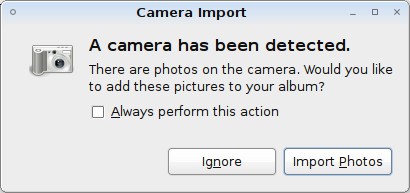
On Tue, Jun 17, 2008 at 5:55 PM, Josselin Mouette <[EMAIL PROTECTED]> wrote:
> Le mardi 17 juin 2008 à 15:52 +0200, Thue Janus Kristensen a écrit :
> > Package: gnome-desktop-environment
> > Version: 1:2.20.2.4
> > Severity: normal
> >
> > Whenever I connect my camera to my USB port, the gnome desktop pops up
> > a "Camera Import" dialogue such as this one:
> > http://tombuntu.com/wp-content/uploads/2008/05/ipoddialog.jpg
> >
> > However when I click "import photos" nothing happens except that the
> > dialogue goes away, even though there are pictures on the camera. I am
> > perfectly able to download the photos using digiKam. Obviously something
> > was supposed to happen...
> >
> > I am reporting this bug on gnome-desktop-environment since I don't know
> > which component is popping up the dialogue.
>
> It is popped by gnome-volume-manager. You can set its preferences in
> System -> Preferences -> Removable Drives and Media, and tell it e.g. to
> use digikam (the default being gthumb).
>
> I will add a Recommends on gthumb in the next meta-gnome2 upload, as it
> is indeed a useful application to install for this case.
>

Yep, gthumb is not installed.

IMO it should at least give an error message when the specified handler is
not found, instead of silently exiting. With a text describing how to change
the handler for bonus  points :).

Thanks
Regards, Thue