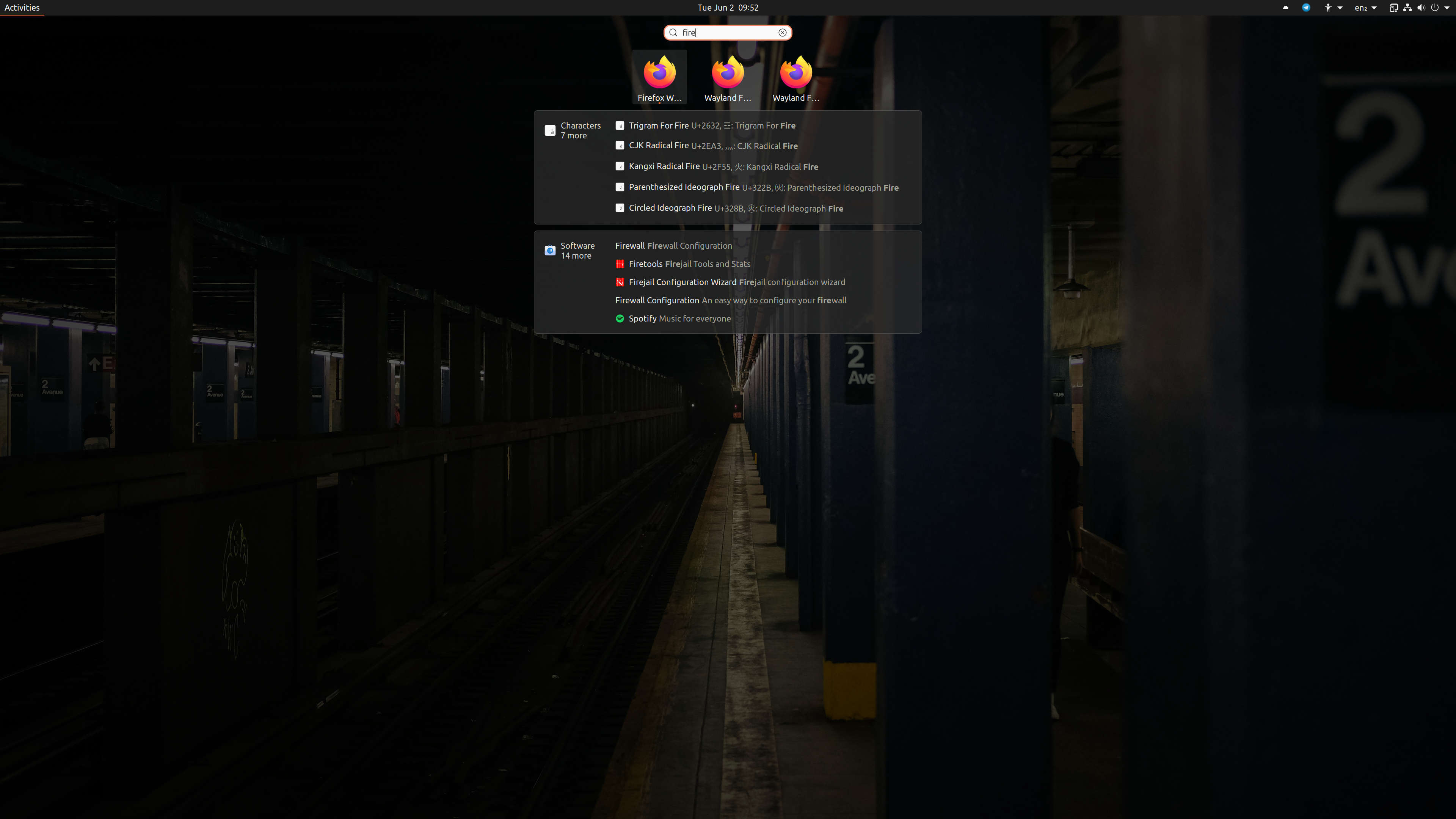
If that can be of any help, I have the following use case:

In addition to the default Firefox launcher, I created two other
.desktop files:
    - One called "Wayland Firefox #1" to run Firefox on Wayland with user
profile #1
    - The other called "Wayland Firefox #2" to run Firefox on Wayland with user
profile #2

I'm using a 4k screen (3840×2160), so I have *a lot* of space available
on the screen.

And yet, GNOME uses ellipsis and this is what I get when I look for
"Firefox" in the GNOME Overview screen (see attachment).

I hope this gets fixed soon. Something as simple as a tooltip when
putting the cursor on top of the icon or text would be very helpful
already.

** Attachment added: "gnome-activities.jpg"

https://bugs.launchpad.net/ubuntu/+source/gnome-shell/+bug/968213/+attachment/5379588/+files/gnome-activities.jpg

--
You received this bug notification because you are a member of Ubuntu
Desktop Bugs, which is subscribed to gnome-shell in Ubuntu.
https://bugs.launchpad.net/bugs/968213

Title:
  Too many icons in Gnome Shell Activities Overview require ellipses

To manage notifications about this bug go to:
https://bugs.launchpad.net/gnome-shell/+bug/968213/+subscriptions

--
desktop-bugs mailing list
[email protected]
https://lists.ubuntu.com/mailman/listinfo/desktop-bugs