Public bug reported:

Steps:
1. Double click on a .deb package
2. Software opens up
3. Click 'Install' button
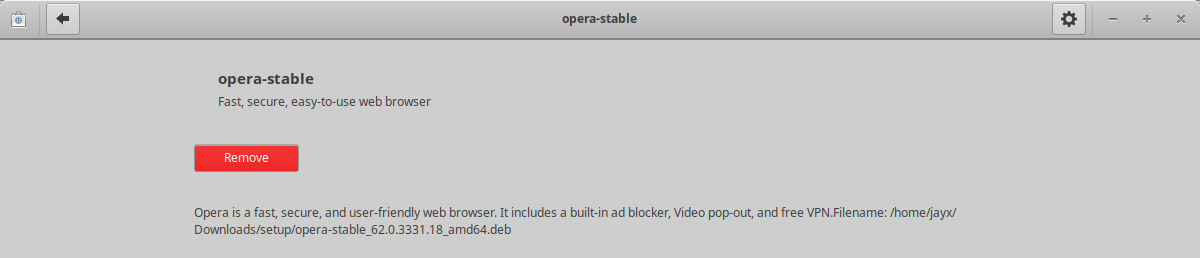
4. After installation, there is no 'Open' button that is normally there when
installing other software
Tested on Xubuntu 19.10 daily

** Affects: gnome-software (Ubuntu)
     Importance: Undecided
         Status: New

** Attachment added: "Screenshot_2019-07-02_19-21-53.png"

https://bugs.launchpad.net/bugs/1835076/+attachment/5274708/+files/Screenshot_2019-07-02_19-21-53.png

--
You received this bug notification because you are a member of Desktop
Packages, which is subscribed to gnome-software in Ubuntu.
https://bugs.launchpad.net/bugs/1835076

Title:
  No open button after installing .deb package

Status in gnome-software package in Ubuntu:
  New

Bug description:
  Steps:
  1. Double click on a .deb package
  2. Software opens up
  3. Click 'Install' button
  4. After installation, there is no 'Open' button that is normally there when
installing other software

  Tested on Xubuntu 19.10 daily

To manage notifications about this bug go to:
https://bugs.launchpad.net/ubuntu/+source/gnome-software/+bug/1835076/+subscriptions

--
Mailing list: https://launchpad.net/~desktop-packages
Post to     : [email protected]
Unsubscribe : https://launchpad.net/~desktop-packages
More help   : https://help.launchpad.net/ListHelp