I was asked about the topic in the subject, and I think it's not very
well known.  The news is that since Fedora 38, whole system
performance analysis is now easy to do.  This can be used to identify
hot spots in single applications, or what the (whole computer) is
really doing during lengthy operations.
You can visualise these in various ways - my favourite is Brendan
Gregg's Flame Graphs tools, but perf has many alternate ways to
capture and display the data:

  https://www.brendangregg.com/linuxperf.html
  https://www.brendangregg.com/flamegraphs.html
  https://perf.wiki.kernel.org/index.php/Tutorial

I did a 15 min talk on this topic, actually to an internal Red Hat
audience, but I guess it's fine to open it up to everyone:

  http://oirase.annexia.org/tmp/2023-03-08-flamegraphs.mp4 [57M, 15m41s]


To show the kind of thing which is possible I have captured three
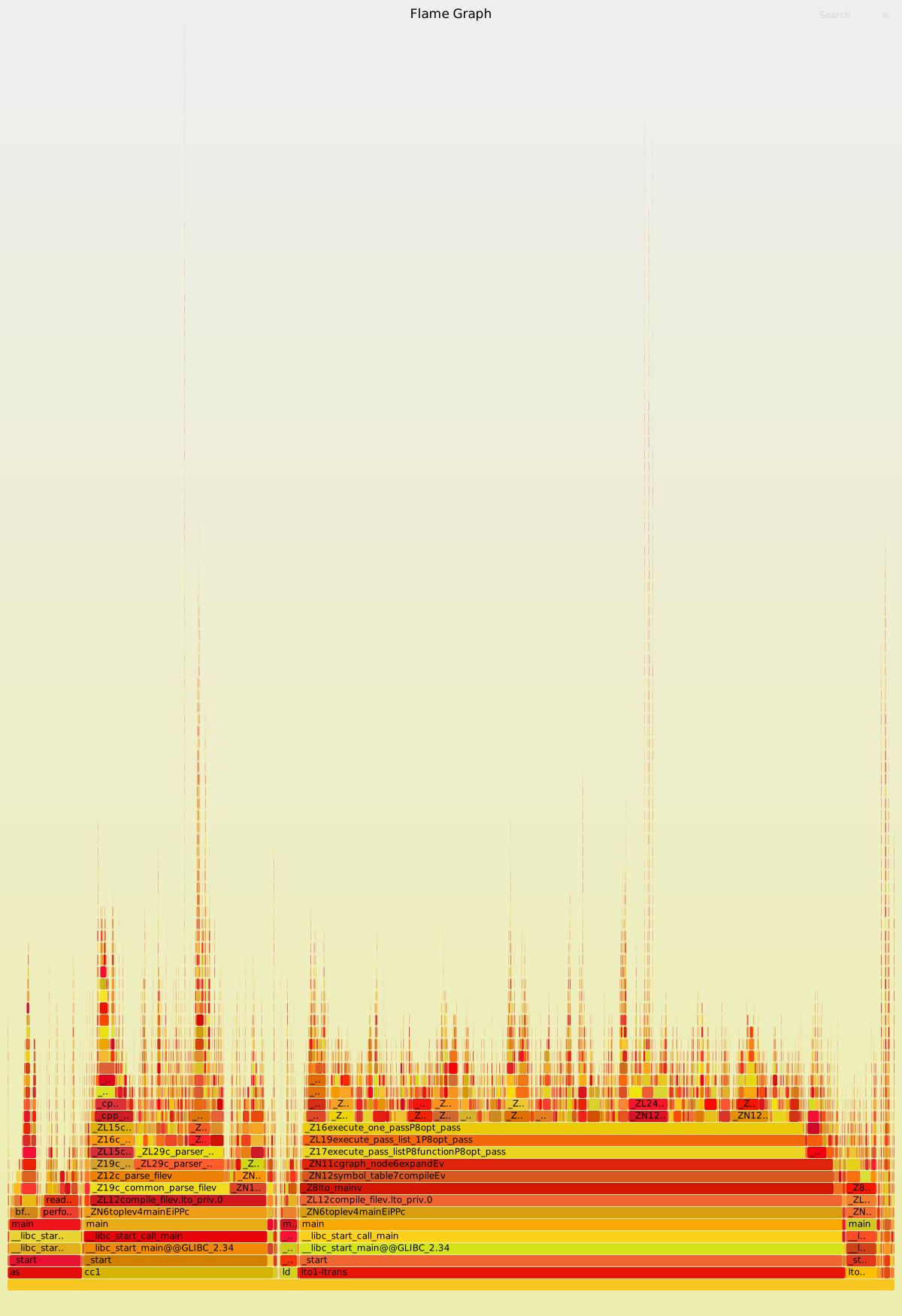
whole system flame graphs.  First comes from doing "make -j32" in the
qemu build tree:

  http://oirase.annexia.org/tmp/2023-gcc-with-lto.svg

8% of the time is spent running the assembler.  I seem to recall that
Clang uses a different approach of integrating the assembler into the
compiler and I guess it probably avoids most of that overhead.

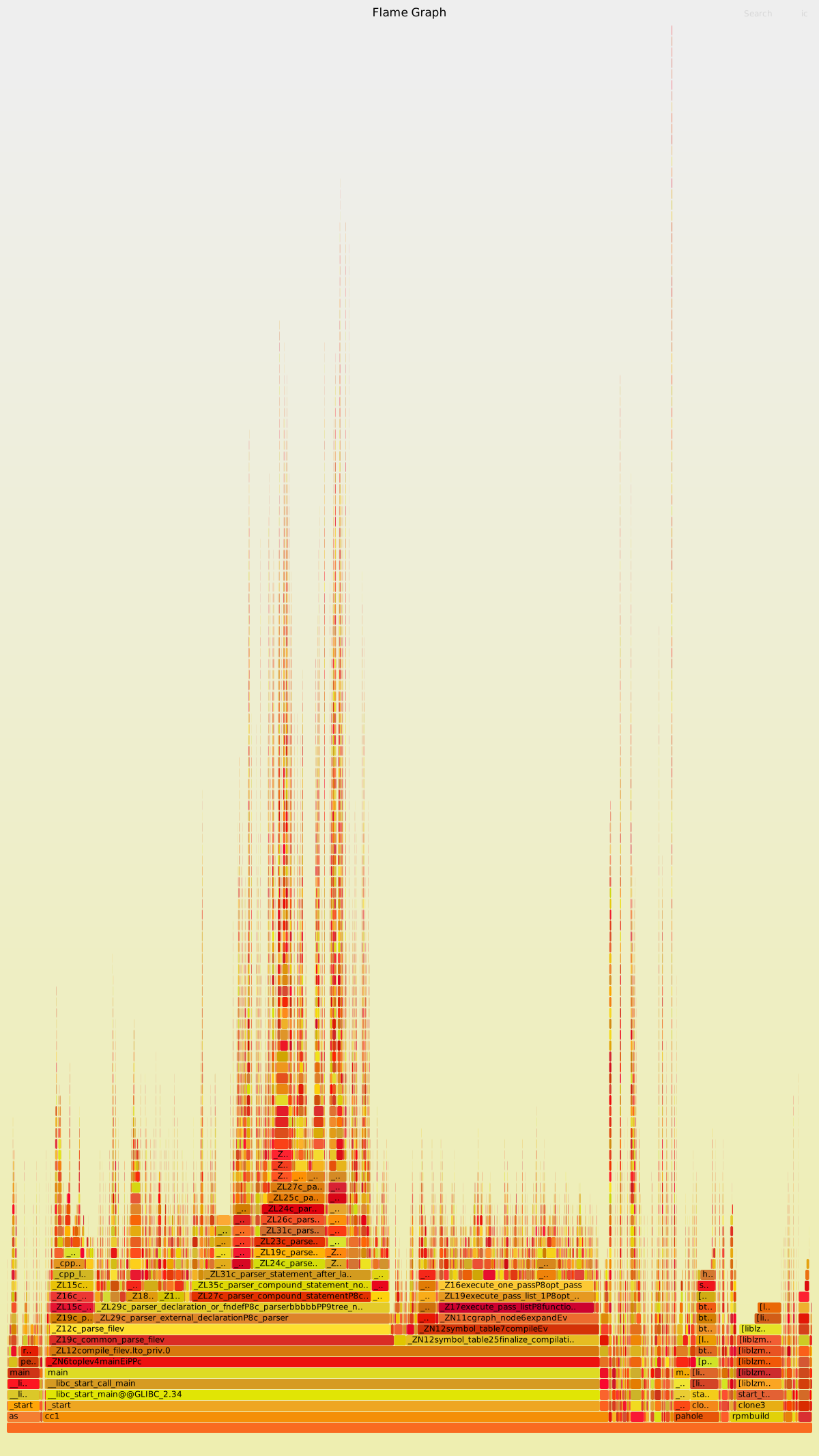
The second is an rpmbuild of the Fedora Rawhide kernel package:

  http://oirase.annexia.org/tmp/2023-kernel-build.svg

I think it's interesting that 6% of the time is spent compressing the
RPMs, and another 6% running pahole (debuginfo generation?)  But the
most surprising thing is it appears 42% of the time is spent just
parsing C code [if I'm reading that right, I actually can't believe
parsing takes so much time].  If true there must be opportunities to
optimize things here.

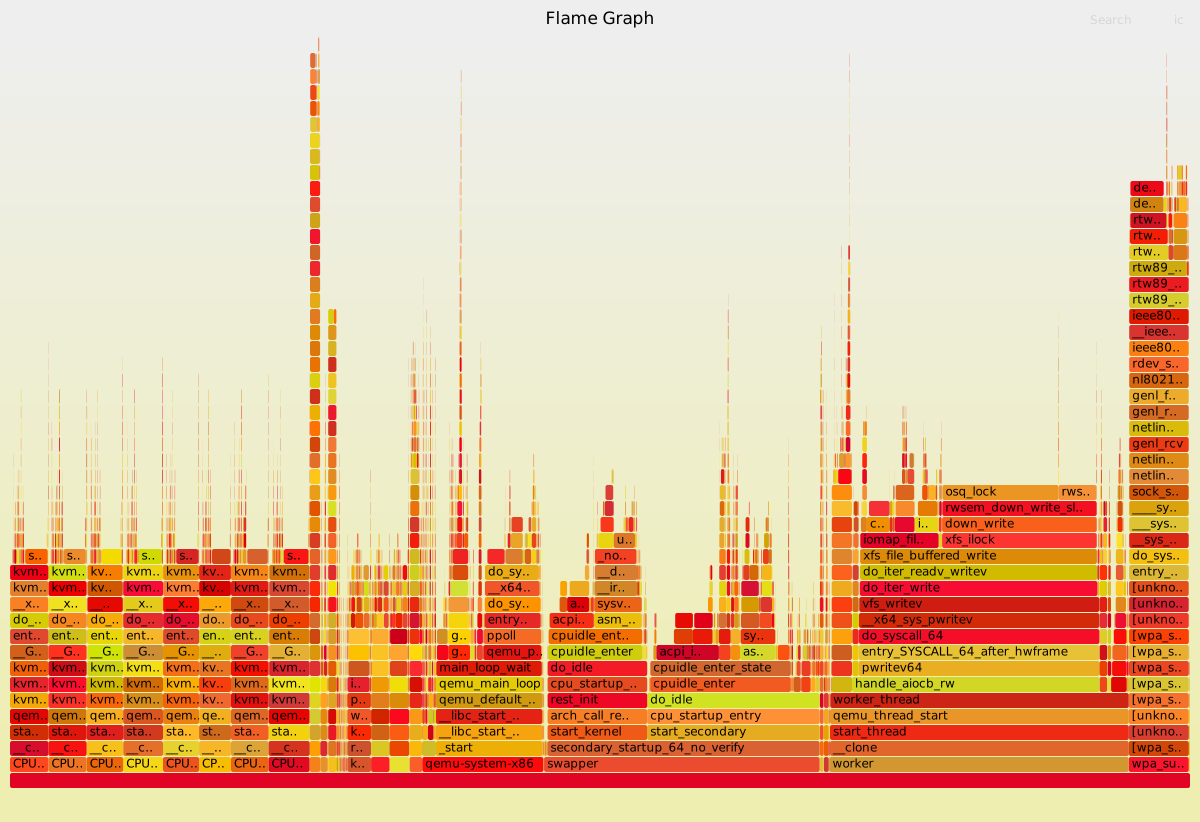
Captures work across userspace and kernel code, as shown in the third
example which is a KVM (ie. hardware assisted) virtual machine doing
some highly parallel work inside:

  http://oirase.annexia.org/tmp/2023-kvm-build.svg

You can clearly see the 8 virtual (guest) CPUs on the left side, using
KVM.  More interesting is that this guest uses a qcow2 file for disk
and there's a heck of an overhead writing to that file.  There's
nothing to fix here -- qcow2 files shouldn't be used in this
situation; for best performance it would be better to use a local
block device to back the guest.


The overhead of frame pointers in my measurements is about 1%, so this
enhanced visibility into the system seems well worthwhile.  I use this
all the time.  This year I've used it to suggest optimizations in
qemu, nbdkit and the kernel.

Rich.

--
Richard Jones, Virtualization Group, Red Hat http://people.redhat.com/~rjones
Read my programming and virtualization blog: http://rwmj.wordpress.com
virt-top is 'top' for virtual machines.  Tiny program with many
powerful monitoring features, net stats, disk stats, logging, etc.
http://people.redhat.com/~rjones/virt-top
_______________________________________________
devel mailing list -- [email protected]
To unsubscribe send an email to [email protected]
Fedora Code of Conduct:
https://docs.fedoraproject.org/en-US/project/code-of-conduct/
List Guidelines: https://fedoraproject.org/wiki/Mailing_list_guidelines
List Archives:
https://lists.fedoraproject.org/archives/list/[email protected]
Do not reply to spam, report it:
https://pagure.io/fedora-infrastructure/new_issue