DO NOT REPLY TO THIS MESSAGE. INSTEAD, POST ANY RESPONSES TO THE LINK BELOW.
[STR New]

Link: http://www.fltk.org/str.php?L2086
Version: 1.3-current


Wow! Grep, I used your recipe for installing the chinese fonts, and now it
works here, too. Including the window title.

The leading spaces in the font names are okay for "normal" fonts. "b" or
"i" are for bold/italic, resp. IIRC (could also be capital letters).

The different look of my image has to do with the different font. I used
an Adobe font that had been downloaded when I opened a Unicode pdf file
with chinese characters. Although it wasn't installed in the usual fonts
directory, I found it in "Program Files/Adobe/..." and installed it, and
then I could use it with the font statements, as Ian did with his font.

The real strange thing is that it works now without using the setfont, as
it does for you ...

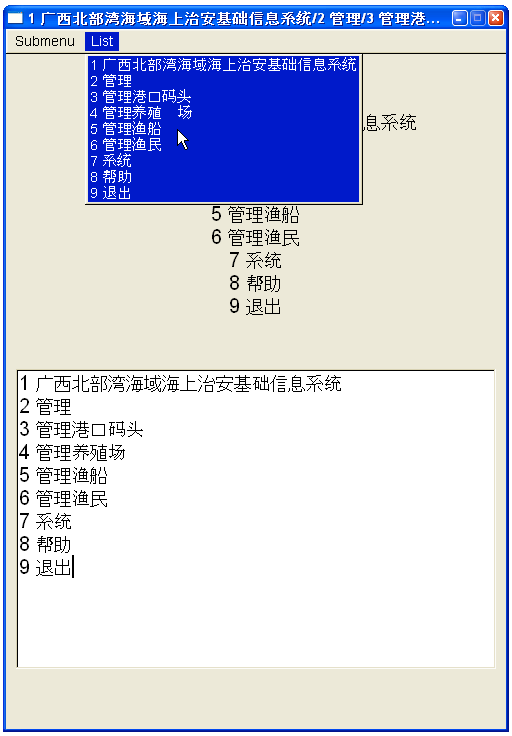
There is only one minor difference in the List menu #4, see attached file
http://www.fltk.org/strfiles/2086/normal-WinXP-A.png


Link: http://www.fltk.org/str.php?L2086
Version: 1.3-current

_______________________________________________
fltk-bugs mailing list
[email protected]
http://lists.easysw.com/mailman/listinfo/fltk-bugs