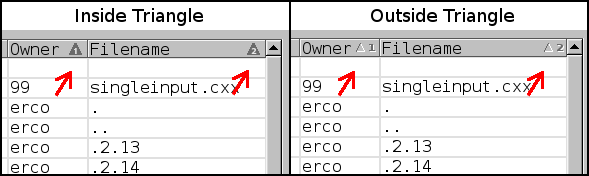
Here's what I've got so far:
    http://seriss.com/people/erco/fltk/tmp/sort-arrows.png
    I definitely like the "number inside triangle" approach;
    saving screen real estate is important in those tiny header cells
    where pixels count.

    I had to use pixmaps to get the numbers 'just right'. It's hard to get
    the antialiased fonts to align perfectly across platforms.. since the utf8
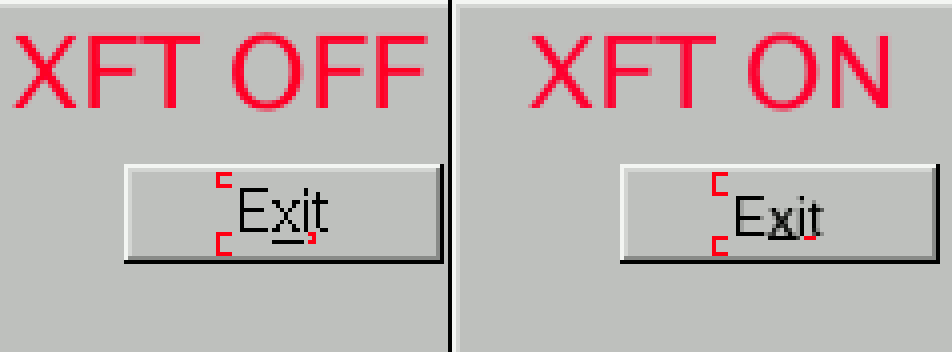
    merge, text isn't as 'pixel accurate' as it used to be. STR #2117 is still
open:
    http://fltk.org/str.php?U2117
    http://fltk.org/strfiles/2117/button-zoom-4x.png

>> Ian MacArthur wrote:
>> I wondered about making the triangles different sizes, to imply a sort
>> of Major/minor role?

Scott A Thisse wrote:
> Maybe use numbers AND different sizes?

    Both good ideas.. might have to try that too.

    Changing the size of the arrows could be a good second visual clue,
    since it can be tricky to read those tiny little numbers in the triangles.

    So I could make the "primary triangle" a few pixels bigger.

Albrecht Schlosser wrote:
> CTRL-Click to add one column, SHIFT-Click to add a range, starting from
> ... wondering ... the last clicked one? Sounds reasonable.

    Huh, I hadn't thought that far ahead, ie. sorting by a /range/ of columns.
    That makes my head spin ;)

    I do intend (at some point) to have columns be interactively draggable,
    so that one can move columns around (like we can in e.g. thunderbird,
    where you can just drag a column header around to change order,
    enable/disable column headers with a popup menu, etc.)

    And I suppose it could sort /across/ columns; I hadn't considered that.
    Would get a bit tricky showing this to the user in a clear way.
    As Scott points out, primary vs. secondary sorting is a hard concept
    for most folks to understand currently. However, when one needs it,
    it really does come in handy. Anyone generating detailed reports
    knows this problem well.
_______________________________________________
fltk mailing list
[email protected]
http://lists.easysw.com/mailman/listinfo/fltk