Sparkaround wrote:
> To Greg:
> Thanks. I need to know what is the reasonable way to implement the theme
> as simple as possible for plent of widgets and can be easily updated with the
> new release of fltk-1.3.x.
        I'd suggest making wrappers for all the widgets you plan to use.
        I did this in my app, just to make it easy for me to change behaviors
as needed.

        So I'd make MyInput, MyChoice, MyTextEditor, etc. which all derive from
        FLTK equivalents. Then I can redefine their draw()/handle() routines
        as needed for particular behavior. Or even override the constructor
        to, for instance, create a right click popup menu for the Fl_Input
        so one can have Copy/Paste options.

        These can then be used in fluid easily; let's say you need to make
        a form full with about 20 Fl_Input's. Create the first one, and
        in Properties, change the Class: to MyInput. Then, just make copies
        of that instance over and over where you need them, and each will
        be a MyInput version of Fl_Input.

> TO imacarthur:
> Aqua-style tabs? Do you mean the colorful tabs.cxx in the test directory
> of current release of fltk-1.3.x? Thanks.

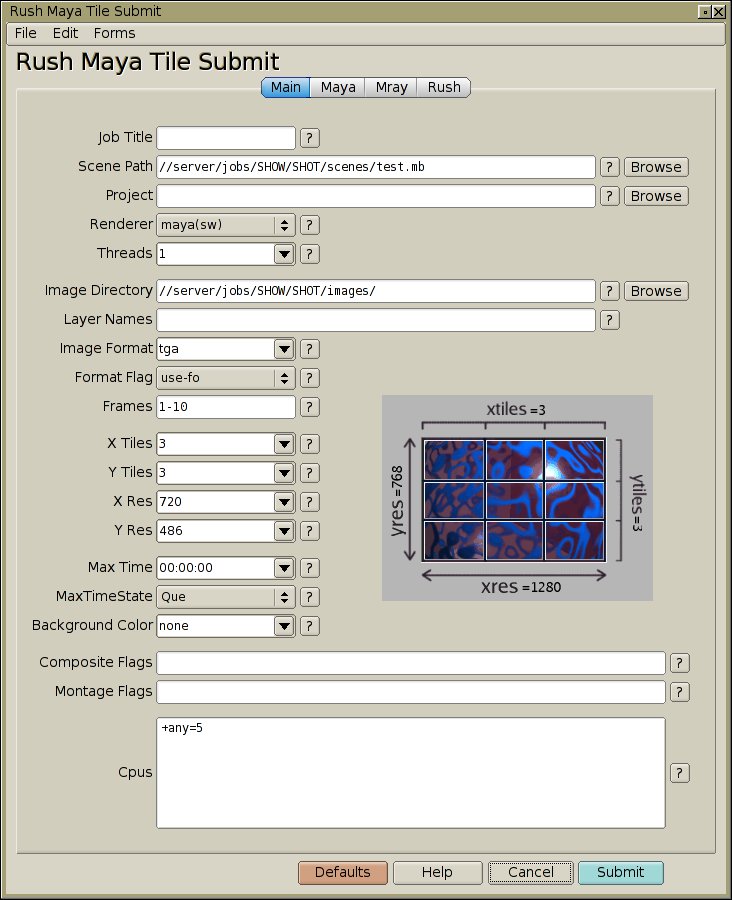
        Pretty sure Ian's referring to my 'Gel Tabs' widget:
        http://seriss.com/people/erco/fltk/Fl_Gel_Tabs/

        ..which I've been using for the last few years in my commercial apps,
eg:

http://www.seriss.com/rush-current/submit-maya-tile/gifs/submit-maya-tile-screenshot.jpg

        The above widget, and others are listed below the index on my FLTK
cheat page:
        http://seriss.com/people/erco/fltk/#WidgetsAndApps

        You might be interested in the 'matte button' widget as well:
        http://seriss.com/people/erco/fltk/Fl_Matte_Button/

        ..probably a good starting point for something more complex.

        I think both of these completely override the draw() function,
        but could probably be more easily implemented with an overload
        of the box drawing function; I haven't really made use of that
        technique, but maybe should.
_______________________________________________
fltk mailing list
[email protected]
http://lists.easysw.com/mailman/listinfo/fltk