Andreas:
--------------------------------------------------------------------------------
Either you work directly on your server with files opened via FTP
in PSPad or you work with files opened from your local server without FTP. But
never work with files in backup|temp
folder.--------------------------------------------------------------------------------
First task: Open a css file and change one line.

PSPad is able to do that very fast. You open the ftp host, select the file,
change the line, save it and its automatically synced with the ftp folder.

Next task: Find all files containing the css class "header"

Now you will use the temp folder to search in, because this will include all
recent files.

Last task: Open one of the found files and change a line

Now you double-click the search result entry and... sad the local file is opened
(one thing that needs to be changed in PSPad). So you search for the same file
on the ftp host, open it and now you double-clikc the search result and it jumps
to the needed line. You make you're change, CTRL+S and you're finished.

By that this is the most comfortable way of editing ftp files. I love PSPad
because of that (except of the little issue that it opens local temp files
instead of the recent ftp version). I know PSPad calls it a "temp" folder, but I
think most people use it as a project folder.

Of course I could copy all this "temp"-files to a separate project folder, but
why should I do that? There is no benefit in doing this except I need a
milestone backup of all files.

And as we are talking about backups:
I do not use the backup feature of PSPad as its useless. Sorry that I need to
say that but what is the benefit of having one copy of the last file change? The
only backup that would make sense is a revision based backup. We assume that my
temp folder is:
C:\projects\

and my backup folder would be:
C:\backups\

And if I make a change on c:\projects\example.com\index.php it will create a
backup of this file on every CTRL+S operation in this format:
C:\backup\example.com\2015-04-20-22-03-15_index.php

Now I would have unlimited access to every revision.

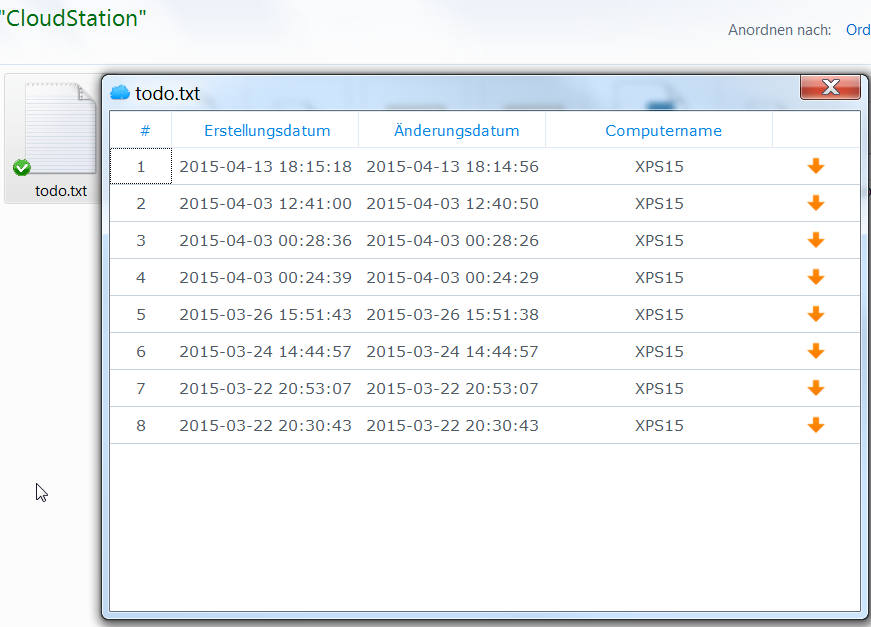
P.S. I'm using my Synology NAS for backups and use its revision history feature
so I'm having up to 32 revisions of one file:
(viz https://www.maxrev.de/files/2015/04/2015_04_20_22_23_11_documents.png )

--
<http://forum.pspad.com/read.php?4,64896,64963>
PSPad freeware editor http://www.pspad.com