> Does anyone know any way to present them from happening?
Sorry, I obviously meant "prevent".


-- Bertrand Meyer


From: Bertrand Meyer (SIT) <[email protected]>
Sent: Monday, 3 October, 2022 14:16
To: 'An email list for people using Adobe FrameMaker software.'
<[email protected]>
Cc: [email protected]
Subject: FrameMaker crashes


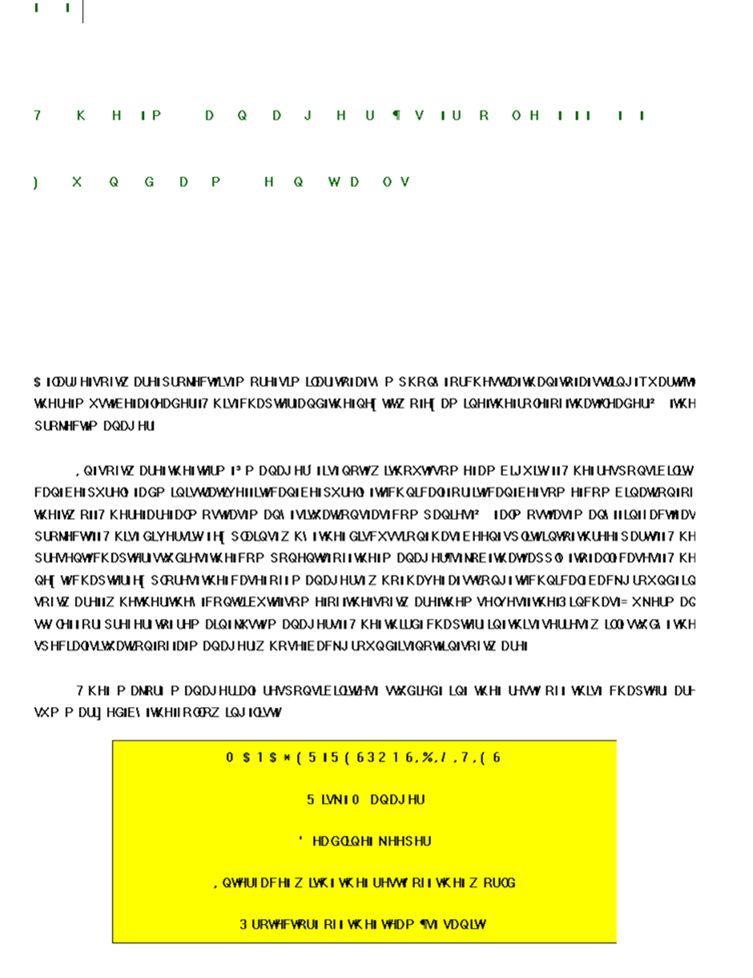
I have the very latest version of FrameMaker (Windows) and it still, like
earlier versions, freezes after a few days of use, unpredictably, with a
botched-up display (see example below) and no responsiveness. I have to kill
the process with the Task Manager, get rid of *.lck files, get rid of the
*auto files (or rename them, saving the originals just in case into another
directory), restart the whole thing, check  manually that the chapters are
in the right state - all tedious for a 40-chapter book.


It's really bizarre that after all these years, in a product with the Adobe
label, there are still such crashes.


Does anyone know any way to present them from happening? I guess exiting
after a few days of use and restarting is prudent (if unpleasant in 2022),
is there a better way?


Thanks,


-- Bertrand Meyer


With best regards,


-- Bertrand Meyer


-------------- next part --------------
A non-text attachment was scrubbed...
Name: image001.png
Type: image/png
Size: 184138 bytes
Desc: not available
URL:
<http://lists.frameusers.com/pipermail/framers-frameusers.com/attachments/20221003/1bd6ad78/attachment.png>
_______________________________________________

This message is from the Framers mailing list

Send messages to [email protected]
Visit the list's homepage at  http://www.frameusers.com
Archives located at http://www.mail-archive.com/framers%40lists.frameusers.com/
Subscribe and unsubscribe at
http://lists.frameusers.com/listinfo.cgi/framers-frameusers.com
Send administrative questions to [email protected]