On 1/13/11 1:50 PM, Bruce Johnson wrote:
On Jan 13, 2011, at 11:18 AM, Jeremiah Stevens wrote:
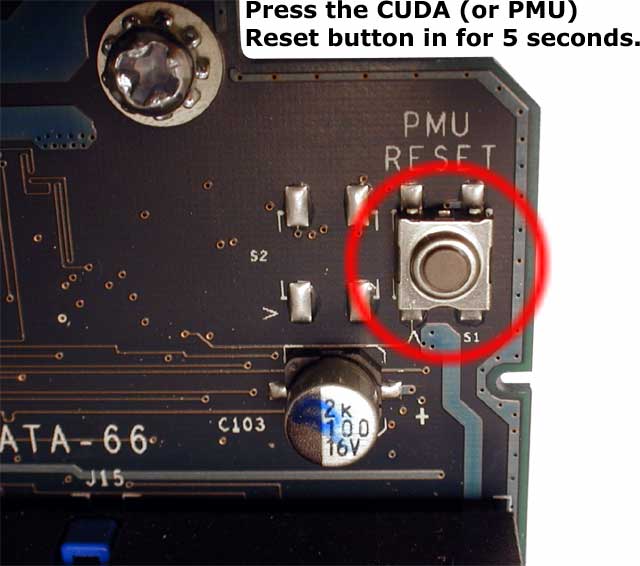
Not sure what the CUDA button is. Where is it located on the machine? I think I
will try it when I get home. Thanks for the tip, I hope that gets it back up and
running
I forget where exactly it is on the Mobo, but it looks like
this<http://eshop.macsales.com/images/items/cudabutton.jpg>
On the one I have here, its a small red button switch, next to the back
end of the PCI slot closest to the edge of the motherboard. The switch
is actually between the rear end of the PCI slot and the side of the
case, may be easiest to use a pencil with eraser on it to push down on
it, especially if you have a card in that PCI slot C1. If need be, I
can snap a picture, but since they aren't allowed on the list, would
need to know who to send it to?
--
You received this message because you are a member of G-Group, a group for
those using G3, G4, and G5 desktop Macs - with a particular focus on Power Macs.
The list FAQ is at http://lowendmac.com/lists/g-list.shtml and our netiquette
guide is at http://www.lowendmac.com/lists/netiquette.shtml
To post to this group, send email to [email protected]
For more options, visit this group at http://groups.google.com/group/g3-5-list