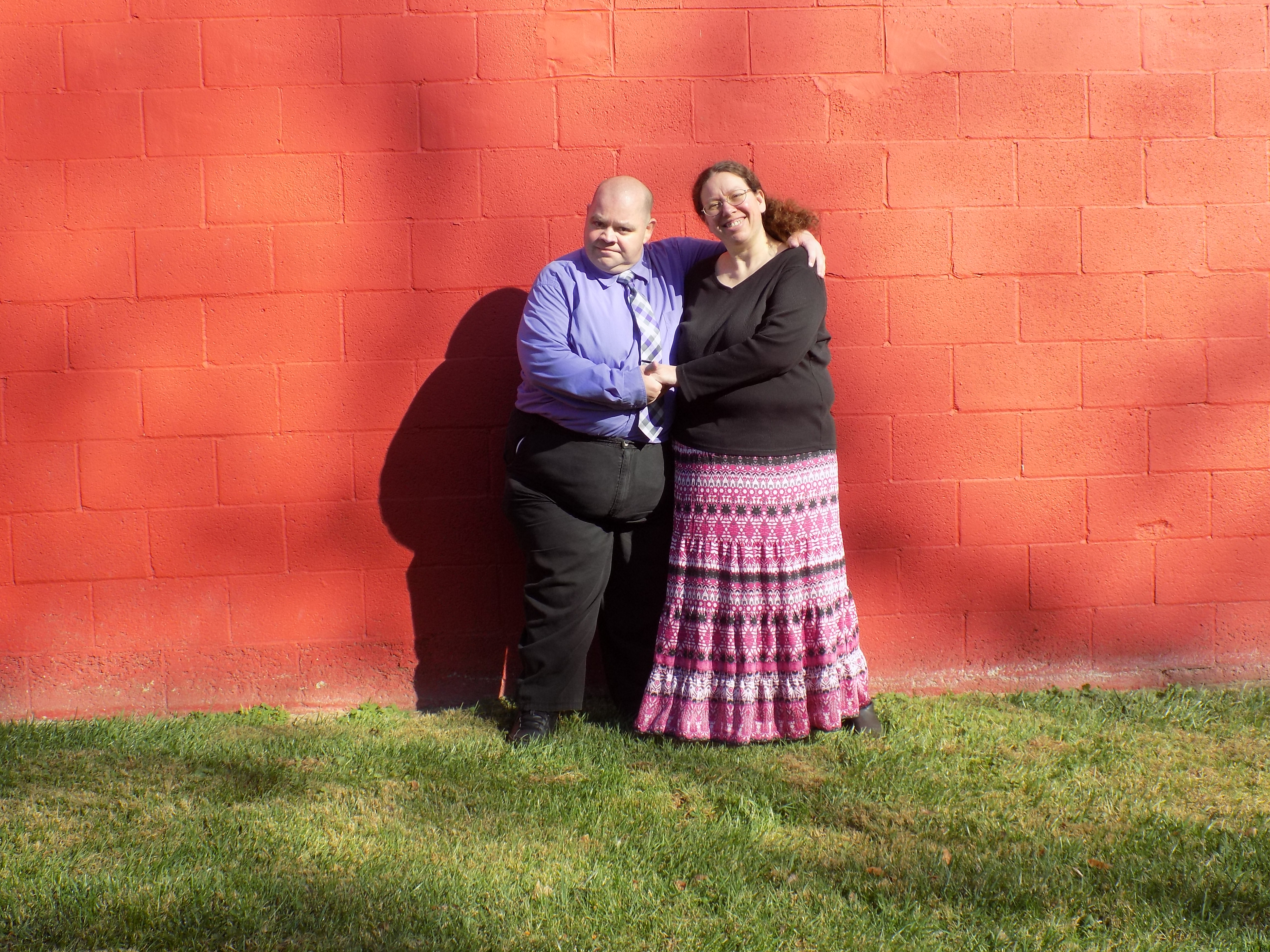
If that were my picture,  I would

1.  crop away most of the wall, left right and above your subject.
2.  I would crop away the subjects from the waist down.
3. As it appears that you shot this face on,  the crop would give you that
portion of the subject scene that was of interest.
4.  Edit to get the faces as correct as possible.   The faces are 99% of
what anyone looking at this will focus on.
5.  As a P.S.   Next time fill the view finder with your subject, move them
away from the wall, and use a flash for fill lighting (or other lighting
devices as available).

With that said,  it is a good effort by someone learning.  Keep practicing,
reading, and asking questions.

-----Original Message-----
From: gimp-user-list [mailto:[email protected]] On Behalf Of
ghart89
Sent: Friday, November 25, 2016 10:06 PM
To: [email protected]
Cc: [email protected]
Subject: [Gimp-user] Driving me crazy!!!

I am new at photography, and i recently took some engagement photos for a
friend. I have been trying to edit a few of the pictures that are super
bright (they wanted to take pictures at 11 am.....) can anyone help me
figure out how to edit the pictures without washing them out?

Attachments:
* http://www.gimpusers.com/system/attachments/341/original/DSCN0624.JPG

--
ghart89 (via www.gimpusers.com/forums)
_______________________________________________
gimp-user-list mailing list
List address:    [email protected]
List membership: https://mail.gnome.org/mailman/listinfo/gimp-user-list
List archives:   https://mail.gnome.org/archives/gimp-user-list

_______________________________________________
gimp-user-list mailing list
List address:    [email protected]
List membership: https://mail.gnome.org/mailman/listinfo/gimp-user-list
List archives:   https://mail.gnome.org/archives/gimp-user-list