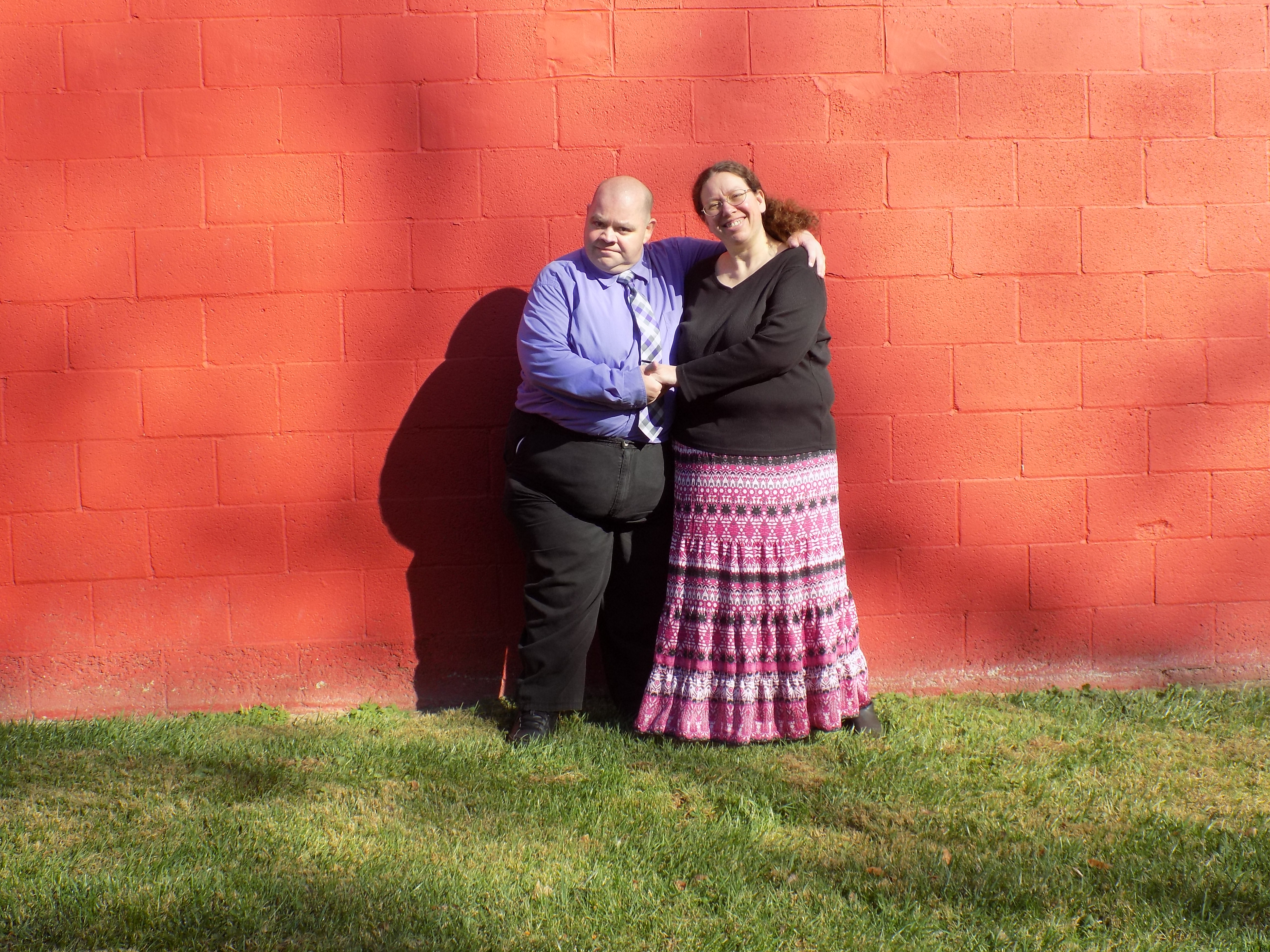
>If that were my picture,  I would
>
>1.  crop away most of the wall, left right and above your subject.
>2.  I would crop away the subjects from the waist down.
>3. As it appears that you shot this face on,  the crop would give you
>that
>portion of the subject scene that was of interest.
>4.  Edit to get the faces as correct as possible.   The faces are 99%
>of
>what anyone looking at this will focus on.
>
>5.  As a P.S.   Next time fill the view finder with your subject, move
>them
>away from the wall, and use a flash for fill lighting (or other
>lighting
>devices as available).
>
>With that said,  it is a good effort by someone learning.  Keep
>practicing,
>reading, and asking questions.
>
>-----Original Message-----
>From: gimp-user-list [mailto:[email protected]] On
>Behalf Of
>ghart89
>Sent: Friday, November 25, 2016 10:06 PM
>To: [email protected]
>Cc: [email protected]
>Subject: [Gimp-user] Driving me crazy!!!
>
>I am new at photography, and i recently took some engagement photos
>for a
>friend. I have been trying to edit a few of the pictures that are
>super
>bright (they wanted to take pictures at 11 am.....) can anyone help me
>figure out how to edit the pictures without washing them out?
>
>Attachments:
>*
>http://www.gimpusers.com/system/attachments/341/original/DSCN0624.JPG
>
>--
>ghart89 (via www.gimpusers.com/forums)
Thank you, ill try that!

--
ghart89 (via www.gimpusers.com/forums)
_______________________________________________
gimp-user-list mailing list
List address:    [email protected]
List membership: https://mail.gnome.org/mailman/listinfo/gimp-user-list
List archives:   https://mail.gnome.org/archives/gimp-user-list