@SayCheeze

>another frustrated new user here on this whole cropping thing.
>
>in photoshop  i throw in 8x10 @ 200, use the crop tool, and what do
>you know.  I get a 8x10 crop @ 200
>
>what's the deal with gimp?  I mean what am I missing here...?
Do not expect Gimp to work the same way as PS. The Gimp crop tool fixed size
options work in pixels. If you want 200 ppi set the size to 1600 x 2000 pix.
Otherwise use the print size dialogue.


>I watched the vid.  first off he changes the ruler sizing to inches
>with some feature below, which I don't have.  then he goes into print
>size?


Believe me you do have that feature, not my fault if you can not be bothered to
find out how Gimp works.

>I can't afford to do all these steps on hundreds of images for a
>catalog.

Then go back and use what you are comfortable with.

>is there anyway, I can place YxZ and get an 8x10, or 11x14 without
>jumping through hoops?

The only hoops are in your mind.

@meathie

>I sympathize with you SayCheeze, I have not found the solution to the
>issue as yet.  However stay posted you never know what we may find ;-)

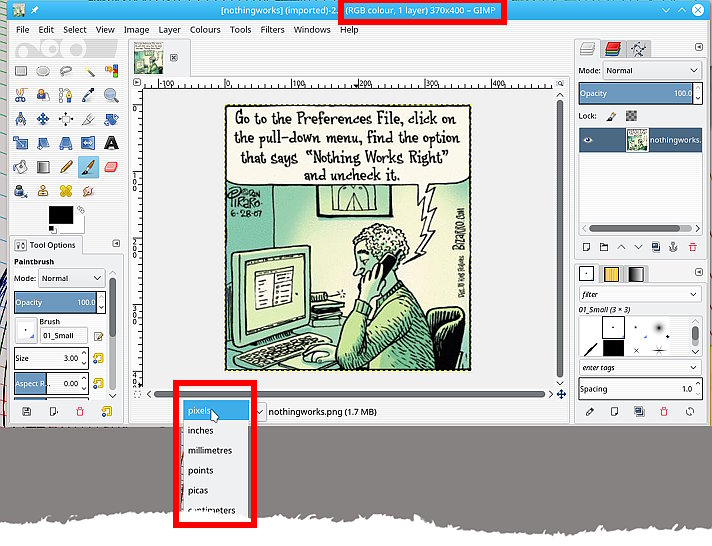
You still have not given the image dimensions in pixels yet. Not difficult. It
is at the **top of the image window**

>From your posts, best guess is still you have opened a thumbnail instead of the
full image. Can happen with Canon .CR files. especially if they are corrupted
somehow.

But...I am sure someone will come up with better solutions for both of you. Best
of luck.

Attachments:
* http://www.gimpusers.com/system/attachments/591/original/photoshop-user.jpg

--
rich2005 (via www.gimpusers.com/forums)
_______________________________________________
gimp-user-list mailing list
List address:    [email protected]
List membership: https://mail.gnome.org/mailman/listinfo/gimp-user-list
List archives:   https://mail.gnome.org/archives/gimp-user-list