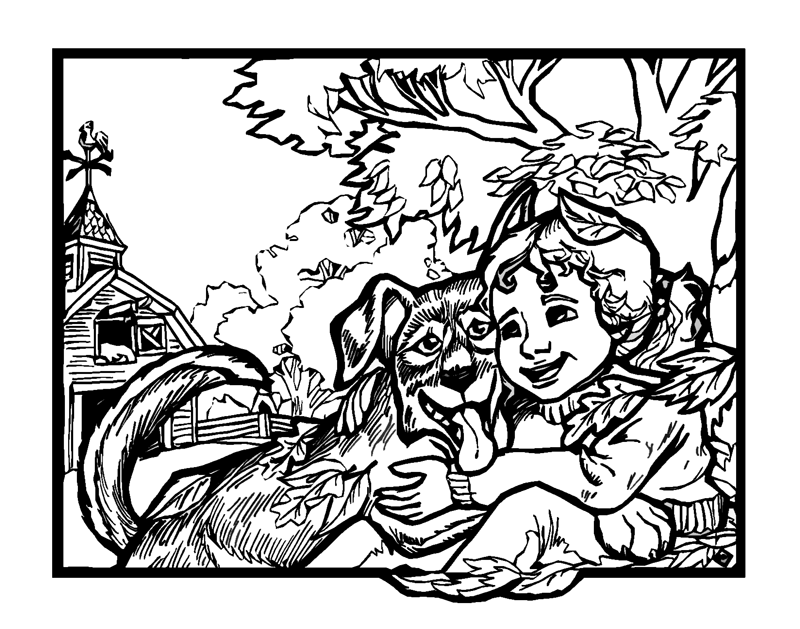
Sorry for the image size.
[300KB image atachment ommitted to the list <grim>]
This is what I got wth the GIMP
1) filters->blur->gaussian blur, 3 hor, 2, V
2) adjust brightness and contrast: enhance contrast, augment brighness
3) repeat  steps 1 and 2 once.
Hope it satisfies you.
If you need to automate that, I could make a script for you later on.
Dee Dreslough wrote:
Hi Everyone!
I'm new to the list, but I've been using gimp exclusively now for
several months, and I love it.
The one feature I used to have with photoshop but haven't yet found with
Gimp is a filter called (I might be mis-remembering) Cutout.
It was great for taking my black and white sketches and smoothing them
out to make them look more vector-drawn, as well as filling in any
missed spots. Here's an example:
Before Cutout: http://www.dreslough.com/main/latest/FallGirlandDog-2.png
After Cutout: http://www.dreslough.com/main/latest/FallGirlandDog2.png
What's the equivalent filter for this in Gimp? (I'm sure there is
one...there seems to be an equivalent for everything else I've needed so
far... ;) )
-Dee Dreslough
www.dreslough.com
_______________________________________________
Gimp-user mailing list
[EMAIL PROTECTED]
http://lists.xcf.berkeley.edu/mailman/listinfo/gimp-user
_______________________________________________
Gimp-user mailing list
[EMAIL PROTECTED]
http://lists.xcf.berkeley.edu/mailman/listinfo/gimp-user