Images Now
Showing<http://feedproxy.google.com/~r/OfficialGmailBlog/~3/41XZeQULHq8/images-now-showing.html>
Dec 12th 2013, 16:45, by The Gmail
Team<http://www.blogger.com/profile/10103598893707869193>
Posted by John Rae-Grant, Product Manager

Have you ever wondered why Gmail asks you before showing images in emails?
We did this to protect you from unknown senders who might try to use images
to compromise the security of your computer or mobile device.

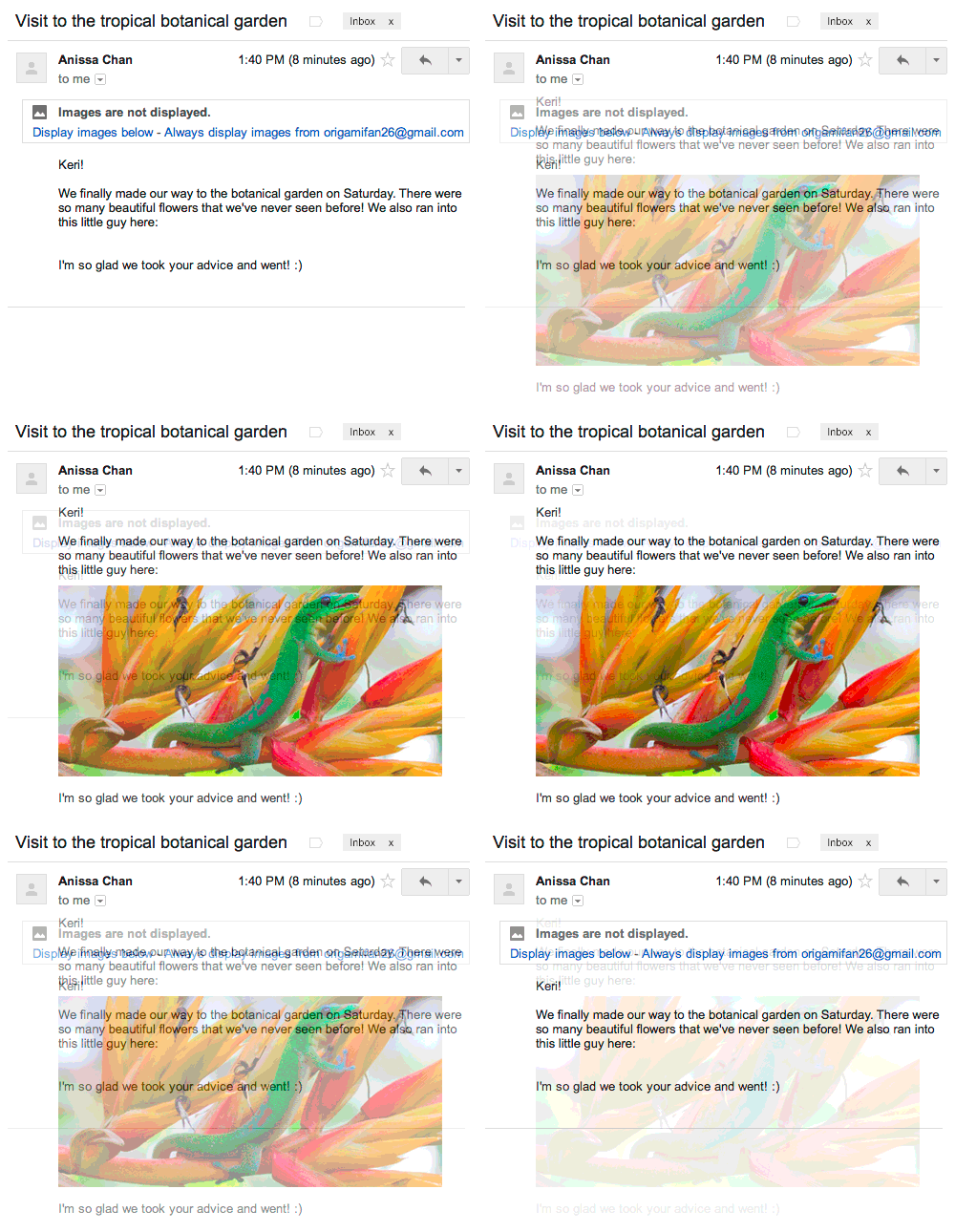
But thanks to new improvements in how Gmail handles images, you’ll soon see
all images displayed in your messages automatically across desktop, iOS and
Android. Instead of serving images directly from their original external
host servers, Gmail will now serve all
images<https://support.google.com/mail?p=display_images> through
Google’s own secure proxy servers.

So what does this mean for you? Simple: your messages are more safe and
secure, your images are checked for known viruses or malware, and you’ll
never have to press that pesky “display images below” link again. With this
new change, your email will now be safer, faster and more beautiful than
ever.
<http://3.bp.blogspot.com/-dfDs31rgu_g/UqnaXicP5wI/AAAAAAAABMc/TbGFnBUxcTM/s1600/Images.gif>
Of course, those who prefer to authorize image display on a per message
basis can choose the option “Ask before displaying external images” under
the *General* tab in *Settings*. That option will also be the default for
users who previously selected “Ask before displaying external content”.

Similar to existing features like default https
access<http://gmailblog.blogspot.com/2010/01/default-https-access-for-gmail.html>
, suspicious activity
detection<http://gmailblog.blogspot.com/2010/03/detecting-suspicious-account-activity.html>,
and free two-step
verification<http://gmailblog.blogspot.com/2011/02/advanced-sign-in-security-for-your.html>,
image proxying is another way your email is protected. This new improvement
will be rolling out on desktop starting today and to your Gmail mobile apps
in early 2014.

--
You received this message because you are subscribed to the Google Groups
"Gmail-Users" group.
To unsubscribe from this group and stop receiving emails from it, send an email
to [email protected].
To post to this group, send email to [email protected].
Visit this group at http://groups.google.com/group/gmail-users.
For more options, visit https://groups.google.com/groups/opt_out.