I have a suggestion for Enblend & Enfuse - how about if you could tell them
to raise the minimum blending level used in the multi resolution spline
blending?
Currently, you can limit the maximum number of levels but there's no way to
limit the MINIMUM. If you could tell it "never use levels smaller than
this", it could repeat / "clamp" the smallest level to this value for any
finer details that would normally use a smaller blending level.

I think the result would be a smooth gradient also for the finest details.
I know this could introduce ghost effects for non-perfect matching images
but it would also hide the seam, eliminating ugly effects for images that
are perfectly stitched but differ too much in lighting or focus.

Perhaps we could change its behavior when using negative numbers? Are
anyone really using negative numbers? Frankly, I don't quite understand
what negative numbers are good for. They don't do what I'm after anyway.

Here are two problematic examples which I suspect a minimum blending level
of 6 or so could amend: (small crops of ugly details)

Example 1:
http://www.elmuseum.se/temp/stitchseam1.jpg

Enblend of several focus stacked images (pre-fused in Enfuse) facing the
wall in a narrow passage in an old water tower. I missed a few spots when
shooting the focus stack so some unsharp parts have to be used in the final
panorama. The sharp seam makes it look like there's a diffuse plastic film
hanging some distance from the wall.

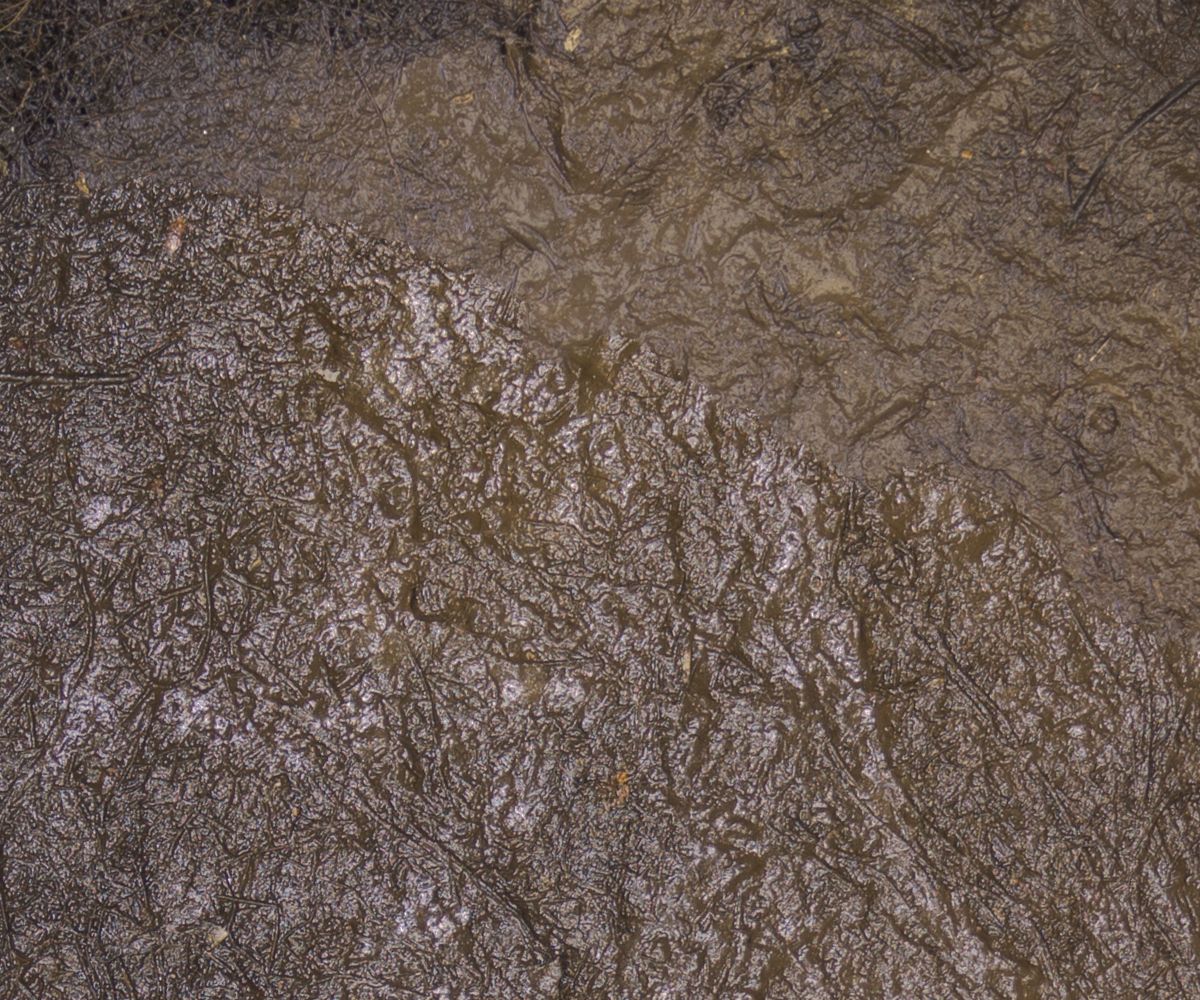
Example 2:
http://www.elmuseum.se/temp/stitchseam2.jpg

Composited nadir shot of the floor in a pitch black culvert. Enblend output
of several long exposures using flashlight. I usually take a couple of
nadir shots with the panohead visible and then a final shot with the tripod
moved, to fill in the center hole where the tripod and panohead was. I
pre-stitch this to create the nadir shot which is later stitched with the
rest of the images. Since I had to keep my foot on one of the tripod legs
for the final shot, I was restricted in how far away I could reach when
sweeping the flashlight. Therefore that image has a more narrow angle
between the ground and the flashlight (and the camera) than any other
images, giving the muddy ground a specular reflection which becomes
disturbing when stitched into the other shots. Even though I counteracted
this a lot through Lightroom exposure adjustments, blending layers of
different shots and passing them through Enfuse, it is still "glossy" below
a prominent diagonal seam.


Best regards
John Eklund, Sweden

Some of my work:
http://www.elmuseum.se/panorama/panorama.html?pano=daglosen_lokstall_1.xml
http://www.elmuseum.se/panorama/panorama.html?pano=gasklocka4_1.xml
http://www.angkraftverket.se/panorama/

--
A list of frequently asked questions is available at:
http://wiki.panotools.org/Hugin_FAQ
---
You received this message because you are subscribed to the Google Groups
"hugin and other free panoramic software" group.
To unsubscribe from this group and stop receiving emails from it, send an email
to [email protected].
To view this discussion on the web visit
https://groups.google.com/d/msgid/hugin-ptx/01b741cc-d74b-48c6-9bc3-1f0d2d9d792e%40googlegroups.com.
For more options, visit https://groups.google.com/groups/opt_out.