Robert (Bob) Brodt [http://community.jboss.org/people/bbrodt] modified the blog
post:
"BPEL Technical Preview available soon!"

To view the blog post, visit:
http://community.jboss.org/community/tools/blog/2011/01/24/bpel-technical-preview-available-soon

--------------------------------------------------------------
h1.
http://community.jboss.org/servlet/JiveServlet/downloadImage/38-3550-11190/345-228/BPEL-Love-Hate.png

(http://community.jboss.org/servlet/JiveServlet/showImage/38-3550-11190/BPEL-Love-Hate.png)BPEL
 in SOA-P
Let's face it,BPEL has become the de facto standard for building industrial
strength business work flows, despite the fact that it is not for the faint of
heart and, much like suicide by lapidation
(http://en.wikipedia.org/wiki/Stoning), it requires a strong will and
determination to get through the pain.

Red Hat/JBoss recognized the importance of BPEL in the enterprise quite a while
ago and as a result, a WS-BPEL 2.0 compliant engine and tooling is being
offered as a “Technical Preview” in SOA-P 5.1, which is due to release sometime
this spring.

The BPEL tooling and runtime will also be available in JBoss Developer Studio 4
(http://devstudio.jboss.com/updates/) as a Technical Preview and in JBoss Tools
(http://community.jboss.org/en/tools), the community (free
(http://freebeer.org/blog/)!) edition.

Technical Preview simply means that it will be bundled with SOA-P but it will
not be officially supported until the 5.2 release scheduled for this summer.
However, we the developers will still do our best to respond to feature and bug
fix requests from the community, as always.
h1. The Runtime
Riftsaw, which is the BPEL engine that ships with the above mentioned products,
is based on Apache ODE (http://ode.apache.org/) version 1.3.4 and in fact,
JBoss developers have been very active in the ODE community and have been
instrumental in determining the future direction of the project.

The Riftsaw engine is optimized for the JBoss Application Server and supports a
variety of features which you can read about in the project pages here
(http://jboss.org/riftsaw).

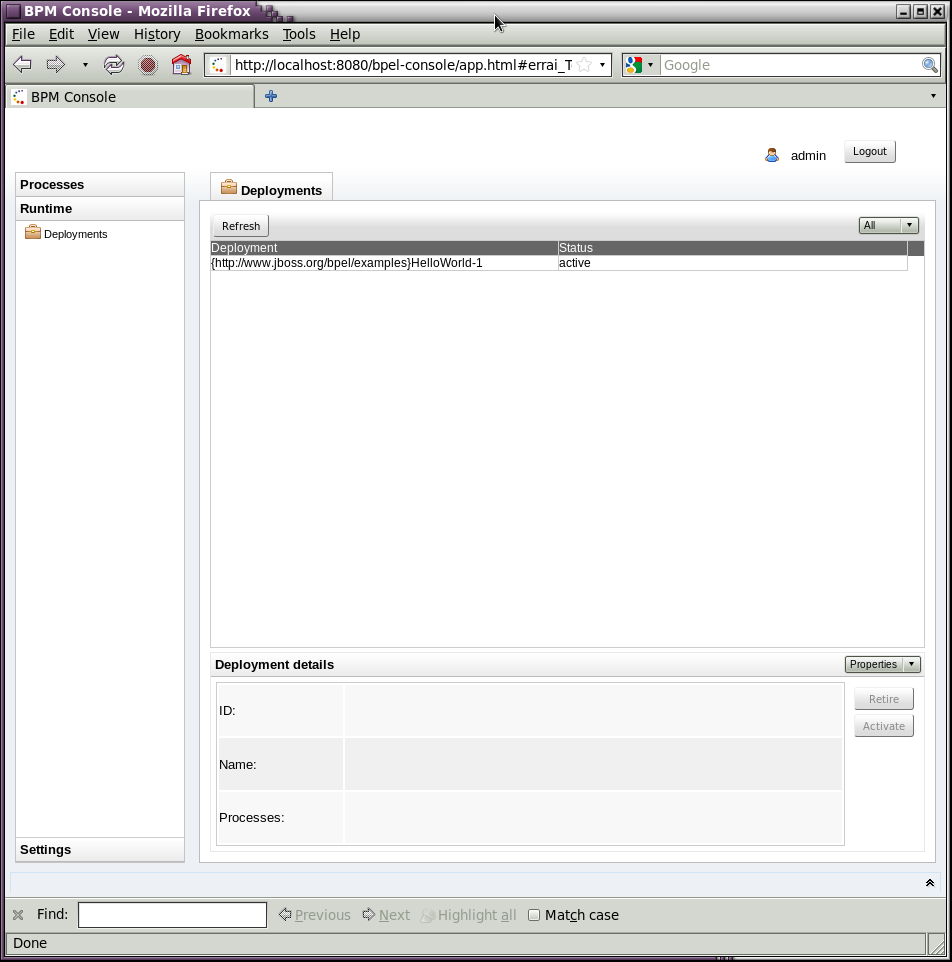
Startup and shutdown of Riftsaw and deployment of business processes to the
engine, as well as control of process instances can be done either through the
Eclipse tooling, or using the BPEL Console shown below. Before you start, make
sure that your JBoss Application Server environment is installed and configured
correctly and you have installed Riftsaw as described in the User Guide
(http://docs.jboss.com/riftsaw/2.0.0.Final/userguide/html_single/).


http://community.jboss.org/servlet/JiveServlet/downloadImage/38-3550-11191/bpel-console.png

(http://community.jboss.org/servlet/JiveServlet/showImage/38-3550-11191/bpel-console.png)

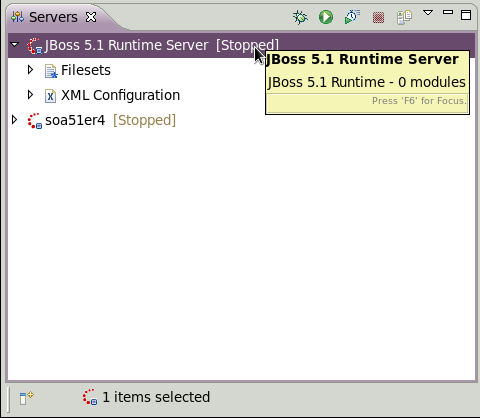
The “Servers”view is used to manage the Riftsaw engine from the Eclipse
tooling, as shown here:


http://community.jboss.org/servlet/JiveServlet/downloadImage/38-3550-11192/Servers-View.png

(http://community.jboss.org/servlet/JiveServlet/showImage/38-3550-11192/Servers-View.png)

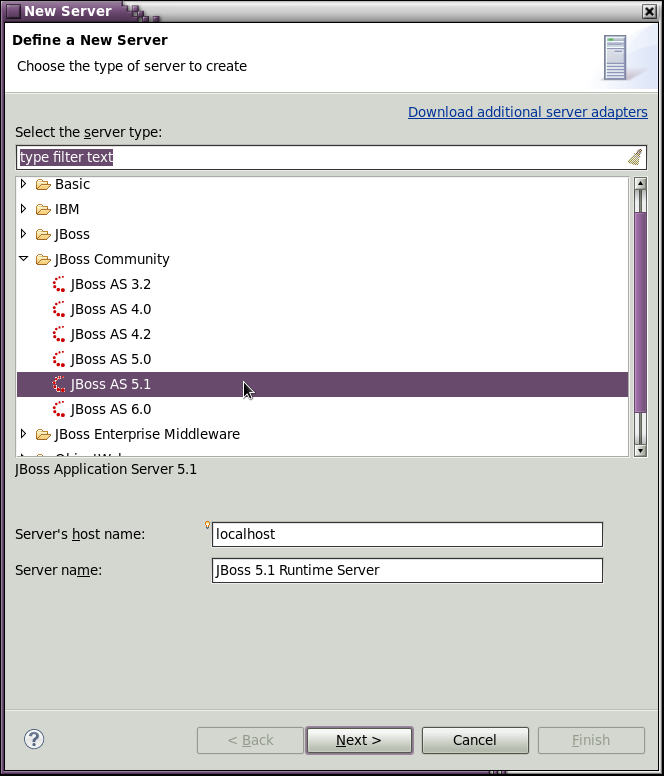
To create a new server instance in Eclipse, simply select “New” from the
Servers View context menu (right-click) and follow the wizard; first select the
JBoss App Server version.  Currently this must be 5.1.0.GA - support for AS 6.0
is being considered for a future release.


http://community.jboss.org/servlet/JiveServlet/downloadImage/38-3550-11193/New-Server-1.png

(http://community.jboss.org/servlet/JiveServlet/showImage/38-3550-11193/New-Server-1.png)

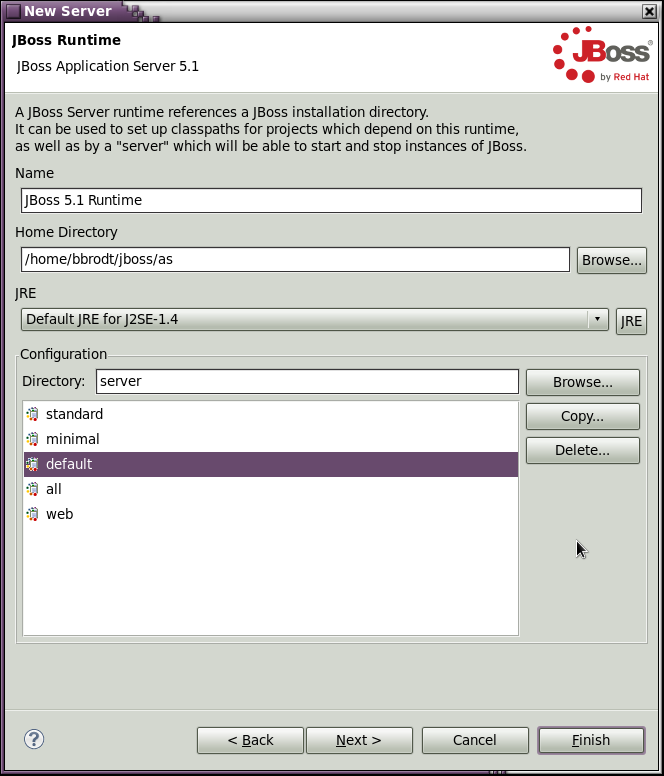
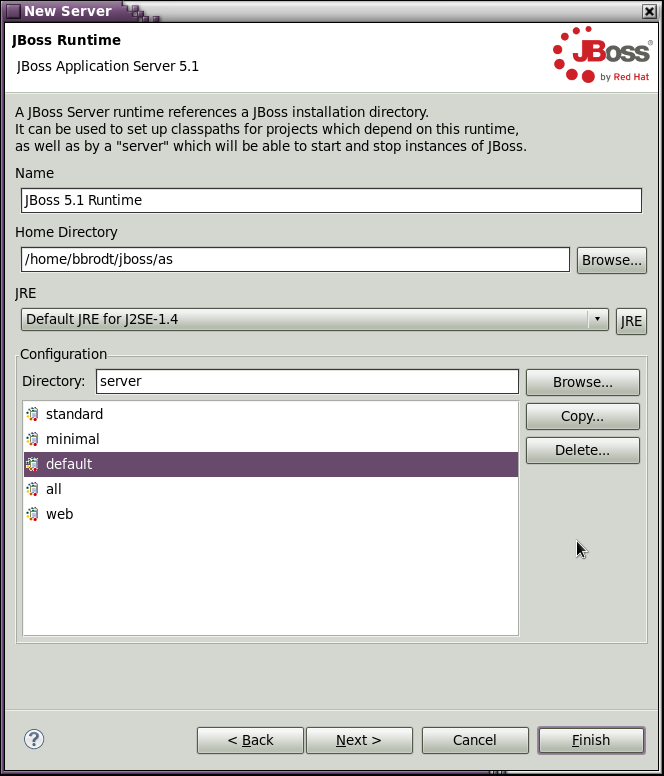
Next, select the AS installation directory:


http://community.jboss.org/servlet/JiveServlet/downloadImage/38-3550-11194/New-Server-2.png

(http://community.jboss.org/servlet/JiveServlet/showImage/38-3550-11194/New-Server-2.png)

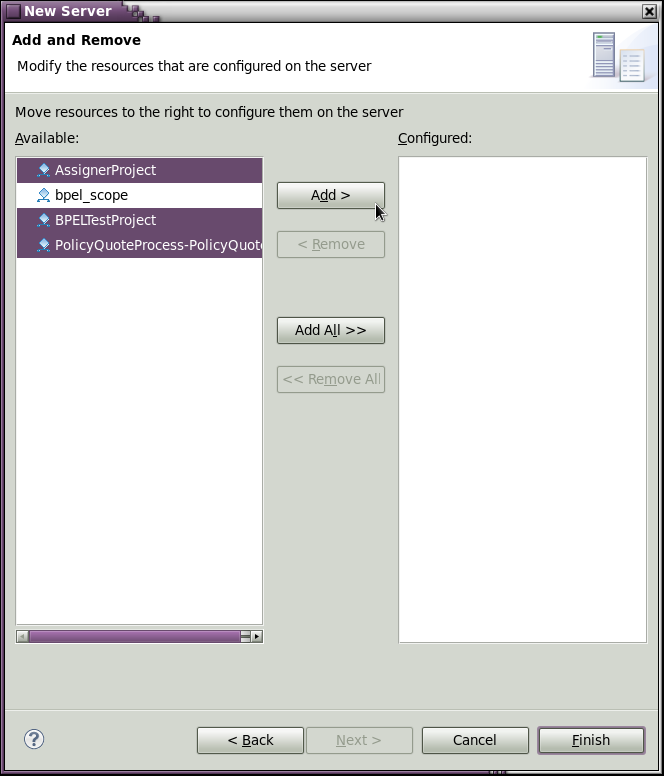
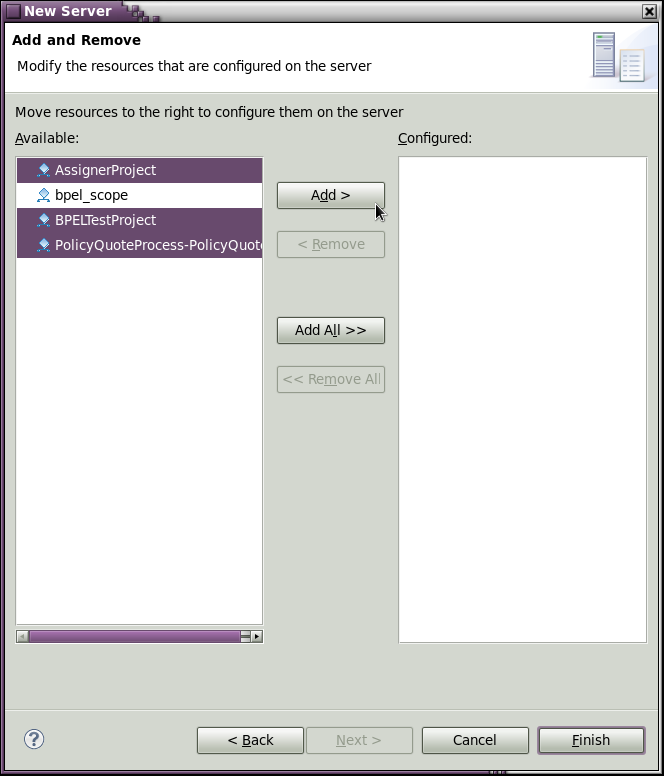
and finally, deploy your processes - that's all there's to it!


http://community.jboss.org/servlet/JiveServlet/downloadImage/38-3550-11195/New-Server-3.png

(http://community.jboss.org/servlet/JiveServlet/showImage/38-3550-11195/New-Server-3.png)

h1. The Tooling
Over a year ago, JBoss made the very difficult decision to fork the Eclipse
BPEL Designer source (http://eclipse.org/bpel/) because apparently the original
development team was unable to commit the time and resources to maintain the
editor, for whatever reasons
(http://www.theregister.co.uk/2006/03/16/eclispe_soa_ibm_oracle/) and the
project has been floundering until recently
(http://dev.eclipse.org/blogs/bpel/2010/08/20/the-eclipse-bpel-designer-project-whats-the-deal-here/).
 Since then a lot of improvements and bug fixes have been made and the BPEL
editor is finally stable enough to be considered a beta release! Not only are
there other Eclipse projects (http://eclipse.org/smila/)  that depend on, and
use the BPEL Designer, but it has been officially integrated into our QA cycle.

In the coming months these fixes and enhancements will be pushed back upstream
to the Eclipse code line and made available to the community. The plan is to
rekindle community interest in this project and eventually have it be
self-sustaining so that we can finallyretire our forked code line. The fact
that we have been able to gain some measure of control over the code at
eclipse.org will make this task much simpler.
h1. What's Next?
We still have some features we'd like to see implemented in the editor and
runtime, such as:

* Execution simulation and in situ runtime debugging.
* WS-HumanTask or BPEL4People support.
* Clustering to support HA and load balancing.
* Solidifying the BPEL Designer plug-in extension API, especially BPEL
extension activities.
* A new “Design” page with a simplified GUI which could be offered as a “BPEL
Lite” page vs the current “BPEL Classic” designer.
* A new "Overview" page that simplifies partner link and WSDL management.


The current graphical UI has long been criticized for being less than user
friendly and several ideas have been tossed around which would improve the user
experience. We hope to implement each of these as time permits.


h1. How You Can Help
The reason for offering BPEL as a Technical Preview is so that early adopters
can get their hands on new technology goodies to start playing with them and
provide us with valuable feedback! This will help us shake out bugs and help us
offer a better product. But this only works if you, the users, provide us with
that feedback.


So if you are an early adopter and run across a bug, or you see a need for a
new feature/enhancement, please let us know by posting to the JBoss
(http://community.jboss.org/en/tools?view=discussions) or Riftsaw
(http://community.jboss.org/en/riftsaw?view=discussions) community user forums.
For BPEL Designer-specific issues and questions, you can also post directly to
the Eclipse BPEL project forum
(http://www.eclipse.org/forums/index.php?t=thread&frm_id=43).
--------------------------------------------------------------

Comment by going to Community
[http://community.jboss.org/community/tools/blog/2011/01/24/bpel-technical-preview-available-soon]
_______________________________________________
jboss-user mailing list
[email protected]
https://lists.jboss.org/mailman/listinfo/jboss-user