https://bugs.koha-community.org/bugzilla3/show_bug.cgi?id=36589
--- Comment #2 from Caroline Cyr La Rose <[email protected]> ---
Sorry, me again.

I normally test in Chrome, and I see 1.5ish lines in Chrome. But I just tried
in Firefox and I find it worst. Only one line is shown in Firefox and there are
no arrows to indicate that there actually are more than one line in the
clipboard.

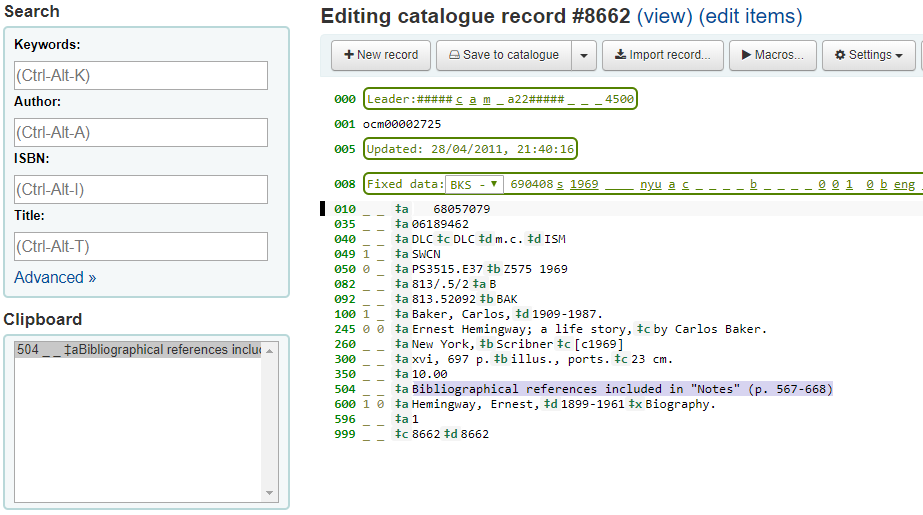
"Before" picture:
https://koha-community.org/manual/23.05/en/html/_images/advancedcataloging.png

My current clipboard in Chrome, with 3 fields copied into the clipboard:
https://snipboard.io/E1DTjA.jpg

My current clipboard in Firefox, with 3 fields copied into it:
https://snipboard.io/dRFVOI.jpg

I use Ubuntu 22.04 with Chrome 123.0.6312.105 and Firefox is 124.0.1, if it's
relevant.

--
You are receiving this mail because:
You are watching all bug changes.
You are the assignee for the bug.
_______________________________________________
Koha-bugs mailing list
[email protected]
https://lists.koha-community.org/cgi-bin/mailman/listinfo/koha-bugs
website : http://www.koha-community.org/
git : http://git.koha-community.org/
bugs : http://bugs.koha-community.org/