https://bugs.freedesktop.org/show_bug.cgi?id=60314
Jorendc <[email protected]> changed:

           What    |Removed                     |Added
----------------------------------------------------------------------------
           Hardware|Other                       |All
                 OS|Linux (All)                 |All
             Status|UNCONFIRMED                 |NEW
         QA Contact|                            |[email protected]
                   |                            |e
            Summary|: docx filter               |Remove cell border isn't
                   |                            |saved correctly when saving
                   |                            |as docx
     Ever confirmed|0                           |1

--- Comment #1 from Jorendc <[email protected]> ---
Thanks for reporting!

I can not fully reproduce this behavior (not *all* cell borders are deleted),
but I can reproduce a bad behavior when you delete some cell borders in a
table. (tested with Mac OSX 10.8.2 using LibreOffice 4.0.0.3 rc3)

What I did:
* Open writer
* Create a 5x5 table
* select 4 cells somewhere in the middle of the table
* On the table toolbar: select borders > None (=the balk square)
* Save document as odt
* Save document as docx

When opening both documents (odt, docx) in LibreOffice: good behavior
When opening the docx using Word for Mac 2011: some borders are visible (not
deleted).

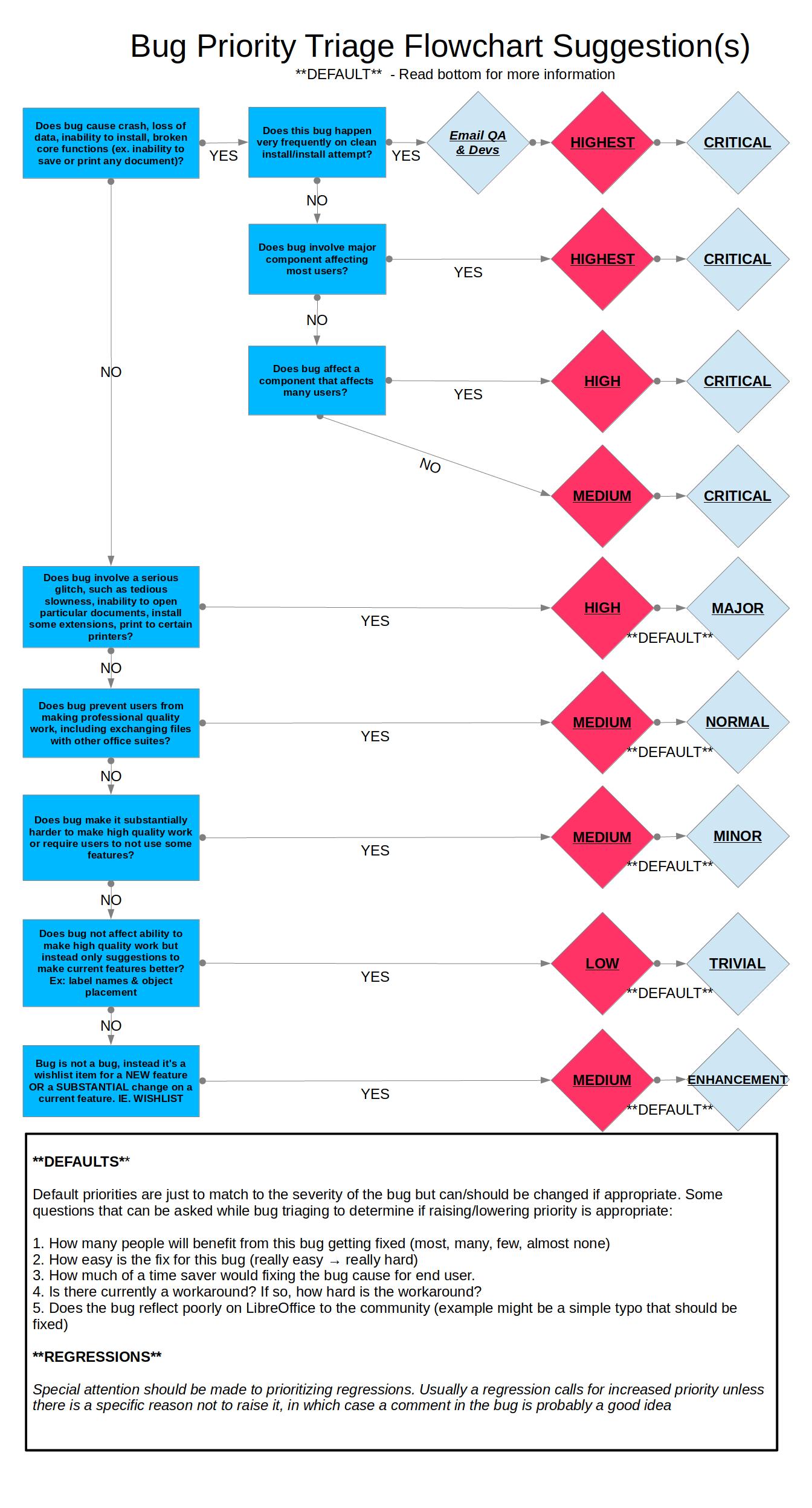
Following [1] I mark this bug as 'medium normal'

[1]
https://wiki.documentfoundation.org/images/0/06/Prioritizing_Bugs_Flowchart.jpg

PS: I also changed the title a bit to a more meaningful one.

--
You are receiving this mail because:
You are the assignee for the bug.
_______________________________________________
Libreoffice-bugs mailing list
[email protected]
http://lists.freedesktop.org/mailman/listinfo/libreoffice-bugs